-----------------IMPACT DOT-MATRIX RECEIPT PRINTER------------------
--
6
-
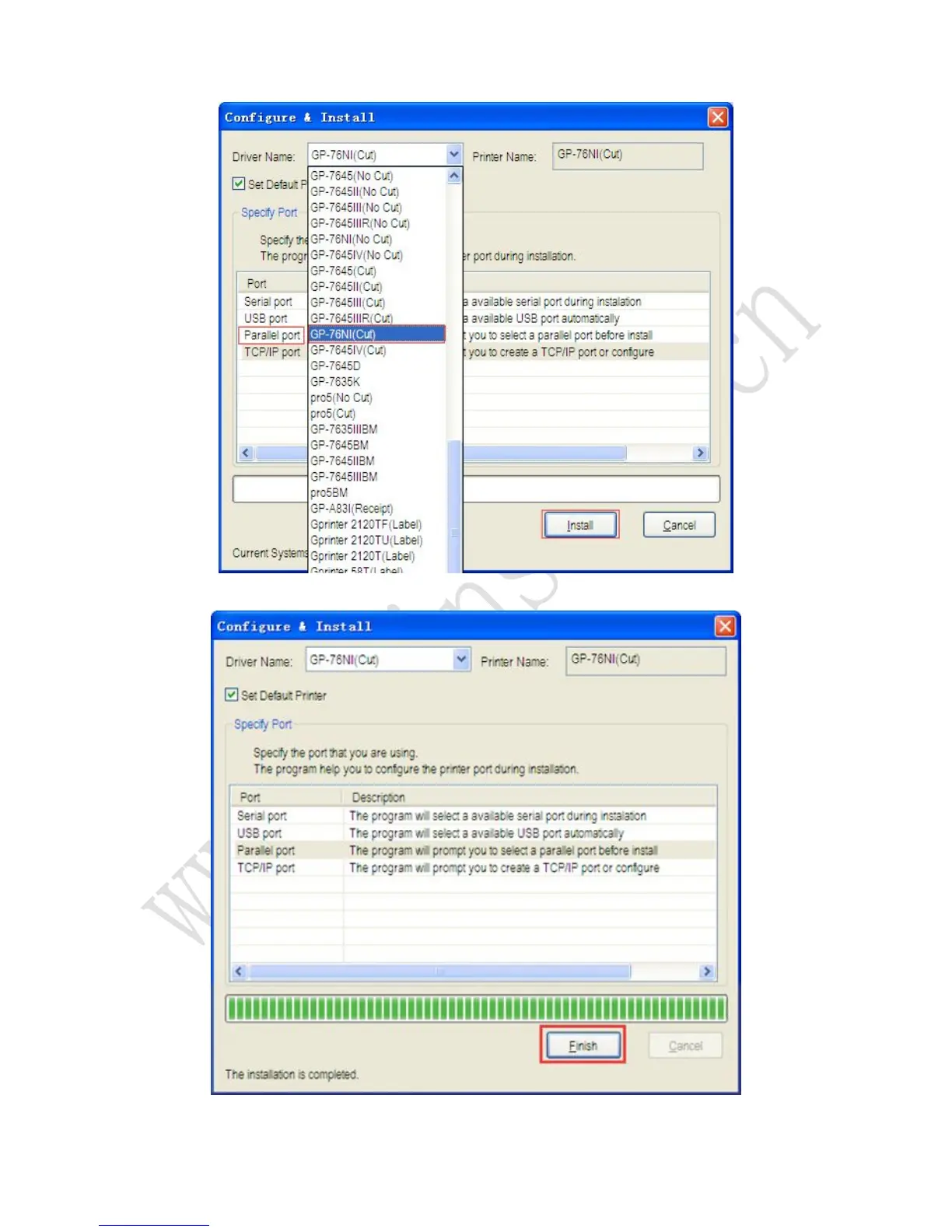
1. If using Parallel port, please install the driver as the following steps:
1.1 Select the 76NI(cut) and Parallel port to be used and click the “Install” button.
1.2 Click the “Finish” button.
1.3 Driver installation finished, Click 【start】-【device and printer】, driver of 76NI(cut)
showed as bellow:



 To Next Page