-----------------IMPACT DOT-MATRIX RECEIPT PRINTER------------------
--
7
-
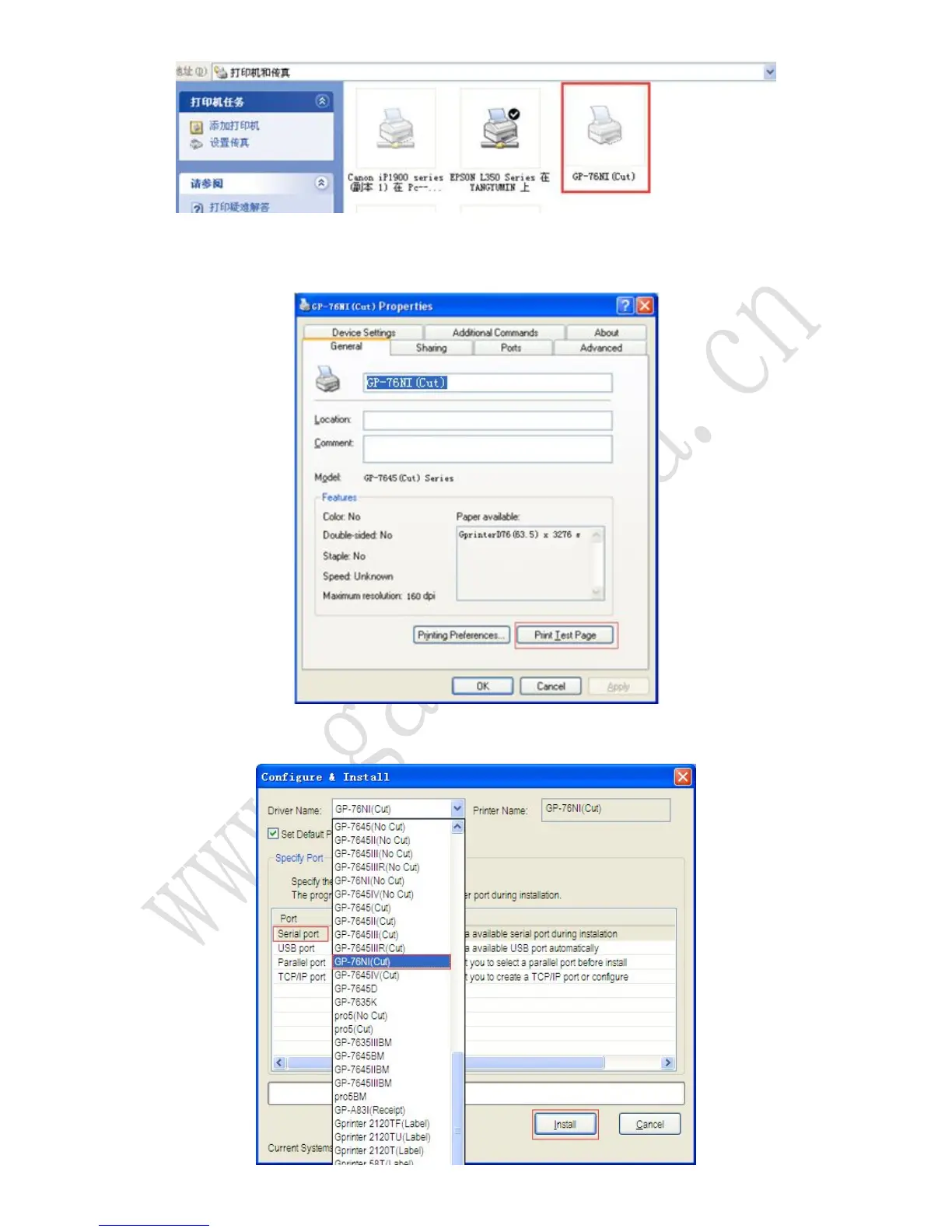
1.4 The Parallel Port setting can be confirmed in the Windows Driver properties. Click the
“Print Test Page” button and check printing status. Proper installation of the driver is indicated if
the test page is printed normally.
2. If using Serial port, please install the driver as the following steps:
2.1 Select the 76NI(cut) and Serial port to be used and click the “Install” button.



 To Next Page