-----------------IMPACT DOT-MATRIX RECEIPT PRINTER------------------
--
8
-
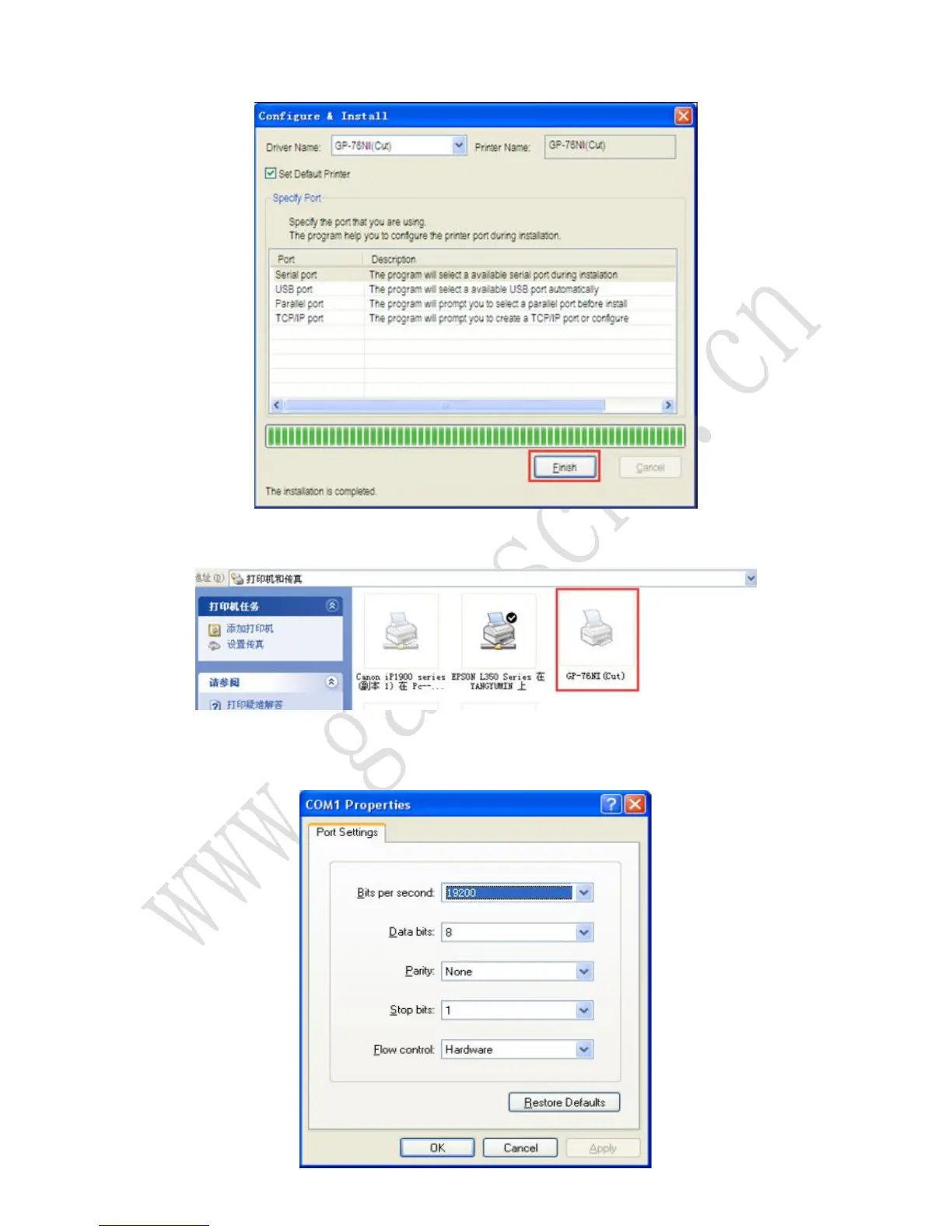
2.2 Click the “Finish” button.
2.3 Driver installation finished, Click 【start】-【device and printer】, driver of 76NI(cut)
showed as bellow:
2.4 The Serial Port setting can be confirmed in the Windows Driver properties. Click the
“Port Settings” button in the ”Ports” tab. Match the communication settings to those of the
printer.(The communication settings of the printer can be performed by conducting a self-test
page.)



 To Next Page