1 2 3 4 5 6 7 8
Line Thermal Printers
5
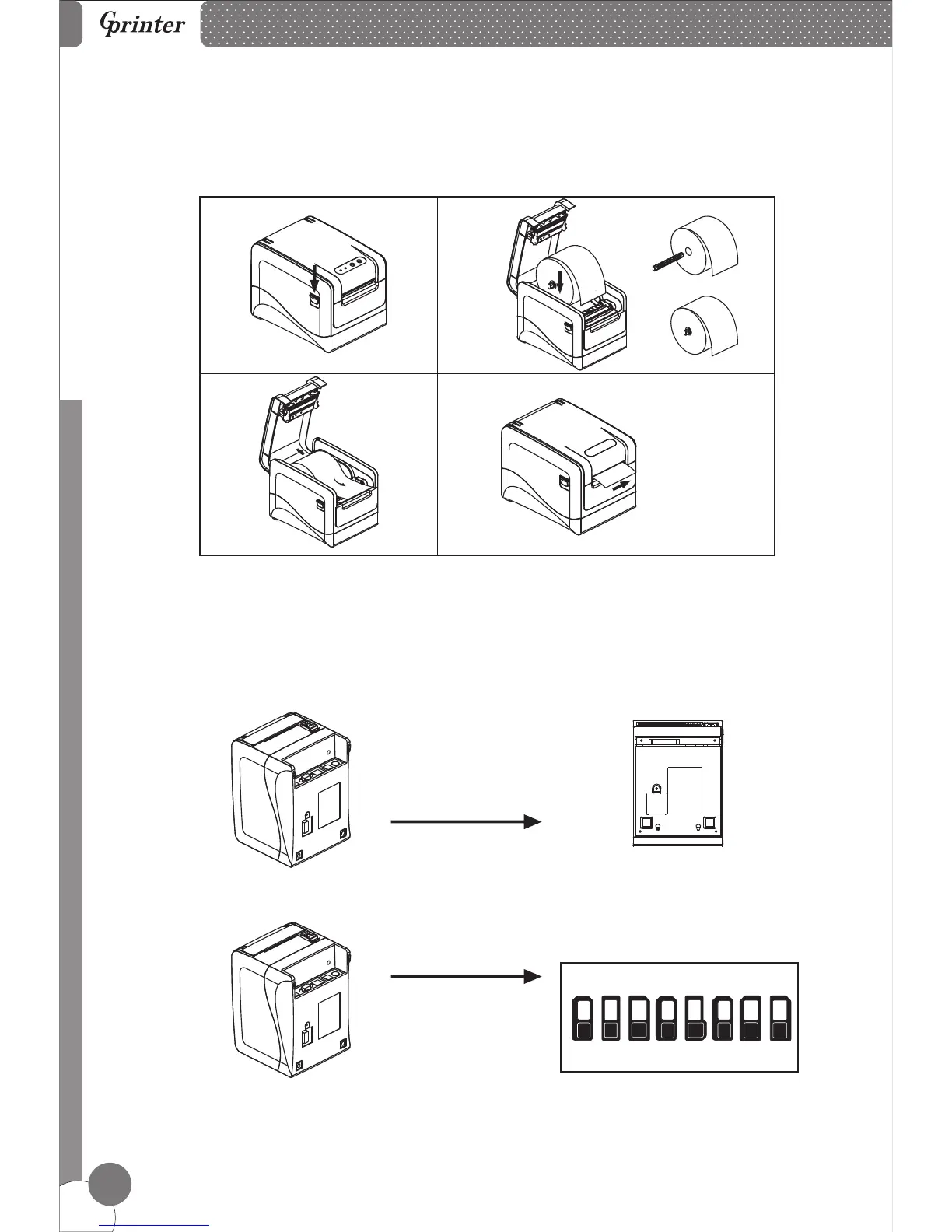
8. Print Mode (DIP switches)
Users can select the auto cutter, language, printing speed, beep, print density by
using DIP switches to set the printer.
Setting
1. Remove the DIP switches cover
on the bottom of the printer.
2. DIP switches setting.
a
b
c
d



 To Next Page