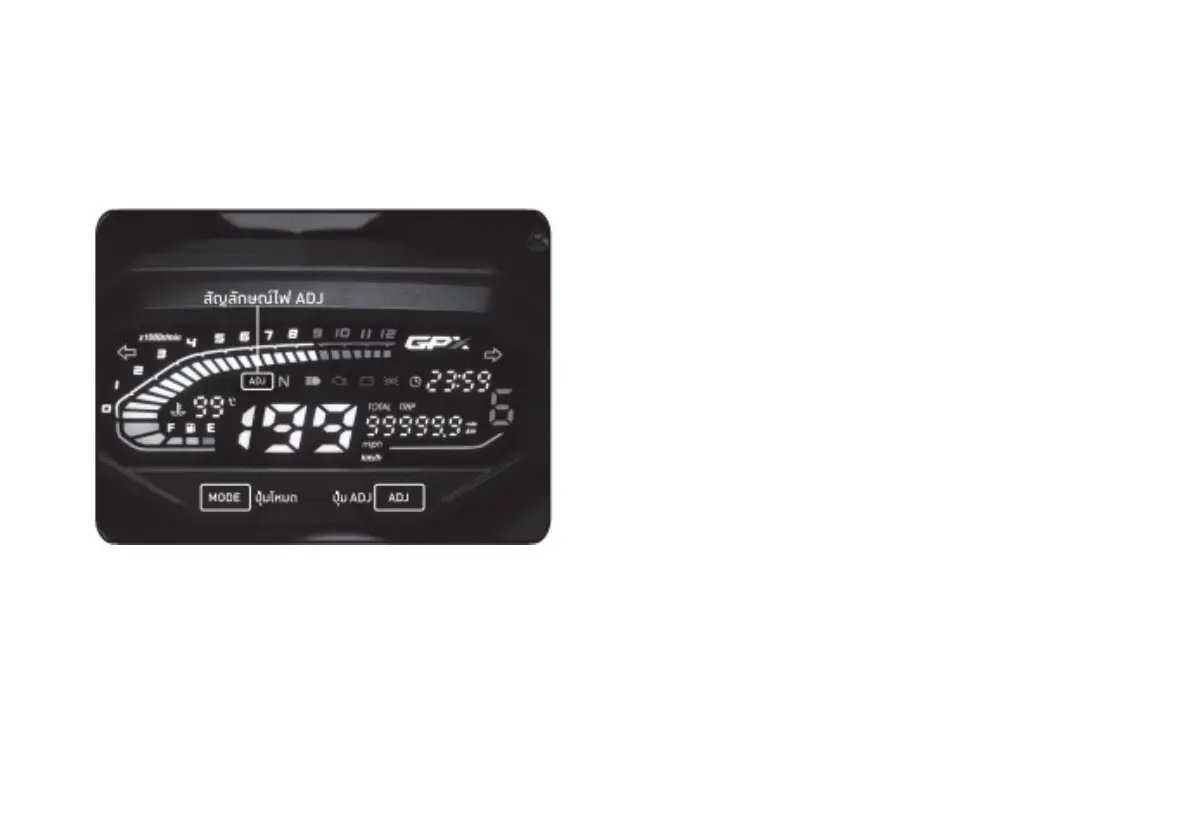
Speed mode Setting
1) Press the MODE and ADJ button together to
choose mph or km/h and then release the
button.
Odometer Setting
1) Press ADJ and choose TRIP
2) Press and hold ADJ button and set the value
to 0
Clock Setting
1) Press MODE button until the clock blink.
2) Press MODE button to decrease the
time.
3) Press ADJ button to increase the time.
4) Press MODE again if you finish setting until the
clock stop blinking.
32


 To Next Page