10
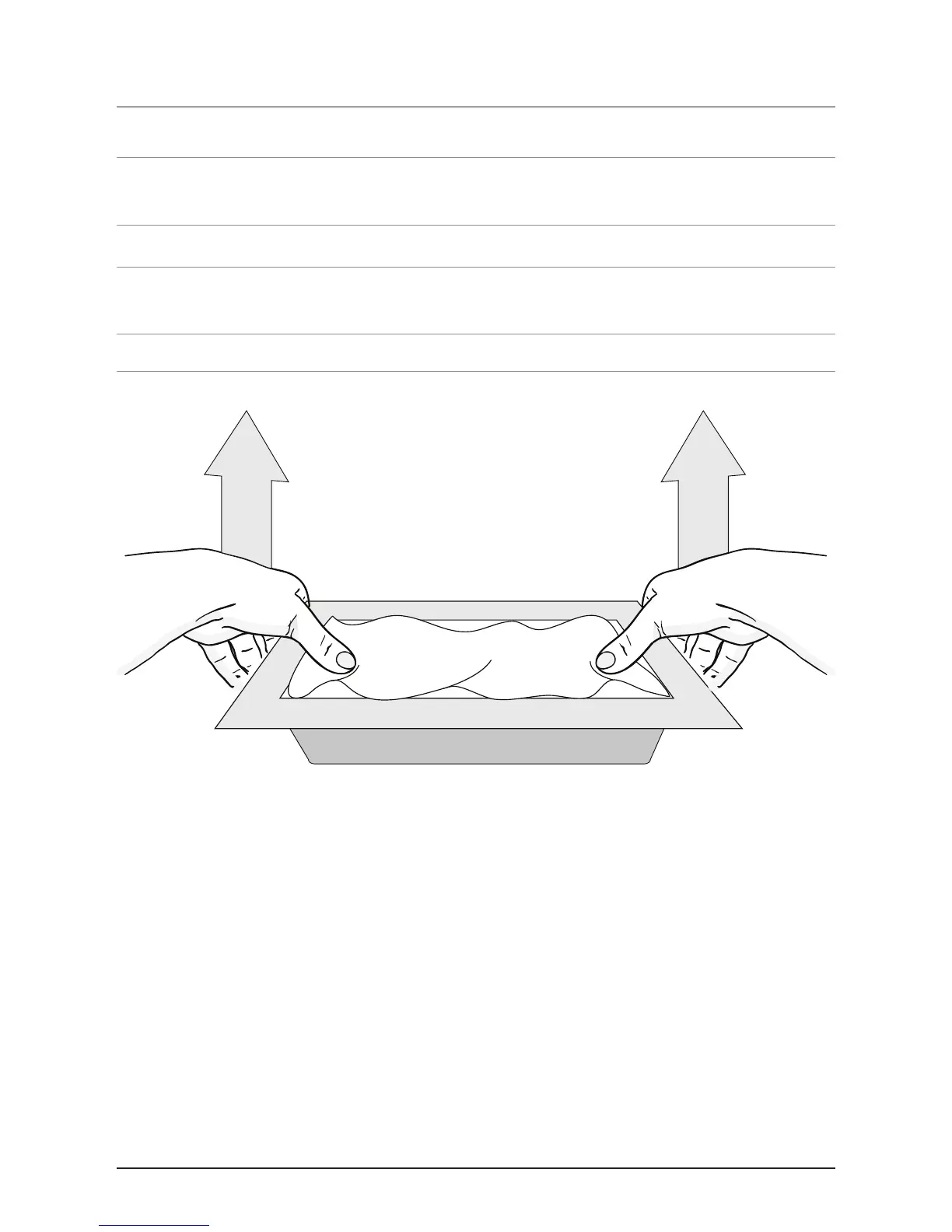
Taking a Frame Off
Step 1: Lay the unit down on a at surface, with the display facing upward.
Step 2: Place a soft cotton cloth over the display. This will keep the display clean
of nger prints while changing the frame.
Step 3: Put your thumbs just inside the frame, over the cloth covered display.
Step 4: Gently apply upward pressure on the outside lip of the frame using your
ngers.
• Do not apply pressure to the display to keep from damaging the unit.



 To Next Page