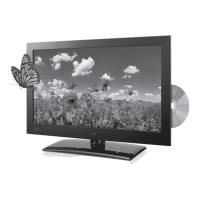
Using a Memory Card
1. Load an SD, MMC, or MS memory card on the side
of the television.
2. Press the Source button on the remote to switch
to SD mode.
3. Use the Arrow and Enter buttons to select and
play content from the connected SD, MMC, or MS
memory card.
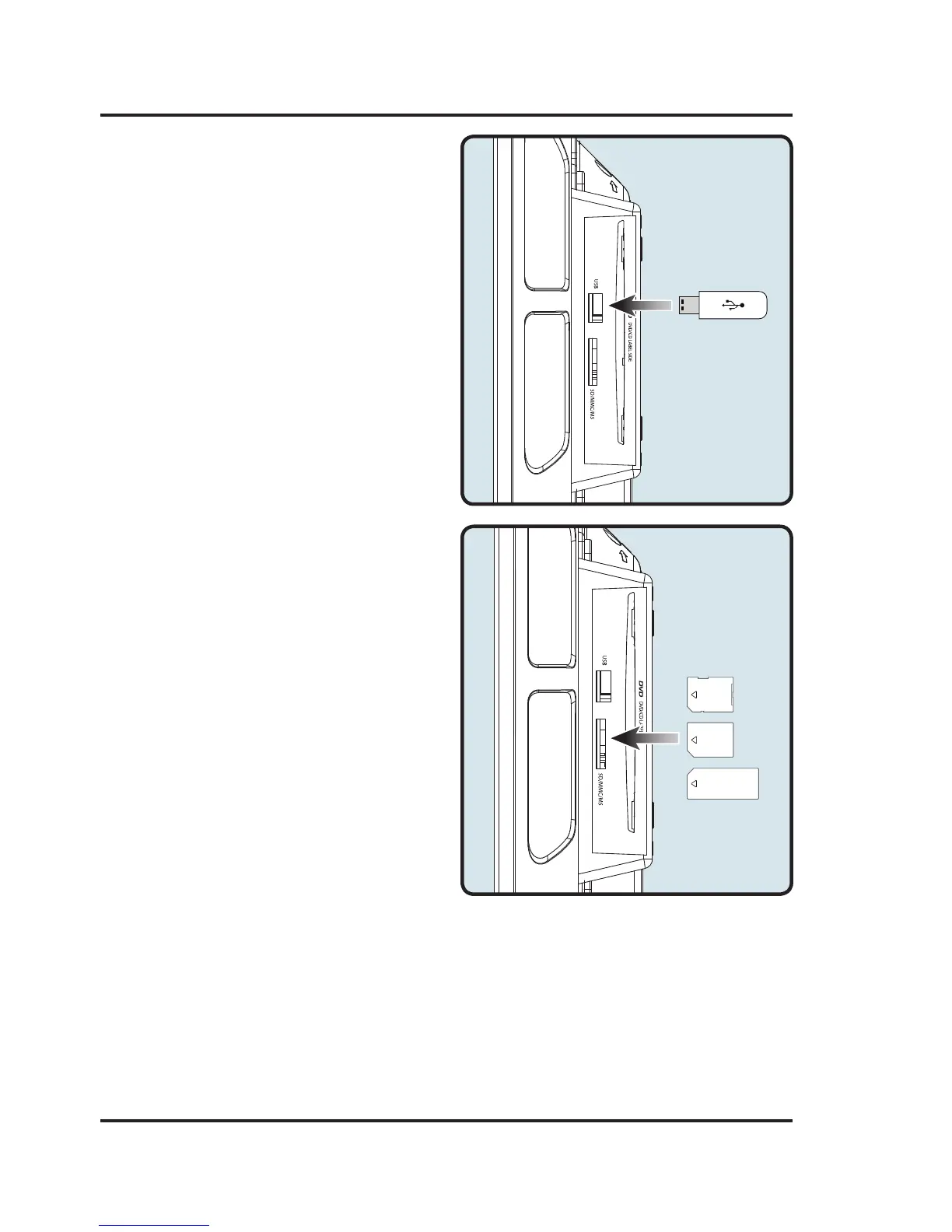
Using a USB Thumb Drive
1. Load a USB thumb drive into the USB Port
on the side of the television.
2. Press the Source button to switch to USB mode.
3. Use the Arrow and Enter buttons to select and
play content from the connected USB thumb drive.
USB & SD, MMC, MS Memory Card


 To Next Page