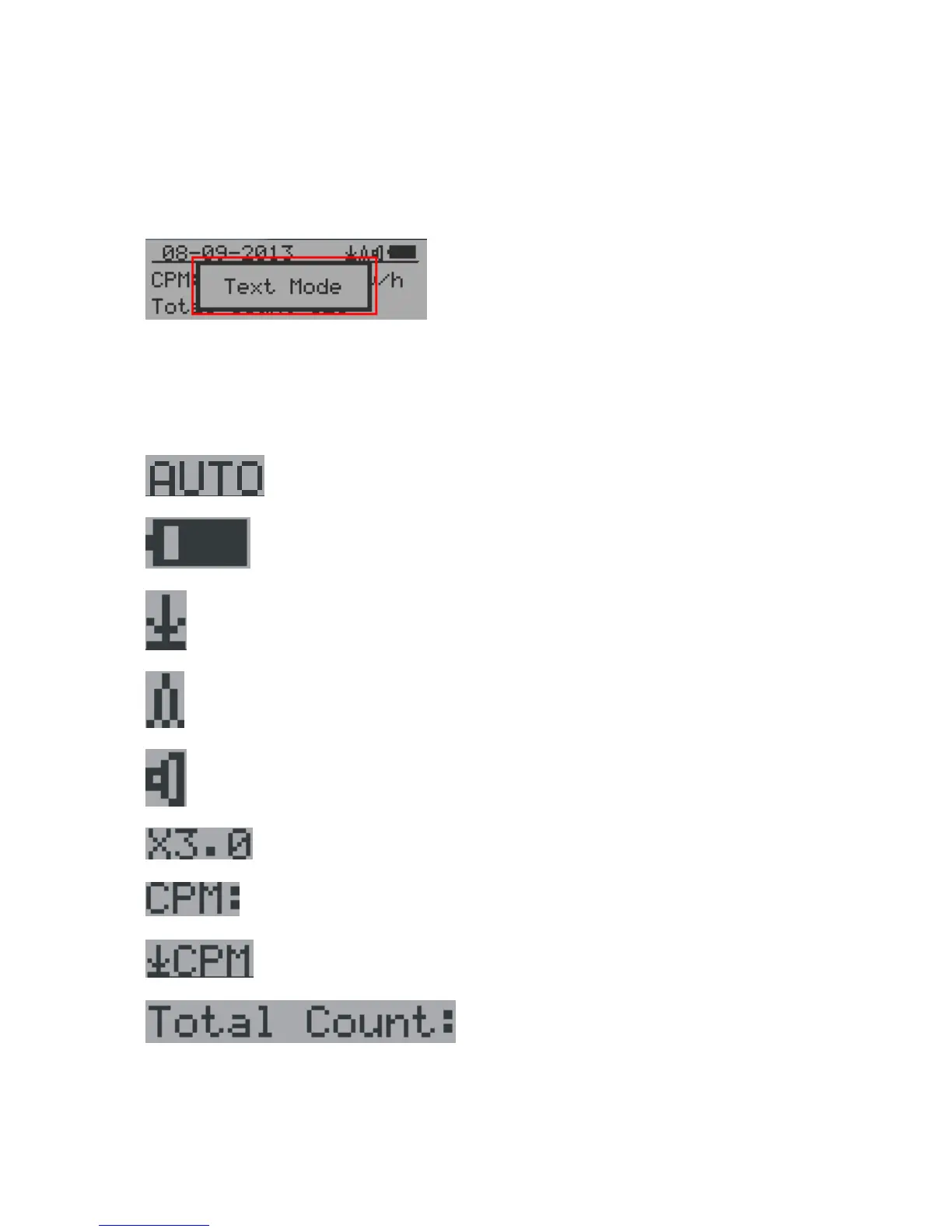
Popup Windows
The Popup Windows will show the current status/value of selected features. The current
status/value can be changed only when it is displayed in the Popup Window and the
currently displayed status/value will be stored when the Popup Window has timed out after 3
seconds if no key has been pressed.
Graphic User Interface (GUI)
Graphic Icons:
Graphic ZOOM factors: 0.1, 0.2, 0.3, …1.0, 2.0, 3.0, 4.0, 5.0, AUTO
Battery Status.
Data saving enabled / (History data)
Alarm enabled
Sound enabled
Current graphic ZOOM factor
Current CPM reading
History CPM reading
Total count since power on OR reset/clear.
There are three ways to display the information, Text Mode, Large Font Mode and Graphic
Mode



 To Next Page