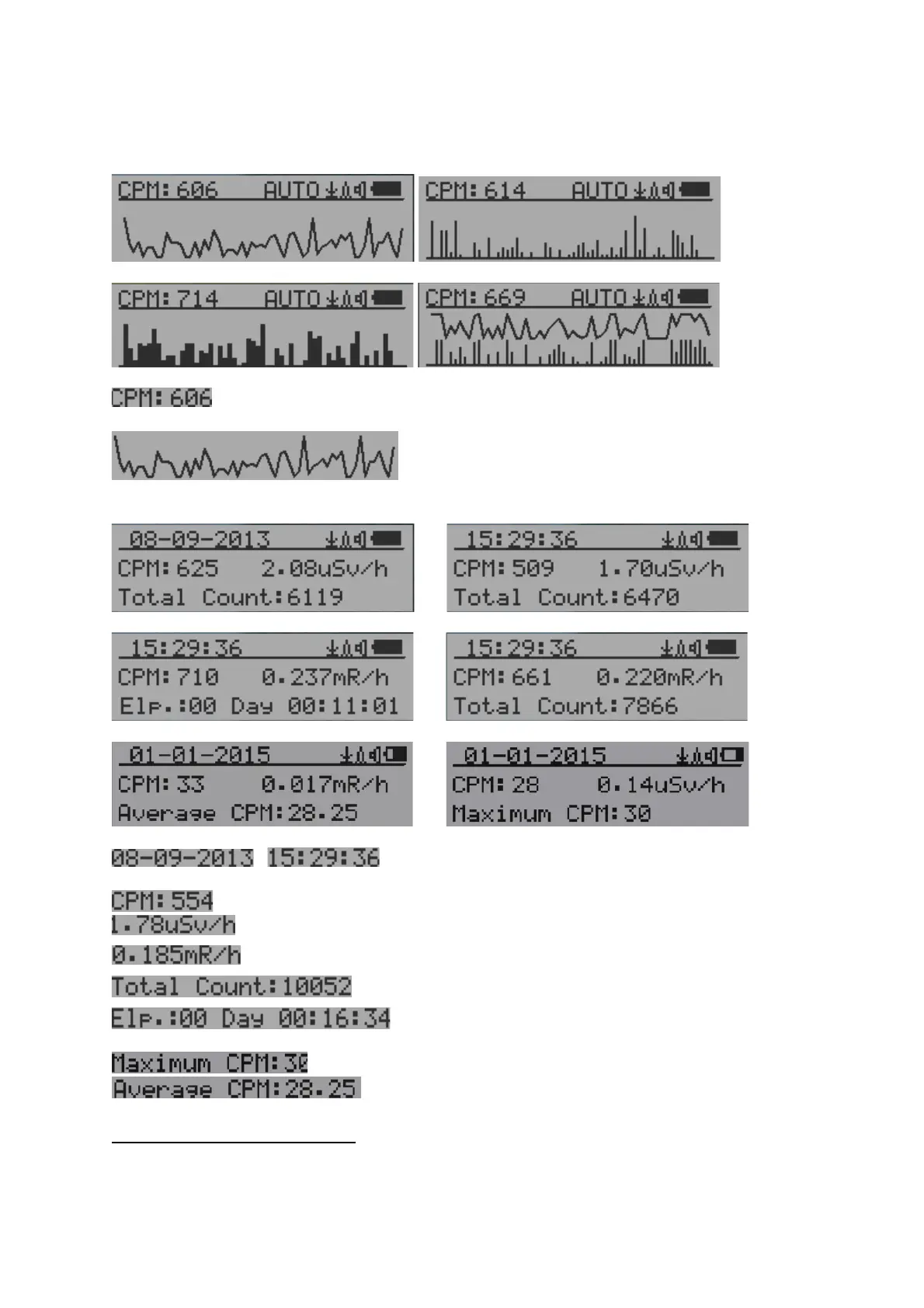
There are four ways to display the information, Text Mode, Large Font Mode , Graphic Mode
and Timed Count
Graphic Mode:
Current radiation level reading in CPM format (Counts Per Minute)
CPS(Count Per Second) in last 60 seconds.
Text Mode:
, Current date and time (Press S3 for toggling
between date and time)
Current radiation level reading in CPM
Current radiation level in µSv/h or
mR/h format
Total count.
Elapsed time since power on
(Press S2 for toggling displayed info)
Maximum CPM since power on
Average CPM since power on.
Navigation keys for both modes:
S1: Text/Graphic Display Mode Selection
S2: µSv/h, mR/h, Total Count, Elapsed Time selection
S3: Date or Time on title selection
S4: Menu



 To Next Page