20
EXPLANATIONOFVISUALINDICATORS
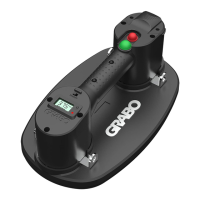
NemoGRABO®
SignalMeaning
NolightTheNemoGRABO®isturnedoff
LEDflashesgreenBatterycapacityislow/empty
Chargethebattery
LEDiscontinuouslygreen1Bar=20%full
2Bar=40%full
3Bar=60%full
4Bar=80%full
5Bar=100%full
BatteryCharger
SignalMeaning
LEDiscontinuouslyredBatteryischarging
LEDiscontinuouslygreenBatteryisfullycharged
MAINTENANCE
WARNING:Changestothetoolandtechnicalmodificationsarenotpermitted.Thiscanleadto
injury.Ifthetoolfailsdespitethecaretakeninmanufacturingandtestingprocedures,repairshallbe
carriedoutbyanafter-salesservicecentrefortheNemoGRABO®.
REPLACINGTHERUBBERFOAMSEAL❽
Removetherubberfoamsealifithasbecomewornordamaged.
1.PullouttherubberfoamsealⒽ.
2.Gentlypressareplacementrubberfoamsealintoposition.
3.Makesurethatthereplacementrubberfoamsealfitscorrectlyandsecurely.
REPLACINGORCLEANINGTHEAIRFILTER❾
Cleanthefilterwhendirty.Thefilterneedstobereplacedwhenthefilterisbadlywornorripped(at
customer’sdiscretion).ThisisdeterminedbyhowtheNemoGRABO®isbeingused.Whenlifting
cleanmaterial,thefilterwilllastlongerthanwhenbeingusedondirty/dustymaterials.
1.TurntheNemoGRABO®upsidedown.
2.UsethetipofascrewdrivertoremovetheairfilterlockringⒿ andtheairfilterpadⒾ .
3.Dooneofthefollowing:
a.Cleanthefilterwithcompressedair,or
b.Insertareplacementairfilterpad.
4.Inserttheairfilterlockringtosecurethefilter.
EN
NL
DE
FR
ES
IT
SE
DK
AR
RU
TR


 To Next Page