13
Grace Link User Guide
Home Screen Icons
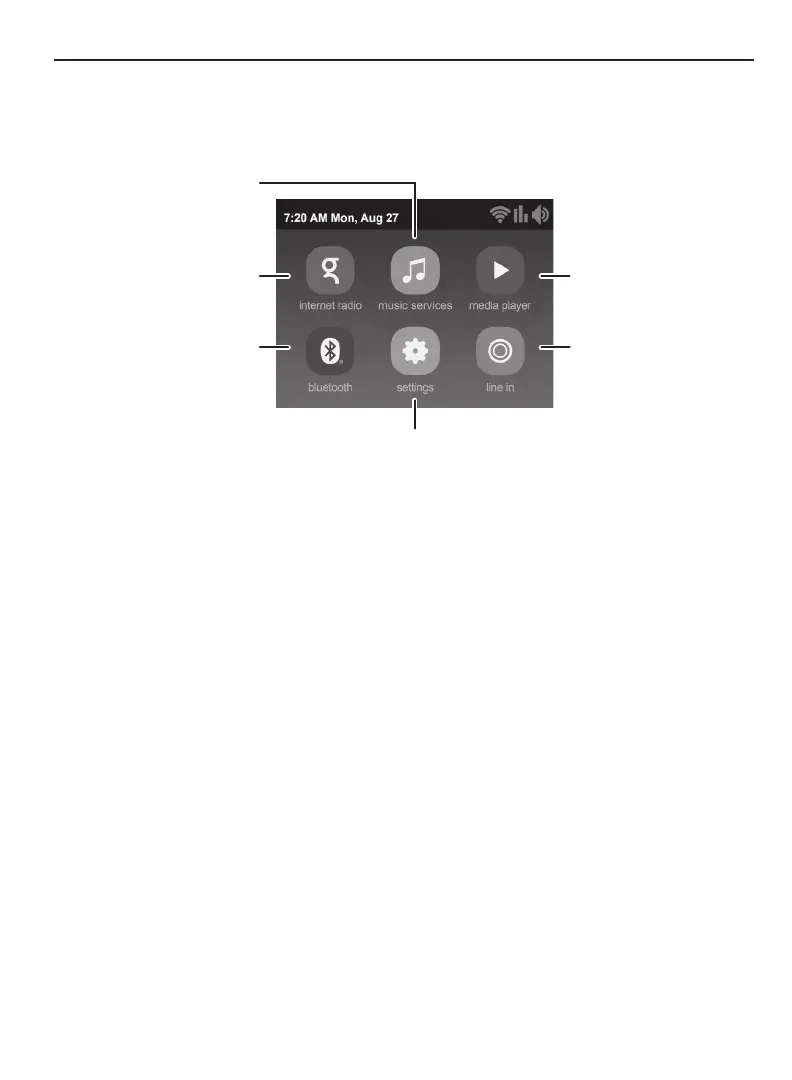
The Home screen provides access to the dierent functions of the Grace Link. You can
navigate the Home screen by pressing Home, turning the Tune Knob to highlight an item, and
pressing the Tune Knob to select.
Select Free and Pay Music
Services / Multi-Room
Search and Play Your
Favorite Radio Stations
Play Music From a UPnP
Media Server
Play Music From the Line
In Jack
Menu for Network Connection, Back Light,
Clock, Master Alarm settings, Equalization, etc.
Bluetooth


 To Next Page