54
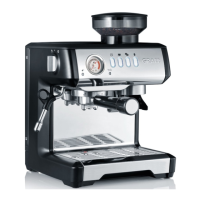
Espresso Machine ES 90 / ES 91
EN
Programming "Double
Espresso"
Put the single-ply lter in-
sert for 2 cups into the group
handle and ll it with coffee
grounds.
Press down the coffee grounds
rmly and insert the group
handle.
Put a cup underneath the
group handle.
Press the "PROGRAM" button.
Then press the " " button.
Press the button again when
you have the desired amount
of espresso.
2 beeps inform you that the
new setting for "double es-
presso" is programmed and
saved.
Factory settings
To revert back to the factory
settings, make sure the unit is
switched off and proceed as fol-
lows:
Keep the "MANUAL" button
pressed and press the "POW-
ER" button at the same time.
Release the "MANUAL" but-
ton.
When you hear 4 acoustic sig-
nals and the "POWER" button
is illuminated the factory set-
tings are restored.
Single espresso 30 ml
Double espresso: 60 ml
Other programming
facilities
Espresso thermoblock
temperature
The water temperature of this
unit is set to approx. 92°C on the
brewing head. The temperature
of the water can be changed by a
maximum of +/- 4°C in 2°C steps.
To do so, proceed as follows:
Plug the plug into the electric
socket.
Please note: Even though the
unit is connected to the mains,
the unit must be switched "off".
That is why no control lamps on
the unit are lit.
Press the "
" button and keep
it pressed.
While pressing the "
" but-
ton, press the "POWER" button
and then release the "POWER"
button.
That enables unit programming.
Now let go of the "
" button.
Within 5 seconds, pres one of the
buttons listed to raise or lower
the temperature:


 To Next Page