TABLE OF CONTENTS
GXW410X USER MANUAL
WELCOME .................................................................................................................................................5
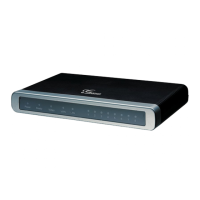
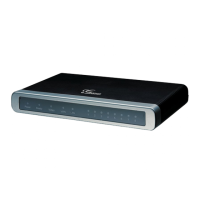
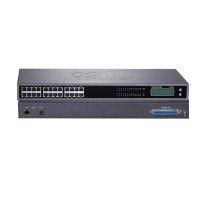
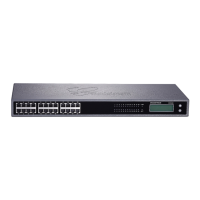
Gateway GXW410x Overview................................................................................................................................5
Safety Compliances.................................................................................................................................................5
Warranty.................................................................................................................................................................5
PACKAGING ..............................................................................................................................................6
CONNECTING THE GXW410X .........................................................................................................................................6
APPLICATION DESCRIPTION...................................................................................................................8
Functional Diagram of IP-PBX & GXW410x........................................................................................................8
GXW400x & GXW410x Scenario/Toll- Free Calling Between Locations.............................................................9
FXS and FXO Gateway Configuration Example..................................................................................................10
FEATURES...............................................................................................................................................10
SOFTWARE FEATURES OVERVIEW.....................................................................................................................................10
HARDWARE SPECIFICATION.............................................................................................................................................11
CONFIGURATION GUIDE........................................................................................................................13
CONFIGURATION WITH WEB BROWSER.............................................................................................................................13
Accessing the Web Configuration Menu...............................................................................................................13
End-user Configuration........................................................................................................................................13
ADVANCED USER SETTINGS............................................................................................................................................17
Advanced User Configuration .............................................................................................................................17
CONFIGURING THE FXO CHANNELS ................................................................................................................................20
PROFILES......................................................................................................................................................................26
Saving the Configuration Changes.......................................................................................................................28
Rebooting from Remote........................................................................................................................................28
VIDEO SURVEILLANCE...........................................................................................................................29
VIDEO SURVEILLANCE PROCEDURES.................................................................................................................................29
FIRMWARE UPGRADE............................................................................................................................31
UPGRADE THROUGH HTTP............................................................................................................................................31
UPGRADE THROUGH TFTP.............................................................................................................................................31
Download TFTP Server........................................................................................................................................32
RESTORE FACTORY DEFAULT SETTING.............................................................................................33
EXAMPLES OF GXW410X CONFIGURATIONS......................................................................................34
GXW410x User Manual
Firmware Version 1.3.1.6
VoIPon www.voipon.co.uk sales@voipon.co.uk Tel: +44 (0)1245 808195 Fax: +44 (0)1245 808299


 To Next Page
 Loading...