3. Menu and Navigation
3.1 Control panel
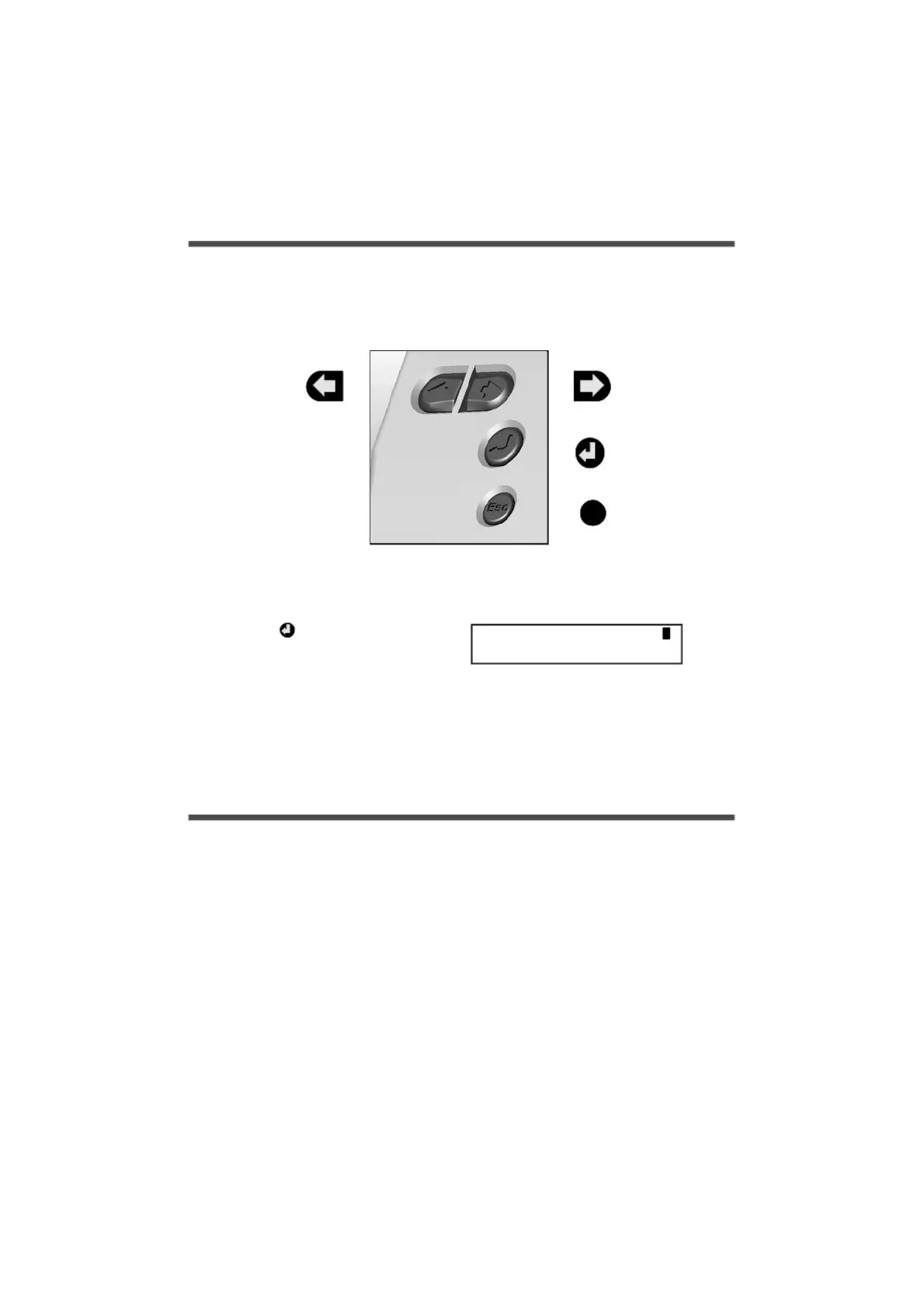
The illustration below shows the navigation controls in more detail.
LEFT
NAVIGATION
KEY
RIGHT
NAVIGATION
KEY
ENTER/
CONFIRM &
POWER ON KEY
ESCAPE KEY
(reverts to previous
menu)
Esc
To use the 2020/2040 control panel
press , the opening display will be
shown (see right). The display timeout is
preset to 10 seconds, however this can
be changed by selecting the
Configuration tab within the Logger
Setup window of SquirrelView.
--Main Menu-----
1/6Log Control
18108 Version 2 - July 2004
Page 5


 To Next Page