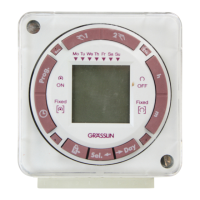
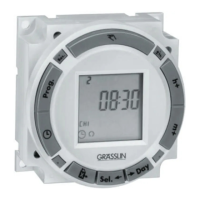
■
PROGRAMMING 24 HOUR OR 7 DAY SCHEDULES
It is helpful to write out the program schedules
before
beginning. See last page.
!
IMPORTANT: THE CURRENT TIME OF DAY AND DAY OF
WEEK MUST BE SET PRIOR TO PROGRAMMING. SEE “SET-
TING THE TIME”
NOTE: The Day and Sel. keys are used to
omit
days of the week for
which the OFF or ON time is not to be implemented. For 24 hour sched-
ules (same program every
day fo the week), ignore Day and Sel. keys.
If an ON or OFF symbol is not entered, the ON symbol will flash,
and program will not be accepted.
Example
Program 1: CH1 ON at 7:00AM Monday thru Friday
Program 2: CH1 OFF at 6:00PM Monday and Friday only
Program 3: CH1 OFF at 5:00PM Tuesday, Wednesday and Thursday
Three programs need to be entered.
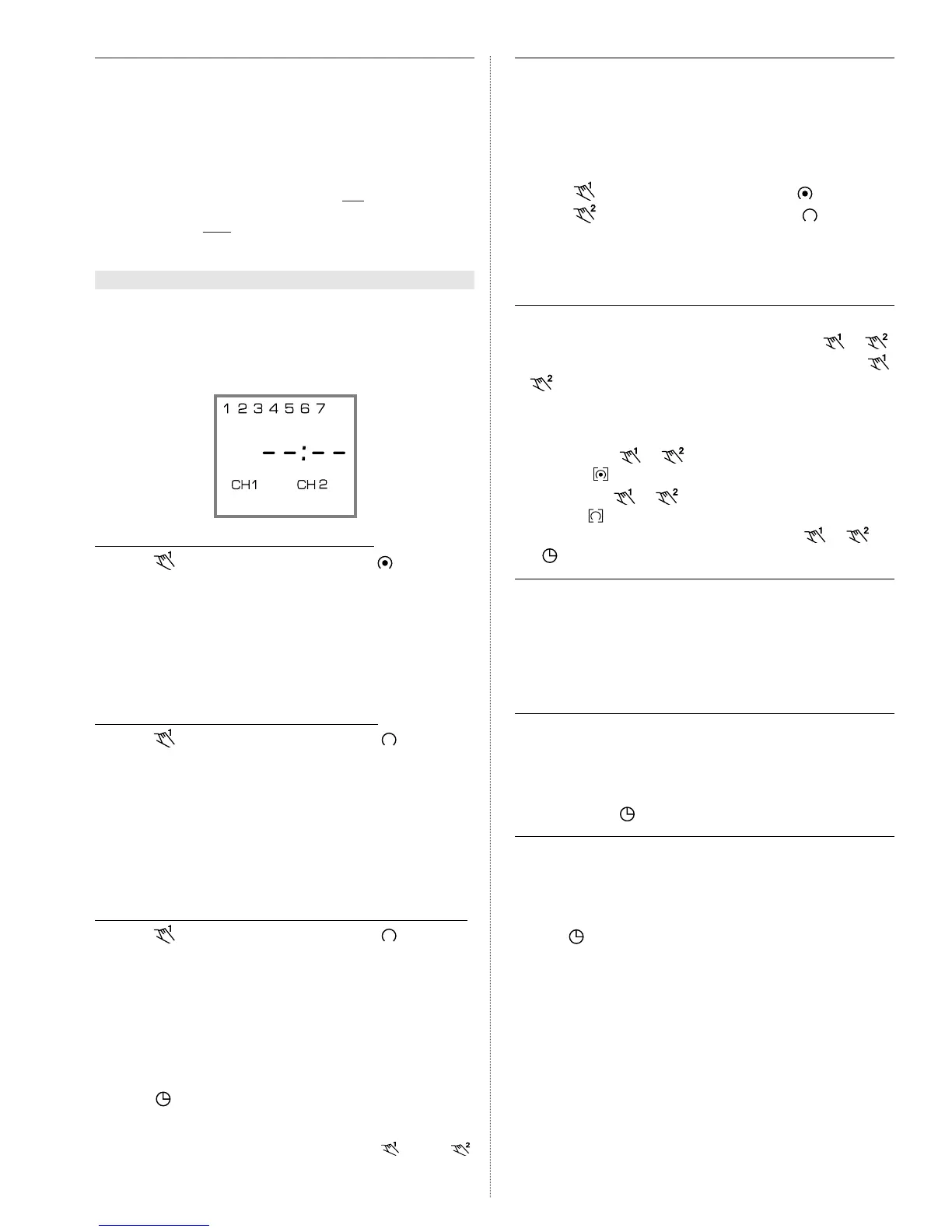
Press Prog. key only once. Display shows:
Program 1
(CH1 ON at 7:00AM Monday thru Friday)
Press key once CH1 ON symbol appears
Press h key to 07AM
Press m key once to 00
Press Day key 6 times flashing line appears under 6
Press Sel. key once to omit 6 in display flashes
Press Day key once flashing line appears under 7
Press Sel. key once to omit 7 in display flashes
Press Prog. key to enter
Program 2
(CH1 OFF at 6:00PM Monday and Friday)
Press key twice CH1 OFF symbol appears
Press h key to 06PM
Press m key once to 00
Press Day key twice flashing line appears under 2
Press Sel. key once to omit 2 in display flashes
Press Day key once flashing line appears under 3
Press Sel. key once to omit 3 in display flashes
Repeat Day and Sel. keys for days 4, 6, and 7
Press Prog. key to enter
Program 3
(CH1 OFF at 5:00PM Tuesday, Wednesday and Thursday)
Press key twice CH1 OFF symbol appears
Press h key to 05PM
Press m key once to 00
Press Day key once flashing line appears under 1
Press Sel. key once to omit 1 in display flashes
Press Day key 4 times flashing line appears under 5
Press Sel. key once to omit 5 in display flashes
Repeat Day and Sel. keys for days 6 and 7
Press Prog. key to enter
Press key to enter Run Mode
!
IMPORTANT: IF AN “ON” TIME WAS PROGRAMMED THAT IS EARLI-
ER IN THE DAY THAN THE CURRENT TIME, PRESS AND/OR
ONCE TO TURN THE TIMER “ON”. (IT DOES NOT “LOOK BACK” TO
DETERMINE IF IT SHOULD BE ON OR OFF AFTER PROGRAMMING)
■ CHANNELS
In each program, CH1 and/or CH2 can be a OFF or ON event. Also,
one channel can be an OFF event and the other an ON event in the
same program. With both channels programmed to the same ON/OFF
schedule, the timer becomes a DPDT time switch.
Example: CH1 ON, CH2 OFF at 8AM Every Day.
Press Prog. key once
Press key once CH1 ON symbol appears
Press key twice CH2 OFF symbol appears
Press h key to 08AM
Press m key to 00
Press Prog. key to enter additional programs
■ MANUAL OVERRIDE
TEMPORARY: While in the Run Mode, pressing the or
key once will reverse the output; ON to OFF or OFF to ON. The
or symbol appears in the display to indicate a temporary over-
ride. At the next scheduled switching time, automatic control resumes,
eliminating the override.
CONTINUOUS: While in the Run Mode...
• Pressing the or key twice will turn the output to ON
permanently. symbol appears in display.
• Pressing the
or
key three times will turn the output OFF
permanently. symbol appears in display.
• To terminate a continuous override, press the
or
key
until appears in the display.
■ REVIEWING PROGRAMS
To review the programs at any time, press Prog. key. Programs will
appear in the order they were entered with repeated presses of the
Prog. key. After all programs have been reviewed, the blank display
will appear to allow entering another program. Another press of the
Prog. key will display the number of free programs available, such as
Fr 38 if 4 programs have been entered.
■
CHANGING A PROGRAM
Select the program to be changed with the Prog. key. New days
may be omitted or omitted days may be returned by using the Day
and Sel. keys just as in initial programming. Hour and minute can be
changed with the h and m keys.
Press Prog. or key to store the new program.
■
DELETING A PROGRAM
To delete only one or a few programs:
Press Prog. key until the desired program is displayed.
Press m key to :59 and press once more to blank out.
Press h key to 11PM and press once more to blank out.
Press key, display will flash for several seconds and then enter
the Run Mode.
Using the reset key will delete ALL programs, the time of day, and
daylight change dates.


 To Next Page
 Loading...