EasyManua.ls Logo

Grasslin MIL 72A D120 - User Manual

Grasslin MIL 72A D120
172 pages
Go to English
Print Icon
To Next Page IconTo Next Page
Loading...
D GB F I E P NL S DK
FIN
CZ PL
Instruction Manual
20 memories time switches
Question and Answer IconNeed help?

Do you have a question about the Grasslin MIL 72A D120 and is the answer not in the manual?

Summary

Safety Precautions

Assembly

Accessories

Device Interface and Controls

Symbols and Keys Explanation

Explanation of symbols and function keys found on the timer's display and controls.

Key Functionality Overview

Details on the operation of '+/-', 'Res.', 'Menu', and 'OK' buttons.

Timer Configuration

Setting Display Format (24 h;AM-PM)

Guide to selecting the time display format, 24-hour or AM/PM.

Time and Weekday Settings

Setting Hour, Minutes, and Day

Instructions for setting the current hour, minutes, and day of the week.

Program Types

Using Pre-set Programs

Selecting and Modifying Pre-set Programs

Guide on selecting pre-set programs and options for modification.

Creating User Defined Programs

Setting Program ON Times

Instructions for setting the ON hour and minutes for a custom program.

Setting Program ON Weekday and Channel

Setting Program OFF Times

Shifting Programs Across Days

Deleting Programs

Program Deletion Procedure

Procedure for deleting programmed ON/OFF times, noting they are removed in pairs.

Advanced Time Features and Modes

Summer;Winter Time Adjustment

Using the +1h key to switch between summer and winter time.

Manual Operation Modes

Switching between automatic, fixed ON, and fixed OFF modes using +/- keys.
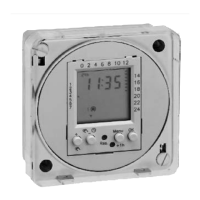
Grasslin MIL 72A D120 Specifications

General IconGeneral
BrandGrasslin
ModelMIL 72A D120
CategoryTimer
LanguageEnglish

Related product manuals