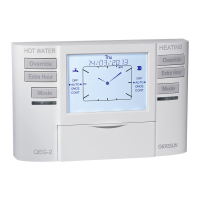
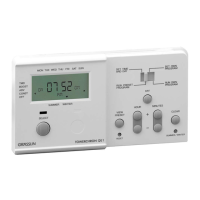
Review/Edit central heating (CH) program
Depending on the product you can choose between three
1)
1)
.
Daily You can program all weekdays (Monday -
Sunday) with the same ON/OFF time schedule
Weekly
1)
You can program each day (Monday, Tuesday, ...)
with a different ON/OFF time schedule
Week-Weekend
1)
You can program Monday - Friday with a ON/
OFF time schedule and Saturday - Sunday with
a different one.
You can set the desired setting in the INSTALLERS MENU.
Every programme has three pairs of ON/OFF switching times
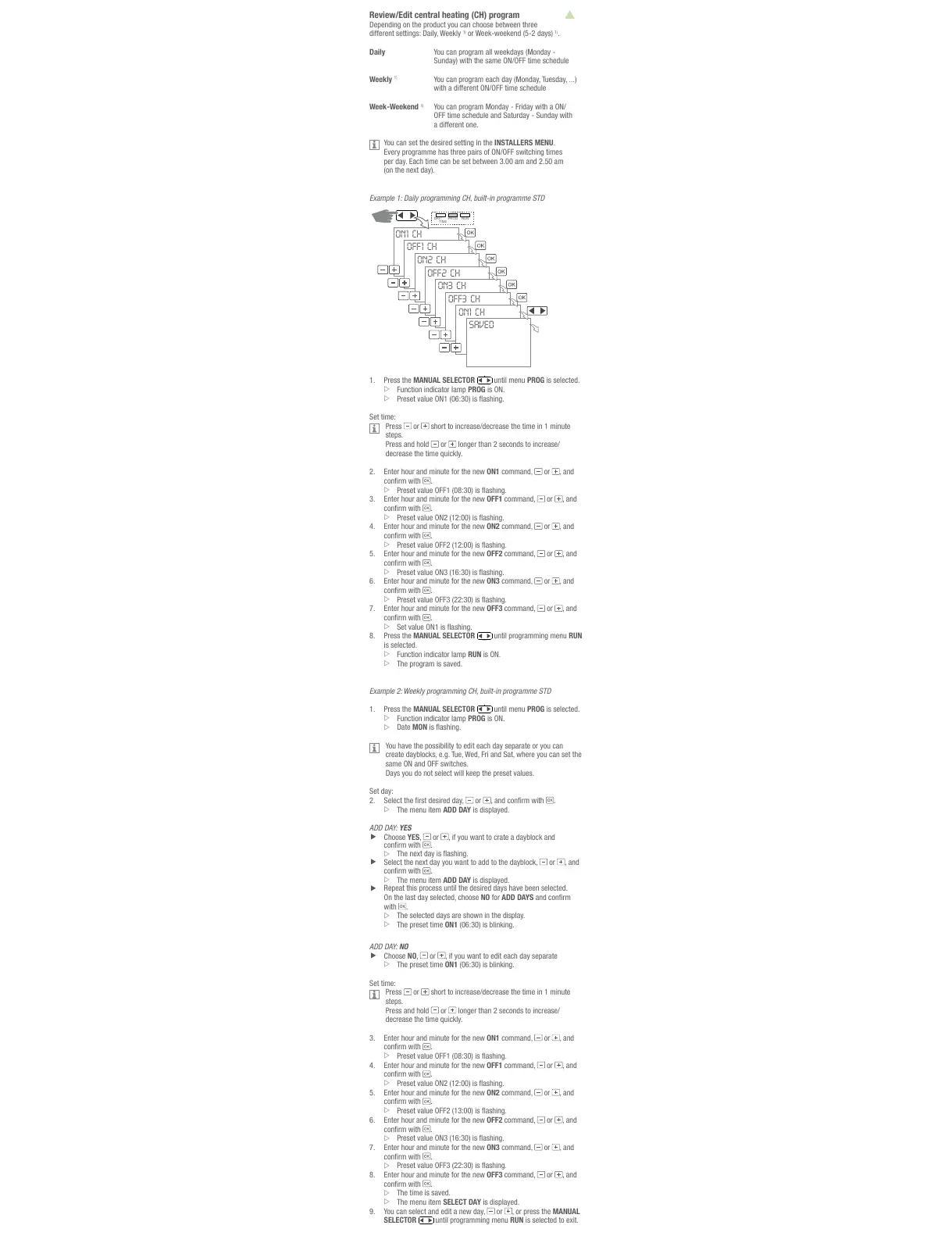
Example 1: Daily programming CH, built-in programme STD
ON1 CH
OFF1 CH
ON2 CH
OFF2 CH
ON3 CH
OFF3 CH
ON1 CH
SAVED
DAY/
PROG RUN
TIME
1. Press the MANUAL SELECTOR
Override
HEATINGHOT WATER
Extra Hour
Mode
DAY/
CH RUN
TIME
OFF
am
Thu
AUTO
ONCE
CONT
EXT HOUR
+1
+2
+3
07 / 02 / 2013
ON1
OFF
AUTO
ONCE
CONT
EXT HOUR
+1
+2
+3
ON1
DHW
Override
Extra Hour
Mode
OK
Holidays
Select
until menu PROG is selected.
Function indicator lamp PROG is ON.
Press or short to increase/decrease the time in 1 minute
steps.
Press and hold
or
decrease the time quickly.
Enter hour and minute for the new ON1 command,
or , and
.
3. Enter hour and minute for the new OFF1 command,
or , and
.
Enter hour and minute for the new ON2 command,
or , and
.
Enter hour and minute for the new OFF2 command,
or , and
.
Enter hour and minute for the new ON3 command,
or , and
.
Enter hour and minute for the new OFF3 command,
or , and
.
Press the MANUAL SELECTOR
Override
HEATINGHOT WATER
Extra Hour
Mode
DAY/
CH RUN
TIME
OFF
am
Thu
AUTO
ONCE
CONT
EXT HOUR
+1
+2
+3
07 / 02 / 2013
ON1
OFF
AUTO
ONCE
CONT
EXT HOUR
+1
+2
+3
ON1
DHW
Override
Extra Hour
Mode
OK
Holidays
Select
until programming menu RUN
is selected.
Function indicator lamp RUN is ON.
The program is saved.
Example 2: Weekly programming CH, built-in programme STD
1. Press the MANUAL SELECTOR
Override
HEATINGHOT WATER
Extra Hour
Mode
DAY/
CH RUN
TIME
OFF
am
Thu
AUTO
ONCE
CONT
EXT HOUR
+1
+2
+3
07 / 02 / 2013
ON1
OFF
AUTO
ONCE
CONT
EXT HOUR
+1
+2
+3
ON1
DHW
Override
Extra Hour
Mode
OK
Holidays
Select
until menu PROG is selected.
Function indicator lamp PROG is ON.
Date MON
You have the possibility to edit each day separate or you can
same ON and OFF switches.
Days you do not select will keep the preset values.
or .
The menu item ADD DAY is displayed.
ADD DAY: YES
Choose YES, or , if you want to crate a dayblock and
.
or , and
.
The menu item ADD DAY is displayed.
Repeat this process until the desired days have been selected.
On the last day selected, choose NO for ADD DAYS
with
.
The selected days are shown in the display.
The preset time ON1
ADD DAY: NO
Choose NO, or , if you want to edit each day separate
The preset time ON1
Press or short to increase/decrease the time in 1 minute
steps.
Press and hold
or
decrease the time quickly.
3. Enter hour and minute for the new ON1 command,
or , and
.
Enter hour and minute for the new OFF1 command,
or , and
.
Enter hour and minute for the new ON2 command,
or , and
.
Enter hour and minute for the new OFF2 command,
or , and
.
Enter hour and minute for the new ON3 command,
or , and
.
Enter hour and minute for the new OFF3 command,
or , and
.
The time is saved.
The menu item SELECT DAY is displayed.
9. You can select and edit a new day,
or , or press the MANUAL
SELECTOR
Override
HEATINGHOT WATER
Extra Hour
Mode
DAY/
CH RUN
TIME
OFF
am
Thu
AUTO
ONCE
CONT
EXT HOUR
+1
+2
+3
07 / 02 / 2013
ON1
OFF
AUTO
ONCE
CONT
EXT HOUR
+1
+2
+3
ON1
DHW
Override
Extra Hour
Mode
OK
Holidays
Select
until programming menu RUN
All manuals and user guides at all-guides.com


 To Next Page
 Loading...