Need help?
Do you have a question about the Grasslin QEG-2 and is the answer not in the manual?
Explains the role and benefits of programmers for householders.
Details the key features and capabilities of the programmer.
Specifies the intended applications and lists technical specifications.
Covers essential safety precautions and general installation guidance.
Step-by-step instructions for opening the housing and mounting.
Illustrates the correct electrical connections for the device.
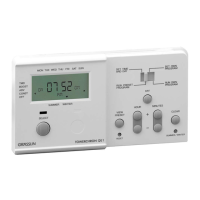
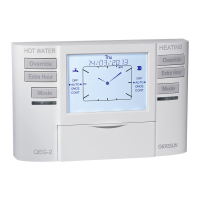
Identifies and explains the device's display elements and control buttons.
Guides through the first-time setup of programming type, date, and time.
Instructions for adjusting the device's internal date and time.
How to switch between 12-hour AM/PM and 24-hour clock formats.
Explains how to select and use the pre-defined heating programmes.
Differentiates and configures for fully pumped vs. gravity-fed systems.
Details on reviewing and editing central heating schedules.
Details on reviewing and editing domestic hot water schedules.
Explains various operational modes like AUTO, OVERRIDE, and HOLIDAY.
Accessing and configuring advanced installer-specific settings and options.
Accessing and managing service-related functions, messages, and data.
Instructions for changing or restoring the device's security PIN code.
 General
| Brand | Grasslin |
|---|---|
| Model | QEG-2 |
| Category | Thermostat |
| Language | English |

 To Next Page