EasyManua.ls Logo

Grasslin QEG-2 - Clock Format Settings

Grasslin QEG-2
20 pages
Print Icon
To Next Page IconTo Next Page
To Previous Page IconTo Previous Page
Loading...
Change AM/PM time display to 24 hour clock



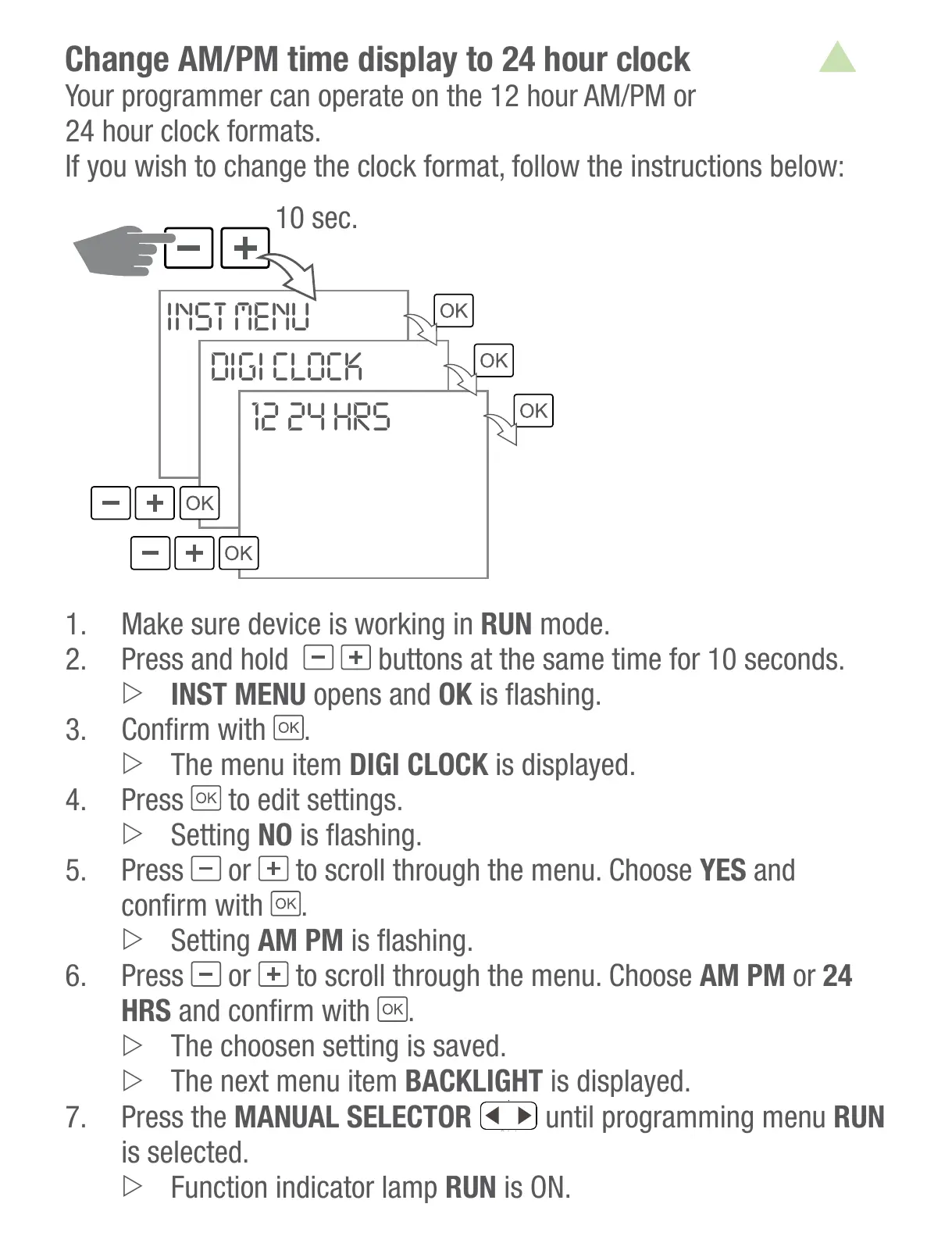
10 sec.
INST MENU
DIGI CLOCK
12 24 HRS
1. Make sure device is working in RUN mode.
 Press and hold

INST MENU opens and OK
3. 
.
The menu item DIGI CLOCK is displayed.
 Press
to edit settings.
Setting NO
 Press
or to scroll through the menu. Choose YES and

.
Setting AM PM
 Press
or to scroll through the menu. Choose AM PM or 24
HRS
.
The choosen setting is saved.
BACKLIGHT is displayed.
 Press the MANUAL SELECTOR
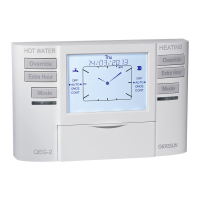
Override
HEATINGHOT WATER
Extra Hour
Mode
DAY/
CH RUN
TIME
OFF
am
Thu
AUTO
ONCE
CONT
EXT HOUR
+1
+2
+3
07 / 02 / 2013
ON1
OFF
AUTO
ONCE
CONT
EXT HOUR
+1
+2
+3
ON1
DHW
Override
Extra Hour
Mode
OK
Holidays
Select
until programming menu RUN
is selected.
Function indicator lamp RUN is ON.
All manuals and user guides at all-guides.com

Related product manuals