Chapter Topics
Book Topics
GrIP User’s Guide
Chapter 5 – GrIP Software
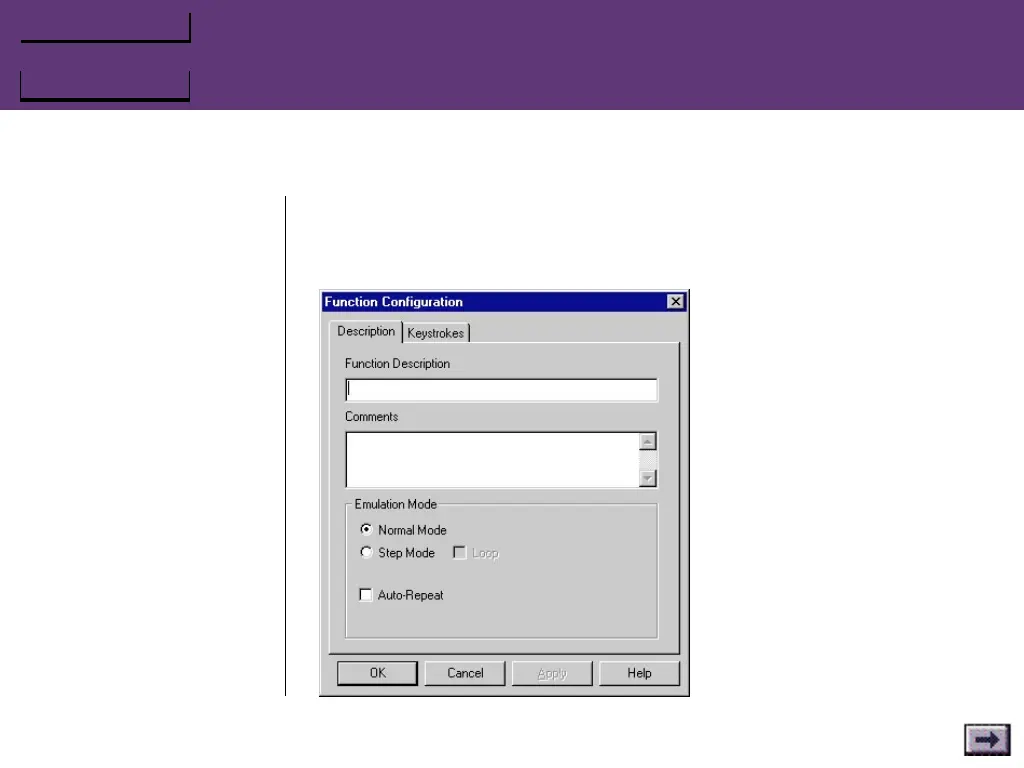
The Description Tab (Function Configuration Window)
Function Description
Enter a descriptive label for the game command function in this field.
Comments
If you like, you can use this
field to enter more descrip-
tive comments about the
game command in this field.
Emulation Mode
Select a mode for the func-
tion:
Normal Mode
Pressing a button configured
with this function in Normal
mode will have exactly the
same effect in the game as
pressing the keys on the
keyboard.
...GrIPKey Keyboard Emulation Software, Cont’d.



 To Next Page