- 27 -
7. Running data setting
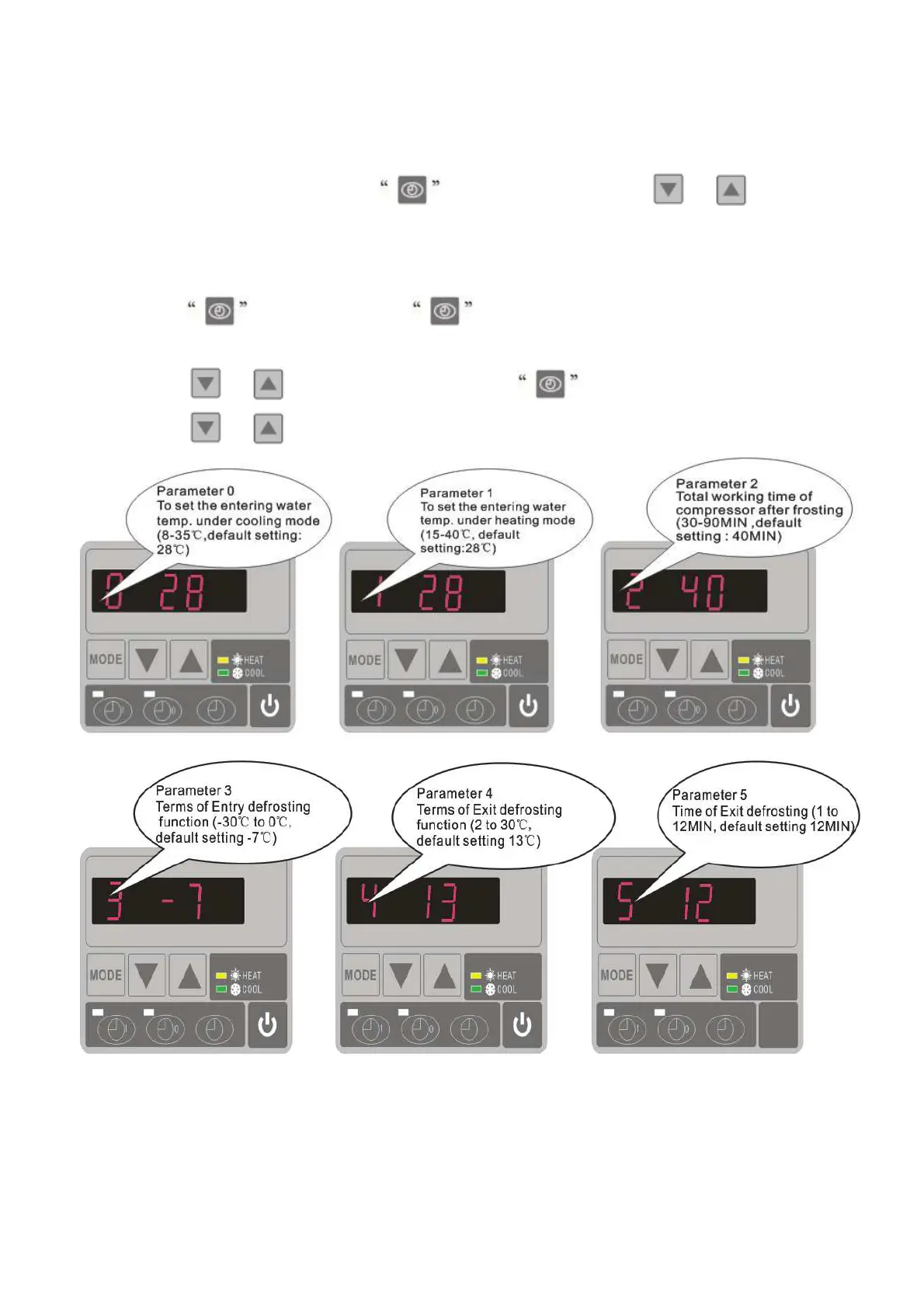
7.1 How to check the parameters
On standby or running mode, long press for 10 seconds, then press or to check the
parameters (from 0 to H, see operation parameter table).
7.2 How to adjust the parameters (Can only adjust on standby mode)
1) Long press for 10 seconds, press again to select the data (from 0 to L, see operation
parameter table) you want to adjust.
2) Then press
or to adjust the parameter, press again to store the new data.
3) Then press or select the other datas you want to adjust, repeat above operation.


 To Next Page