Using Your Lively Mobile2
Using Your Lively Mobile2
3332
Answering Incoming Calls
There are a few scenarios when you may receive an incoming call on your device:
• After a 9-1-1 call, the 9-1-1 Operator will have the ability to call you back.
• After a 9-1-1 call, a 5Star Agent may call you to see if you need further assistance.
• You call 5Star and hang up immediately.
• You call 5Star and somehow get disconnected.
• You perform a “Test Call” from your MyGreatCall.com account page.
• After activating your service for the rst time you will receive a Test Call to conrm
functionality.
• An accidental call was placed to 5Star and the 5Star Agent is calling to make sure
you are safe and secure.
When there is an incoming call, your Lively Mobile2 will ring with an audible tone:
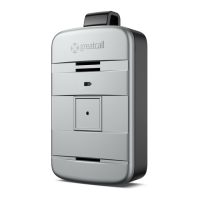
1. To answer, rmly press and release the Call Button and speak clearly into the
Microphone located at the bottom of the device.
2. To end the call, press and release the Call Button. You will hear a tone and a voice
prompt of “Call ended.”
If the person you were speaking with hangs up rst, your Lively Mobile2 will
automatically end the call without the need to press the Call Button.
i
INFO
The Lively Mobile2 can only receive incoming calls from 9-1-1 Operators or 5Star
Agents.


 To Next Page
 Loading...