Managing Your Account
Managing Your Account
5554
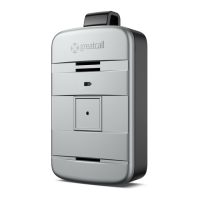
Sending a Tone to Find a Misplaced Lively Mobile2
If you have lost or misplaced your Lively Mobile2, a special tone can be played to
help you nd it. Simply use the “Ping My 5Star” feature found on MyGreatCall.com to
send a distinctive tone to your Lively Mobile2. The “Ping My 5Star” tone will play for a
limited time and then stop.
If you nd your Lively Mobile2 while the special tone is playing, press and release the
Call Button to stop the tone.
Locating Your Lively Mobile2 Using GreatCall Link
With select GreatCall Health & Safety Packages you can view the last known location
of your Lively Mobile2 on a map by using GreatCall Link found at MyGreatCall.com.
Not only will you be able to use an interactive map to locate your device, you can
also allow family to connect with your device and view key information through their
smartphone.
The GreatCall Link smartphone app allows your family to:
• Get notications when you press the button to contact 5Star
• Get directions to the last known location of your Lively Mobile2
• Identify the battery level and whether your Lively Mobile2 is powered on or o
• View a summary of your daily activities based on the known locations set up in
your Personal Emergency Prole


 To Next Page