Need help?
Do you have a question about the GreatCall Lively Mobile2 and is the answer not in the manual?
Details essential components included in the Lively Mobile2 box, covering the device, charging dock, and lanyard.
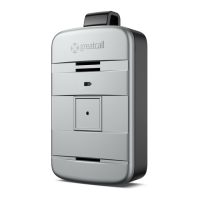
Explains the front and back features and indicators of the Lively Mobile2 device.
Covers the charging dock, its power cord, and step-by-step setup instructions.
Guides users through the initial power-on process and how to use the charging dock.
Instructions for powering the Lively Mobile2 device on and off.
Guidance on how to initiate calls to 5Star Service and 9-1-1 for assistance.
Steps for answering incoming calls and understanding different call scenarios.
Details on how to attach and use the clip and magnetic lanyard accessories.
Explains how the device detects falls using built-in algorithms and accelerometers.
Describes the process when a fall is detected and how 5Star Service is contacted.
Instructions on confirming Fall Detection is enabled and proper wearing with the magnetic lanyard.
Details how the device alerts the user and 5Star Service during a fall.
Guide to managing your account, personal emergency profile, and settings online.
Using features to test device functionality and locate a misplaced device.
Managing billing details and adding 'Just in Case' notes for 5Star Agents.
Outlines the terms and conditions for using 5Star Services.
Details user obligations, service limitations, and liability disclaimers.
Covers arbitration, dispute resolution, governing law, and contractual terms.
Information on optional services like Fall Detection and return policies.
 General
| Category | Personal Care Products |
|---|---|
| Manufacturer | GreatCall |
| Model | Lively Mobile2 |
| Battery Life | Up to 5 days |
| GPS | Yes |
| Fall Detection | Yes |
| Emergency Response | Yes |
| Cellular Network | 4G LTE |
| Speaker | Yes |
| Color | Black |
| 5Star Urgent Response | Yes |
| Weight | 1.6 oz |

 To Next Page