EasyManua.ls Logo

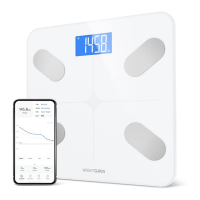
Greater Goods 0384 - User Manual

Greater Goods 0384
14 pages
Print Icon
To Next Page IconTo Next Page
Loading...
version:1.0
User Manual
Body Fat Analyzer
0384
Please do read the user manual carefully and thoroughly so as to ensure
the safe usage of this product, and keep the manual well for further
reference in case you have problems.
Thank you very much for selecting the Greater Goods’ Body Fat Analyzer
0384.
TEL:86-760-88282982 www.transtek.cn
ZHONGSHAN TRANSTEK ELECTRONICS CO., LTD
No.23,Jin'an Road, Minzhong, Zhongshan, 528441, Guangdong, China
TEL:866-991-8494 Website: http://greatergoods.com
Distributed by: Greater Goods, LLC
4427 Chouteau Ave.St.Louis,Missouri,63110,Unite States

Questions and Answers

  • C
    Catherine MitchellAug 5, 2025
    What to do if Greater Goods 0384 Scales cannot analyze BMI, body fat, body water, muscle mass?
    • L
      Linda GarciaAug 5, 2025
      If your Greater Goods Scales cannot analyze your body composition, make sure you are barefoot and have full contact with the scale during measurement. The system also may not be able to identify your User ID. Please assign a User ID following the instruction in Configure the Wi-Fi Password. Also, ensure you select your User ID if the system prompts you to.
  • L
    Luis RuizAug 10, 2025
    What to do if data transmission failed on Greater Goods 0384?
    • C
      Christopher GonzalezAug 10, 2025
      If data transmission fails on your Greater Goods Scales, first, ensure that Wi-Fi is turned ON via the Setting. Second, make sure the app is turned ON by pressing the icon. Finally, verify that a User ID is assigned, following the instructions in Set Up Your Profile.
  • V
    Vanessa LeeAug 16, 2025
    Why do Greater Goods 0384 Scales power off?
    • M
      millermorganAug 16, 2025
      The Greater Goods Scales power off because of a low battery. Replace all four batteries at the same time with authorized batteries.
  • L
    Laurie BarkerAug 22, 2025
    What to do if Greater Goods Scales show abnormal measuring results?
    • R
      Ronald BrownAug 22, 2025
      If your Greater Goods Scales provide abnormal measuring results, it may be because your feet are too dry. Wipe your feet with a damp cloth to keep them slightly damp when starting measurement.
  • J
    Jason NicholsAug 29, 2025
    How to fix no display on LCD when Greater Goods Scales power on?
    • J
      jason30Aug 29, 2025
      If there is no display on the LCD screen when your Greater Goods Scales power on, it may be due to two reasons: either the batteries are not yet installed, so install the batteries, or the batteries are worn, so replace all four batteries at the same time with authorized batteries.

Summary

Safety Information

Safety and Usage Information

Explains warning signs and symbols for correct and safe product use.

Your Scale and Its Environment

Provides guidance on avoiding unsuitable conditions for scale use and storage.

Efficient Use of Your Scale

Instructions for accurate measurements, including surface and posture.

Overview

Device Components

Illustrates and labels the physical parts of the body fat analyzer.

LCD Display

Explains the icons and symbols shown on the scale's digital display.

List of Contents

Lists the items included in the product package.

Initial Start-Up

General Instructions

Explains BIA technology and general precautions for users.

Insert the Batteries

Step-by-step guide on how to install batteries correctly in the scale.

Configure Wi-Fi Password

Instructions for connecting the scale to Wi-Fi via a smartphone app.

Initialising Your Scale

Steps to initialize the scale after setup for first use.

Select Measurement Unit

Guide on changing the unit of measurement (lb/kg) using the UNIT button.

Weight Only Operation

Instructions for using the scale as a standard weight scale.

Start Measuring

First Measurement

Details on performing the very first measurement after setup.

Daily Measurement

How to perform regular daily measurements and interpret results.

Manage Your Health

Data Transmission

How measurement data is transmitted to the smartphone via Wi-Fi.

Troubleshooting

Error Prompt

Lists common error messages, their descriptions, and solutions.

When Measuring Issues

Addresses common problems encountered during the measurement process.

Data Transmission Issues

Troubleshoots issues related to data transmission failures.

Specifications

Maintenance

Warranty

FCC Regulations

FCC User Guide Information

Details on FCC rules compliance for digital devices.

Radio Transmitters

Explains Part 15 compliance for radio transmitters.

FCC RF Exposure Guidelines

Safety information regarding RF exposure limits.

Health Tips - About Body Fat

Health Tips - About Body Water

Health Tips - About BMI

Health Tips - About Muscle Mass

Warning

EMC Guidance

Greater Goods 0384 Specifications

General IconGeneral
BrandGreater Goods
Model0384
CategoryScales
LanguageEnglish

Related product manuals