EasyManua.ls Logo

Grecom PSR-800 - User Manual

Grecom PSR-800
90 pages
Print Icon
To Next Page IconTo Next Page
Loading...
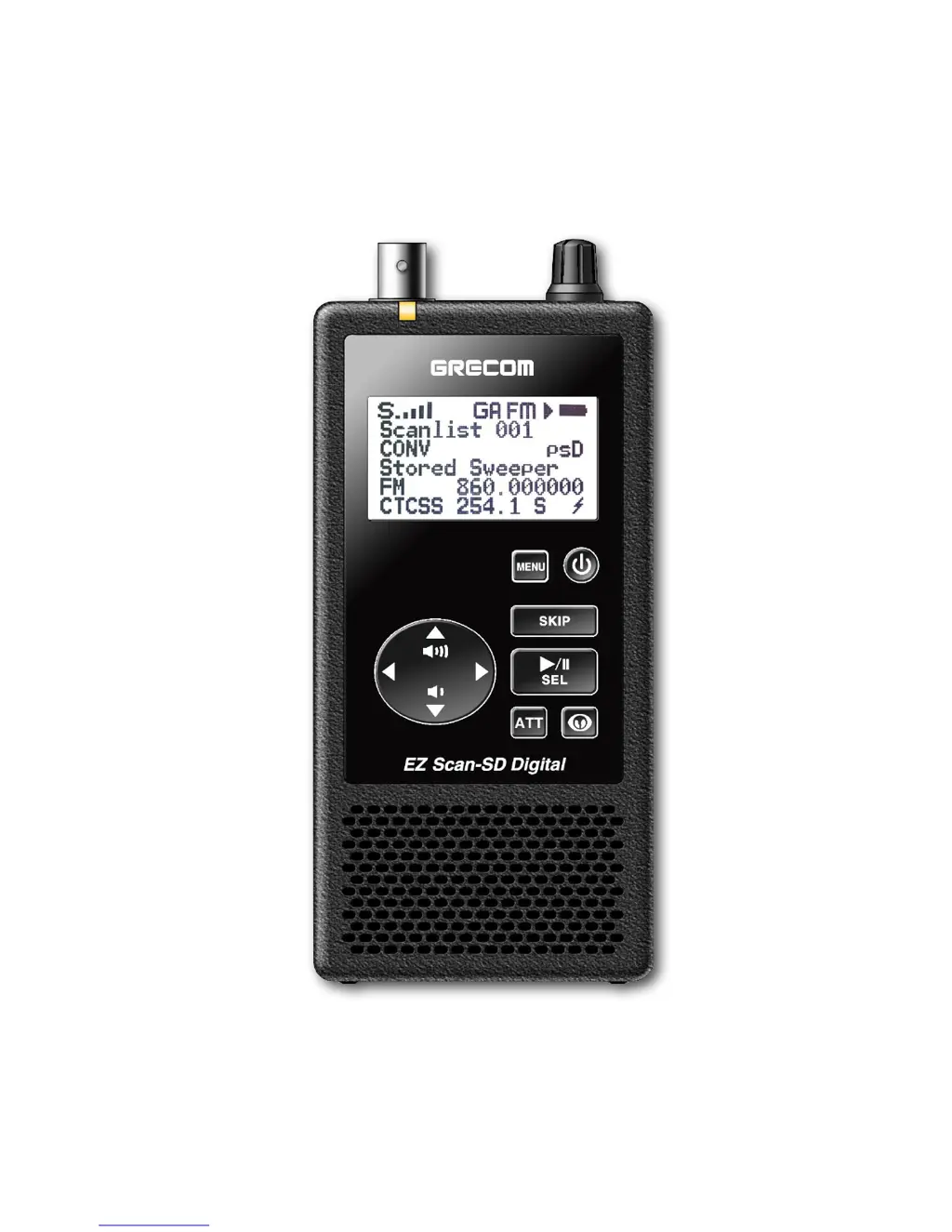
GRECOM PSR-800
EZ Scan-SD Digital
Owner’s Manual

Table of Contents

Questions and Answers

  • S
    schroedergregoryAug 18, 2025
    Why is my Grecom PSR-800 Receiver having poor reception?
    • A
      Anthony FlowersAug 18, 2025
      Poor or no reception on your Grecom Receiver can stem from several factors. It could be due to weak signals from distant stations, in which case you should try repositioning the receiver for better reception. Alternatively, if you're using an attenuator, check the performance both with and without it, and use the setting that provides the best reception. Strong signal overload from a nearby transmitter can also cause this issue; again, test the performance with and without the attenuator. Inspect the antenna and connectors for any looseness or defects. Finally, ensure that you've selected the correct modulation mode for the system you're monitoring; you may need to use the PSR-800 PC Application to change the modulation mode if necessary.
  • D
    Douglas WatsonAug 20, 2025
    What to do if my Grecom PSR-800 shows a low battery warning?
    • J
      Julie SmithAug 20, 2025
      If your Grecom Receiver displays a low battery warning and beeps, recharge your rechargeable batteries or replace your alkaline batteries. Also, make sure the battery type selection switch in the battery compartment is set to the correct battery type.
  • A
    Ashley HuntAug 23, 2025
    Why doesn't my Grecom Receiver recognize the MicroSD Card?
    • R
      Ryan CampbellAug 23, 2025
      If your Grecom Receiver isn't recognizing the MicroSD Card, it might not be fully inserted. Press the card into the slot until you hear a click, ensuring it's fully seated. If that doesn't work, the MicroSD Card may be defective, and you should replace it with a new one.
  • W
    wangcherylAug 26, 2025
    Why does my Grecom PSR-800 Receiver display 'Scanning not available'?
    • J
      Jennifer BarnesAug 26, 2025
      If your Grecom Receiver's display shows “Scanning not available”, the batteries may be low. Try recharging or replacing the batteries.
  • D
    Daniel WrightAug 27, 2025
    What does 'Init SD Card' mean on my Grecom PSR-800?
    • J
      Julie HartmanAug 28, 2025
      If “Init SD Card” appears when you turn on your Grecom Receiver, the MicroSD Card may not be fully inserted. Press the MicroSD Card into the slot until you hear a click, ensuring it is fully inserted.
  • D
    Dawn LangAug 30, 2025
    How to fix a general error initializing file system on Grecom Receiver?
    • M
      Mrs. Rachel DawsonAug 30, 2025
      To fix a general error initializing the file system on your Grecom Receiver, first reinsert the MicroSD card to ensure it is fully inserted and locked in the MicroSD slot. If necessary, reformat the MicroSD card using the PC Application 'Prepare SD Card for use' option. If the problem persists, replace the MicroSD card.
  • C
    Christopher DavisSep 1, 2025
    What to do when Grecom Receiver MicroSD Card is full?
    • R
      rbrownSep 2, 2025
      If your Grecom Receiver displays that the MicroSD Card is full, you should reduce the size of the configuration, remove any unnecessary audio recordings, or switch to a MicroSD card with more capacity.
  • D
    dayjasonSep 4, 2025
    How to fix MicroSD Card write protection on Grecom PSR-800 Receiver?
    • E
      Erik MontgomerySep 4, 2025
      If your Grecom Receiver indicates that the MicroSD Card is write-protected, reinsert the MicroSD card to ensure it is fully inserted and locked in the MicroSD slot. If necessary, reformat the MicroSD card using the PC Application 'Prepare SD Card for use' option. If the problem continues, replace the MicroSD card.
  • L
    Leah ScottSep 7, 2025
    What to do if Grecom PSR-800 says no MicroSD Card inserted?
    • J
      Jocelyn MercadoSep 7, 2025
      If your Grecom Receiver indicates that no MicroSD Card is inserted, ensure that a properly formatted MicroSD card is fully inserted and locked in the MicroSD slot.
  • J
    Jose ConleySep 9, 2025
    How to resolve 'Unable to load CONFIG__.BIN' on Grecom Receiver?
    • M
      Mark KellySep 9, 2025
      To resolve an “Unable to load CONFIG__.BIN” error on your Grecom Receiver, reformat the MicroSD card using the PC Application 'Prepare SD Card for use' option. If the problem persists, replace the MicroSD card.

Summary

Getting Started with the PSR-800

Programming and Scanning Basics

Core process for loading data, understanding frequencies, setting up scanlists, and basic scanning operations.

Advanced PSR-800 Features

MicroSD Card Operations

Procedures for inserting, removing, formatting, and managing the scanner's MicroSD card.

Troubleshooting Common Issues

Scanner Functionality and Reception Problems

Solutions for issues such as the scanner not working, poor signal reception, or scanning failures.

MicroSD Card Error Resolution

Explains various error codes related to the MicroSD card and provides corrective actions.

Birdie Frequencies and Scanner Care

Scanner Maintenance and Repair

Recommendations for proper care and procedures for obtaining service or repair for the scanner.

PSR-800 Technical Specifications

Grecom PSR-800 Specifications

General IconGeneral
TypeDigital Trunking Scanner
PC ProgrammableYes
Modulation TypesFM, AM, P25
DisplayBacklit LCD
GPSYes
Audio OutputBuilt-in speaker, headphone jack

Related product manuals