EasyManua.ls Logo

Gree GCF220BKNA - User Manual

Gree GCF220BKNA
27 pages
Print Icon
To Next Page IconTo Next Page
Loading...
Change for Life
Humidified Air Purifier
Owner's Manual
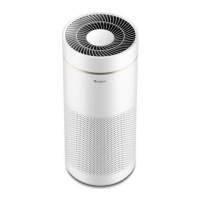
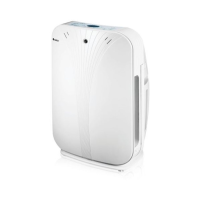
Residential Humidified Air Purifier
Thank you for choosing Residential Humidified Air Purifier,please read this
owner’s manual carefully before operation and retain it for future reference.
MODEL: GCF220BKNA
GCC240BKNA
GCS260BKNA

Questions and Answers

  • K
    Kellie AllisonAug 9, 2025
    Why is my Gree GCF220BKNA not humidifying?
    • M
      Mrs. Tara WongAug 9, 2025
      Your Gree Air Cleaner might not be humidifying for several reasons. The unit may not humidify when the water tank is full. Water will naturally evaporate when the unit isn't operating. The humidifying operation will stop automatically when the room humidity is too high under auto humidify mode. Ensure the ON/OFF indicator light is on; if not, press the "ON/OFF" button. Also, check if the filter is correctly assembled and free of dirt or scale. If the water lacking indicator light is on, correctly assemble the water tray. Finally, confirm that the set humidity is 10% higher than the ambient humidity.
  • D
    davidmathewsAug 14, 2025
    What to do if my Gree GCF220BKNA has poor air purifier performance?
    • P
      Patricia DanielsAug 14, 2025
      If your Gree Air Cleaner's performance is lacking, consider these points: Ensure good air ventilation without any blockages around the unit. Check if it's time to maintain the filter, replace the filter cotton, replace the filter screen, wash the negative plate, or clean/replace the active carbon filter. If there's too much smoke, improve ventilation by opening windows and doors.
  • J
    Jason WilliamsAug 19, 2025
    Why does the indicator light blink on my Gree GCF220BKNA?
    • T
      Terry RitterSep 12, 2025
      The indicator light on your Gree Air Cleaner might blink because the floater swings as water flows during operation. Other potential causes include a malfunctioning fan motor, dust accumulation at the sensor's air inlet, or scale preventing the floater's movement. Try filling the water tank, cleaning dust from the air suction port, and clearing scale from the floater with a brush. Also, ensure the water tray is correctly assembled, and the floater is properly assembled.
  • H
    higginsdorothyAug 25, 2025
    Why does my Gree GCF220BKNA Air Cleaner make abnormal noises?
    • C
      Colleen EricksonAug 25, 2025
      Your Gree Air Cleaner might produce abnormal noises. A "click" sound can occur during start-up or shut down. A "bubble" sound might be heard when water flows from the tank into the tray. A drive sound occurs when the filter rotates during operation, and dripping sounds happen as water falls on the filter. Check if the filter in the dust collector is well assembled and ensure the dust filter hasn't been removed from the dust collector bag.
  • A
    Alexander CamachoAug 30, 2025
    Why is the humidify performance of my Gree GCF220BKNA poor?
    • R
      Roy TurnerAug 30, 2025
      Poor humidify performance in your Gree Air Cleaner can stem from several factors. The unit might be near a window or facing cold air; try relocating it. A room in the north or near a bathroom may have high humidity already. The humidity and temperature can fluctuate due to airflow. Low indoor temperature and dry walls/floors can hinder humidity increase. Ensure the unit is suitable for the room size. Set the humidity mode to "auto" or "consecutive" with high airflow. Relocate the unit if it's in direct sunlight or warm air. Remember, humidifying works with purifying; once the set humidity is reached, humidifying stops while purifying continues. Ensure the filter is correctly shaped and assembled to prevent water leakage.
  • E
    Eugene Haynes MDSep 3, 2025
    What to do if my Gree GCF220BKNA Air Cleaner splashes water and displays errors?
    • C
      cindyfullerSep 3, 2025
      If your Gree Air Cleaner is splashing water, ensure the unit is not inclined. Stop operation before moving it and empty the water tank and tray. Verify the tank cover is secure. Keep the unit away from TVs, radios, and antennas to prevent interference. If the display shows 'L1', 'F1', or '00', it could indicate a humidity sensor issue. If '00' persists when humidity is above 30%, further assistance may be needed.

Gree GCF220BKNA Specifications

General IconGeneral
ModelGCF220BKNA
Number of Fan Speeds3
TypeAir Purifier
Filter TypeHEPA
Noise Level50 dB
CADR (Pollen)220
CADR (Clean Air Delivery Rate)220