Service Manual
Technical Information
34
1.
2.
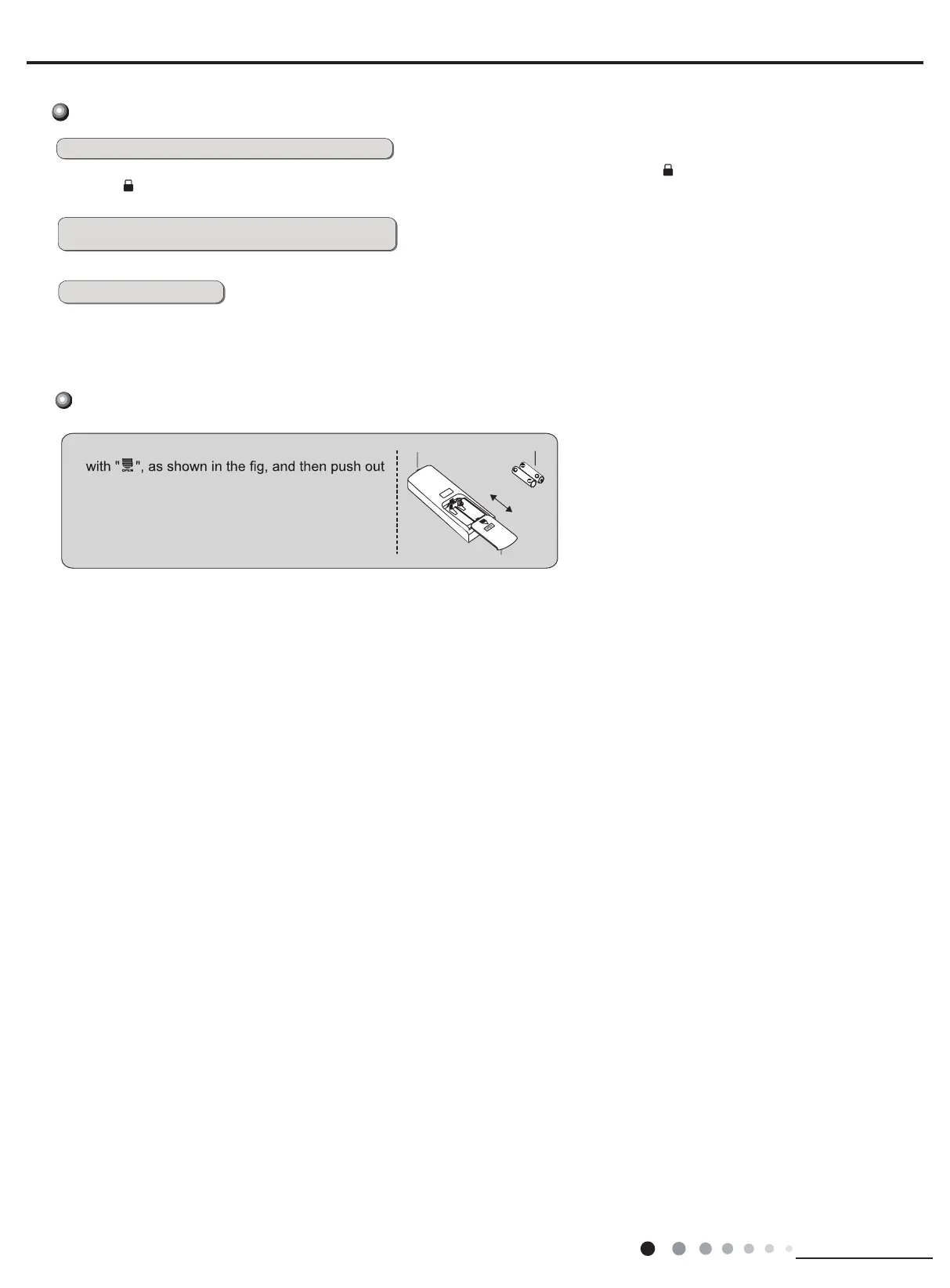
Press the back side of remote controller marked
3. Reinstall the cover of battery box.
signal sender battery
remove
the cover of battery box along the arrow direction.
Replace two 7# (AAA 1.5V) dry batteries, and
make sure the position of "+" polar and "-" polar
are correct.
reinstall
Replacement of batteries in remote controller
Combination of "MODE" and " " buttons:
-
About switch between Fahrenheit and centigrade
Combination of
-
" and " " buttons: About lock
At unit OFF, press "MODE" and " " buttons simultaneously to
-
switch between ć and .
Press "" and " "
buttons simultaneously 3s to lock or unlock the keypad. If the remote
controller is locked, is displayed. In this case, pressing
any button, blinks
three times.
-
"
+
+
WIFI Function
● This function is only available for some models.
Press the “ I Feel ”and “ LIGHT ” button on remote controller at the same time for 3 seconds till LED display on the front pane
“AP”or “SC” ,This indicates that the air conditioner is ready to connect.
Function introduction for combination buttons



 To Next Page