Installation
DactyScan84c
Operator’s Manual
Rev. 1.0 July 2012 11
5 Installation
This chapter explains how to install the Green Bit DACTYSCAN84C device.
NOTE:
Before connecting the DACTYSCAN84C device to the
Personal Computer, the software driver must be
installed. Consult the MultiScan SDK software manual.
5.1 PC Requirements
Prior to installation, check that the Personal Computer is suitable for the
device. For the characteristics of the Personal Computer, refer to the table
below:
Minimum requirements Recommended
Processor
Pentium IV @2,8 GHz or
equivalent
Intel ® Core 2 Duo @1.8GHz
or equivalent
RAM 256 MByte 512 Mbyte
Interface USB 2.0 USB 2.0
Operating system Windows 2000 ® SP3
Windows XP ® SP1 (32 bit)
Windows XP ® SP1 (64 bit)
Windows 2003® Server SP1
(64 bit)
Windows Vista (32 bit)
Windows XP ® SP2 (32 bit)
Windows 7 ® (32 bit)
NOTE:
The requirements indicated above are valid for desktop
PCs. For portable PCs, correct functioning is not
guaranteed as their performance level is lower than
that of desktop PCs with the same characteristics.
Therefore, before using the device with a portable
computer, it is advisable to run tests
.
5.2 Packaging
Check that the packaging of the DACTYSCAN84C is undamaged, without
evident signs of impacts, tears or traces of damp. If one or more of these
conditions is not complied with, contact the assistance service. The supply
includes the following parts:
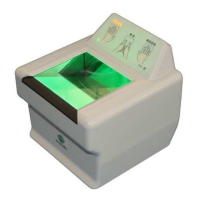
Green Bit DACTYSCAN84C electronic device.
Green Bit USB 2.0 High Speed cable with disturbance suppression
ferrite


 To Next Page