Installation
DactyScan84c
Operator’s Manual
Rev. 1.0 July 2012 12
WARNING:
Use of accessory components other than those
furnished by Green Bit does not guarantee compliance
with current Directives and legislation
.
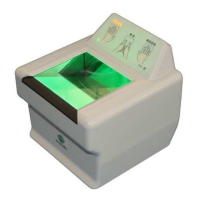
5.3 External appearance
The device is housed in an ergonomically-designed case with, on the surface,
one optical, as shown in the photos:
A) Optical scanner
(3.2” x 3”)
B) Graphical user interface
)


 To Next Page