IMPORTANT
This unit should be installed to current IEE wiring regulations if In doubt
consult a qualified electrician.
Setting current time and day
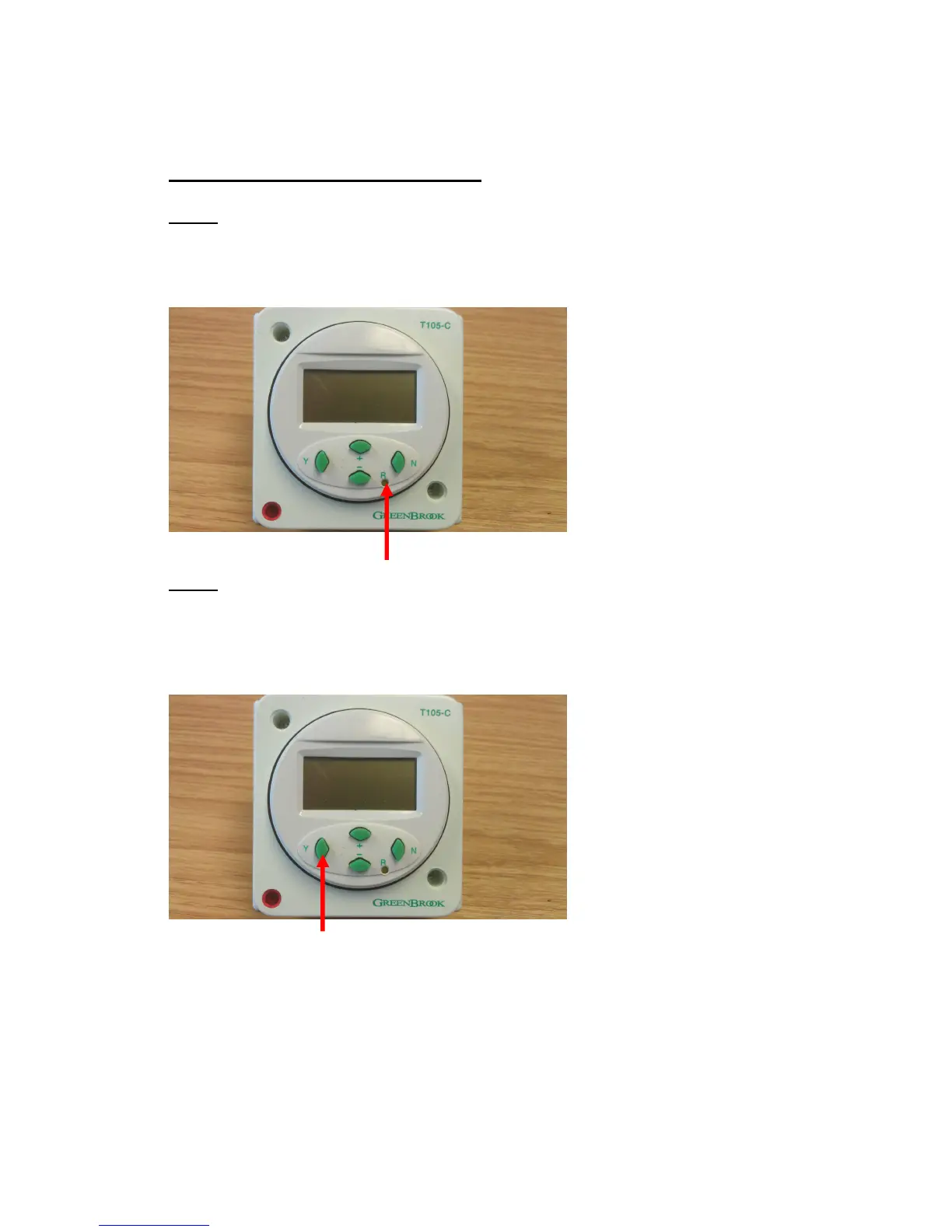
STEP 1
Press the ‘R’ button using a pencil or similar pointed instrument to reset
timer to its default settings. Pressing ‘R’ will delete all stored programmes.
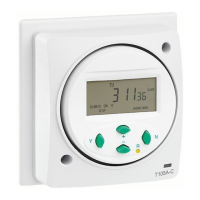
STEP 2
Press ‘Y’ button to enter function setup.
(IF ANOTHER BUTTON IS NOT PRESSED WITHIN 10 SECONDS THE DISPLAY WILL
REVERT TO THE NORMAL SCREEN)


 To Next Page