EN
Symptoms Possible causes Suggested solution
No highlight of LED Diodes Low Battery Charge the battery for at least
8 hours
Faulty battery Replace the battery with a new
one of the same type
POWER button is not pressed Press the POWER button again
The device emits a constant
beeping alarm during mains
power supply. Very short time
of hold-up during the operation
of battery.
The device is overloaded Check the load of the device
and compare it with technical
devices.
The battery is discharged Charge the battery for at least
8 hours.
The battery is damaged Replace the battery for a new
one of the same type.
Despite the availability of power
supply the device switches to
battery operation.
Power plug is disconnected. Check and correct the connec-
tion of the power plug.
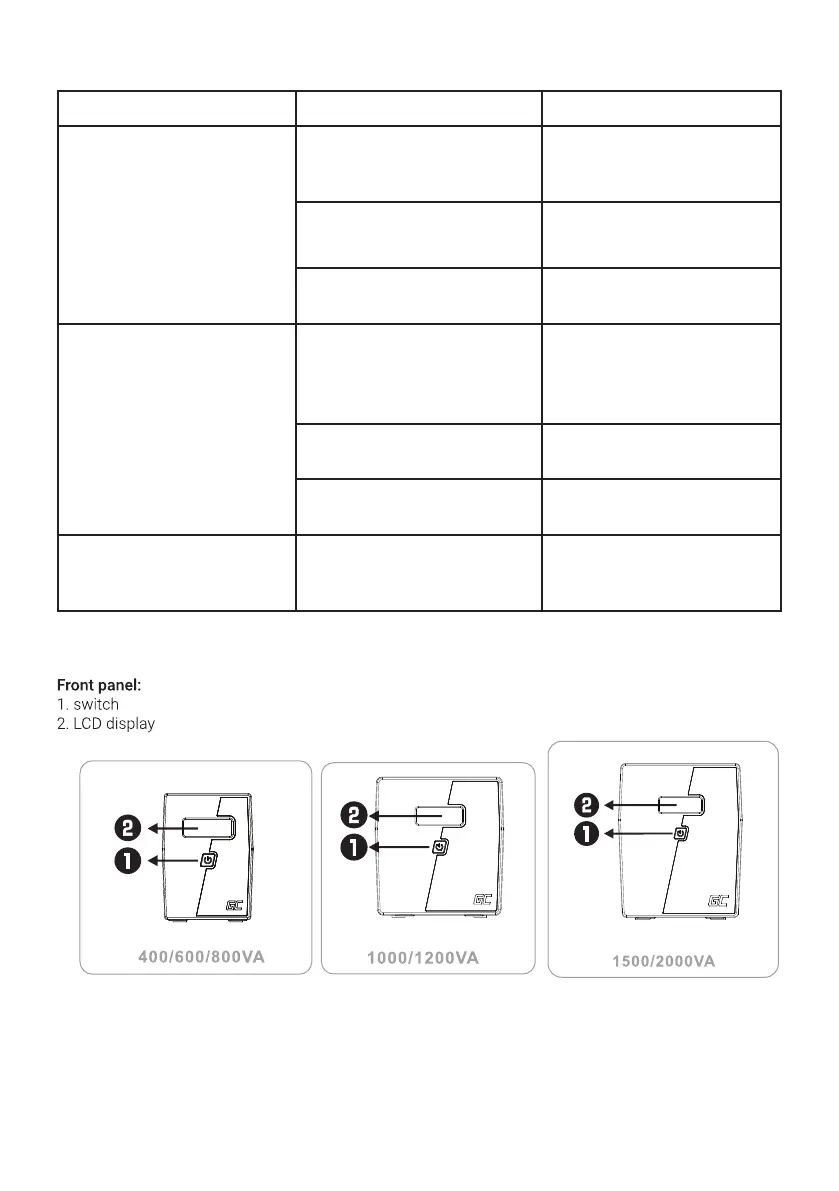
DESCRIPTION OF INDICATORS AND COUPLINGS
TROUBLESHOOTING



 To Next Page