8
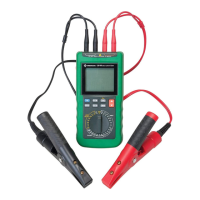
Display Icons
11. – Polarity indicator
12. Insulation resistance test in progress
13. Insulation resistance is less than 70 kΩ
14. Bar graph element
15. Insulation resistance is greater than 1.1 GΩ
16. Timer is active
17. ALARM Alarm is on, or programming is in progress
18. < Alarm will trigger if measured value is less than the setpoint
19. > Alarm will trigger if measured value is greater than the setpoint
20. 00:00 Timekeeper display or
0000 Setpoints
21. G 10
9
22. M 10
6
23. k 10
3
24. Ω Ohms
25. OL Overload (insulation resistance is greater than 2 GΩ)
26. V Volts
27. AC Alternating Current
28. DC Direct Current
29. Battery status
30. Auto power off is inactive
31. Speaker is active
32. Ω/ Lead resistance is compensated
33. > 25 Circuit voltage is greater than 25 volts; insulation resistance test
(yellow button) is disabled
34. Read the instruction manual


 To Next Page