7
Memory
To store a memory function to the oven:
1. Press “defrost” and “Duo Cook” buttons
simultaneously for 2 seconds.
2. OFF (default setting) or currently selected
setting will display.
3. Turn the time dial to set preferred setting:
OFF: Each mode will return to default
temperature and time after cooking.
ON: The oven will remember the temperature
and time of last cooking.
4. Once your selection is displayed, press the
time dial to confirm.
DOOR SENSOR
If the door is opened during cooking, the timer
will pause, and the light will turn on.
When the door is closed, the timer will resume
counting down and the light will stay on for 60
seconds before turning off. If the door is open
for longer than 5 minutes with no input during
cooking, the heaters will turn off and back
to main menu.
TURN & SWITCH
When cooking food on multiple racks at one time,
use the Turn & Switch feature to remind yourself
to turn the tray 180 degrees and switch the trays
to the other rack in the oven for the most even,
consistent results. Turn & Switch is available for
the following functions: BAKE, ROAST, WARM,
PROOF, PIZZA, AIR FRY, REHEAT, COOKIES
and DEHYDRATE.
1. Turn the Settings Dial until the indicator on the
LCD screen reaches your desired function.
2. Press the Time Dial. ‘Turn & Switch’ will display
on the LCD screen.
3. Follow the steps for the function you selected
and begin cooking your food.
4. During cooking you can always activate or
deactivate the function by pressing the
time dial.
5. When it is time to switch rack positions, the
Turn & Switch alert will sound. It will sound
twice unless the door is opened or press the
time dial in between – disabling the next alert.
OPERATION
To use the oven, follow these steps:
1. Place the rack, tray, and/or basket in the
position recommended by the chart on page 8.
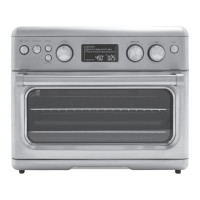
2. Use the Settings Dial to scroll through functions.
3. LCD screen will display the last selected or
default temperature and time (shade and slices
for Toast and Bagel settings).
4. To use displayed settings, press Start/Stop
to begin operation. Start/Stop button will
illuminate, indicating the unit is functioning.
To change settings:
1. Turn Time/Temp Dial to choose desired
temperature, time, shade, or slice.
2. If desired, press Defrost or Convection buttons,
or Time Dial for Turn & Switch.
3. Press Start/Stop to begin operation. The button
will illuminate, indicating the unit is cooking.
NOTE: Bake and Pizza have a preheating stage
during which display will show “Preheat.” Once
preheat is complete, oven will beep and display
will show “Preheat Complete”. Press Start/Stop
button to start cooking and countdown timer will
begin.
4. When countdown timer reaches 0:00, oven
will beep three times. Press the Start/Stop
button to turn the heater off and back to main
menu. Otherwise, the heaters will turn off and
back to main menu. You can use the time dial
to adjust the cooking time if you would like to
continue the cooking. After 2 minutes of no
action, the display will go back to the clock.
Cooking process can be canceled before
countdown timer reaches 0:00 by pressing
Start/Stop. Pressing it again within 5 seconds
will resume the program.
CHANGING TIME,
TEMPERATURE, OR
FUNCTION DURING
COOKING CYCLE
To change time: During the cooking cycle, use
the Time Dial to add or decrease time. The new
countdown time will be displayed, and cooking
will continue.
To change temperature: During the cooking
cycle, turn the Temperature Dial to desired
temperature and cooking will continue at the
new temperature.
To change function: You must press Start/Stop
to stop the current program, then turn Settings
Dial to select another function. Press Start/Stop
again to continue cooking cycle.


 To Next Page
 Loading...