EasyManua.ls Logo

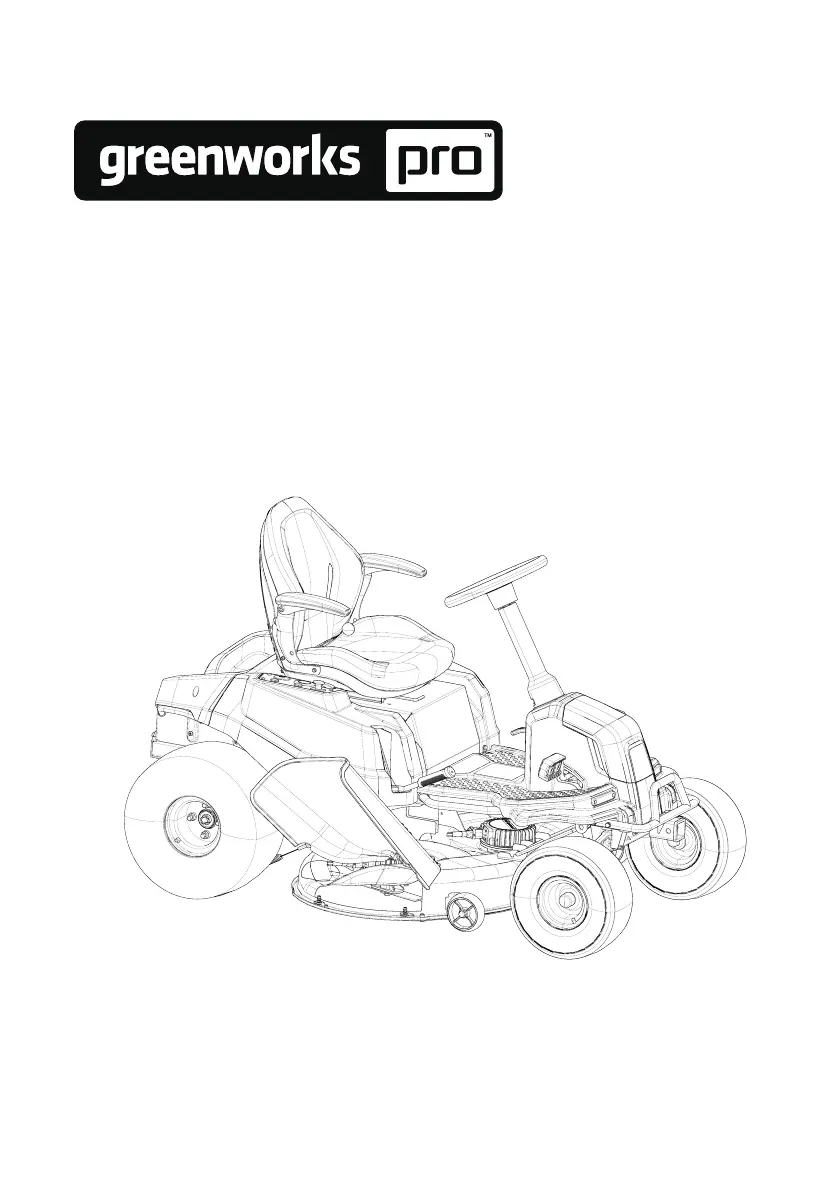
GreenWorks Pro CRT426 - User Manual

GreenWorks Pro CRT426
44 pages
Print Icon
To Next Page IconTo Next Page
Loading...
7400707AU
CRT426
P0804251-00, Rev B
EN
LAWN VEHICLE
OPERATOR MANUAL
www.greenworksaustralia.com
support@greenworksaustralia.com

Questions and Answers

  • E
    Erik VillaAug 20, 2025
    What to do if my GreenWorks Pro Lawn Mower fails to start after cleaning?
    • J
      Jasmine PrattAug 20, 2025
      If your GreenWorks Pro Lawn Mower fails to start after cleaning, it might be due to improper cleaning, where water enters the battery compartment or the key switch fails, so clean it according to the instructions. If the vehicle is accidentally exposed to rain, put the vehicle in a dry place for 12 hours or dry it before use.
  • B
    Brian HollowayAug 22, 2025
    What to do if my GreenWorks Pro CRT426 doesn't move when I press the accelerator?
    • E
      Eddie JacksonAug 22, 2025
      If your GreenWorks Pro Lawn Mower doesn't move when you press the accelerator, it could be due to several reasons. First, ensure that at least one Greenworks battery pack is correctly inserted into the battery compartment and that it has sufficient power. Also, check that the park brake is fully disengaged, allowing the wheels to rotate freely. Confirm that someone is sitting on the seat, or that the seat switch is properly connected. Make sure the PTO switch is in its original position when the machine is powered on. Finally, if the drive battery compartment is in sleep mode, turn the key to the OFF position and restart the machine after 5 seconds.
  • D
    Dr. William WalkerAug 25, 2025
    Why does my GreenWorks Pro CRT426 blade stop running during mowing?
    • B
      Brad LunaAug 25, 2025
      The blade of your GreenWorks Pro Lawn Mower might stop running during mowing for several reasons. The blade motor could be overheated, so power off the machine for 5 minutes to allow it to cool down. The deck might be full of grass and garbage, so clean the deck to ensure normal blade rotation. The blade motor could be overloaded, so push down the PTO switch and restart the machine, also raise the deck height or reduce the drive speed to protect the blade. If the battery pack temperature is too high or the battery is undervoltage, turn the key to the OFF position, and restart the machine 5 seconds later. Also, the blade might have hit a foreign object, causing it to stop suddenly for protection.
  • F
    frandolphAug 26, 2025
    What to do if my GreenWorks Pro CRT426 is vibrating too much?
    • A
      Aaron WeaverAug 26, 2025
      Excessive vibration in your GreenWorks Pro Lawn Mower can stem from a few issues. The blade might be loose, so grind the blade according to the manual. A bent blade can also cause vibration, so replace it, wearing protective equipment. An uneven deck can be a culprit, so adjust the cutting deck to ensure the left and right deck heights are even. Also, the deck might be loose, so tighten the fixing bolts. If the blade is cutting too much grass, raise the cutting deck and avoid cutting intensive grass.
  • B
    Barbara JohnsonAug 27, 2025
    What to do if my GreenWorks Pro Lawn Mower cuts grass unevenly?
    • L
      Levi KentAug 27, 2025
      Uneven cutting with your GreenWorks Pro Lawn Mower can be due to a few reasons. The blade might be dull, so grind the blade according to the manual. A bent blade can also cause this issue, so replace the bent blade, wearing protective equipment. Finally, an uneven deck can lead to uneven cuts, so adjust the cutting deck to ensure the left and right deck height are even.
  • J
    jmillerAug 31, 2025
    What to do if my GreenWorks Pro Lawn Mower has a sudden breakdown during driving?
    • C
      Casey JordanAug 31, 2025
      If your GreenWorks Pro Lawn Mower experiences a sudden breakdown while driving, the battery may be out of power, so make sure at least one Greenworks designed battery pack is inserted in the battery compartment and that it has power. You can also try restarting the machine to check if it works normally.
  • J
    Jennifer JenkinsSep 2, 2025
    What to do if there is grass or debris on the ground after mowing with my GreenWorks Pro CRT426?
    • J
      jeffreyallenSep 2, 2025
      If you notice grass or debris on the ground after mowing with your GreenWorks Pro Lawn Mower, it could be due to several factors. If the grass is too dense and high, raise the cutting deck. If the grass height exceeds 6 inches, cut the area repeatedly and avoid cutting intensive grass. Ensure the grass isn't too wet before mowing. Also, reduce your driving speed and turn the blade speed to high position.
  • R
    Rebecca WhiteSep 4, 2025
    Why does my GreenWorks Pro CRT426 Lawn Mower cut the grass abnormally?
    • J
      johnsondonnaSep 4, 2025
      Abnormal grass cutting with your GreenWorks Pro Lawn Mower can occur if the grass is too wet, so wait until the grass gets drier. Also, if the grass amount you set is too much, raise the deck height, and avoid cutting intensive grass.
  • A
    Alex PerezSep 6, 2025
    What to do if the actual cut height doesn't match the set height on my GreenWorks Pro CRT426 Lawn Mower?
    • M
      Melissa HouseSep 6, 2025
      If the actual cut height on your GreenWorks Pro Lawn Mower doesn't match the set height, the bolt of the deck might be loose, so adjust the cutting deck bolt to ensure the deck is not loose, and balance the deck level after each adjustment. Alternatively, the deck might be severely worn or damaged, requiring replacement with a new cutting deck.
  • C
    Christopher CarterSep 8, 2025
    Why is the cutting endurance time short on my GreenWorks Pro Lawn Mower?
    • M
      Mark ArmstrongSep 8, 2025
      If you're experiencing short cutting endurance time with your GreenWorks Pro Lawn Mower, it may be due to heavy grass. Raise the cutting deck and reduce the blade speed to extend the running time.

Summary

Understanding Risk Levels and Safety Warnings

Essential Safety Instructions for Operation

Provides critical safety instructions and warnings that must be read and understood before operating the mower.

Operator Responsibilities and Safe Practices

Outlines responsibilities and safe practices for the operator, emphasizing awareness and focus.

Machine Safety Checks and Maintenance

Details essential safety checks and maintenance requirements for the machine before and during operation.

Mowing Area Inspection and Preparation

Safe Mowing Procedures and Techniques

Provides guidance on safe mowing practices, including operating on slopes, turning, and avoiding hazards.

Equipment Servicing and Maintenance

Details on safe servicing procedures, including turn-off requirements and proper cleaning methods.

Child Safety Precautions During Mowing

Highlights critical safety measures to prevent children from accessing the mower and mowing area.

Safe Ramp Usage and Towing Guidelines

Safe Ramp Usage for Loading;Unloading

Provides instructions and warnings for safely loading and unloading the mower using ramps.

Towing Guidelines and Safety

Offers recommendations for towing equipment safely, including weight limits and slope considerations.

Battery and Charger Safety Precautions

Details safety measures for handling, charging, and storing batteries and chargers to prevent injury and fire.

Understanding Product Symbols

Understanding Product Symbols and Meanings

Explains the meaning of various symbols found on the product for safe operation and understanding.

Environmentally Safe Battery Disposal

Environmentally Safe Battery Disposal

Provides guidance on the safe and environmentally responsible disposal of batteries.

Product Description

Product Description and Purpose

Details the primary purpose and basic design of the lawn mower.

Machine Purpose and Basic Operation

Explains the intended use of the machine for domestic lawn mowing and its basic operational requirements.

Mower Overview and Control Panel

Mower Overview and Components

Provides a visual overview of the mower's main components and their identification.

Control Panel Functions and Layout

Details the layout and functionality of the mower's control panel and its various buttons and indicators.

Detailed Control Panel Layout and Features

Explains each numbered control on the panel, its name, and its specific function during operation.

Machine Installation Procedures

Unpacking and Initial Machine Setup

Guides on how to safely unpack the machine and check for all parts before assembly.

Seat Installation Guide

Provides instructions for correctly installing the mower seat onto the mounting brackets.

Steering Wheel Installation Instructions

Details the process for securely installing the steering wheel onto the steering column.

Accessory Installation

Accessory Installation Procedures

Instructions for installing optional accessories, such as the mulch cover.

Mulch Cover Installation Steps

Specific steps for installing the mulch cover onto the mower housing.

Operation and Pre-Operation Safety Checks

Pre-Operation Checks and Adjustments

Details the necessary checks and adjustments to be made before operating the mower.

Seat Adjustment Procedure for Comfort

Explains how to adjust the seat position for optimal operator comfort and control.

Deck Height and Battery Installation

Deck Cutting Height Adjustment Guide

Instructions on how to adjust the mower deck height for optimal grass cutting performance and lawn appearance.

Battery Pack Installation Steps

Guidance on correctly installing the battery pack into the mower's battery compartment.

Final Pre-Operation Checks Before Mowing

Lists the final checks to ensure the mower is safe and ready for operation.

Operating the Mower: Start, Stop, and Cruise

Starting the Mower Engine Procedure

Step-by-step guide on how to properly start the mower's engine and begin operation.

Stopping the Mower Safely

Instructions for safely stopping the mower, including disengaging blades and setting the brake.

Cruise Control Functionality and Use

Explains how to set and release the cruise control feature for maintaining a constant speed.

Setting the Cruise Control

Steps to engage and set the desired speed for the cruise control feature.

Releasing the Cruise Control

Methods to disengage the cruise control feature safely.

Parking Brake Engagement Procedure

Details on how to properly engage the parking brake for secure stopping.

Reverse Mode, Safety Systems, and USB Port

Reverse Mode Operation and Safety

Instructions and warnings for operating the mower in reverse, especially with blade engagement.

Safety Interlock System Test Procedure

Explains how to test the safety interlock system to ensure it functions correctly before each use.

USB Port Usage for Charging Devices

Information on using the mower's USB port to charge electronic devices.

Mower Operation Tips

Mower Operation Tips for Efficiency

Provides helpful tips for optimizing mower performance, blade sharpness, and cutting techniques.

Slope Operation Guidelines

Slope Operation Guidelines and Safety

Critical instructions and warnings for safely operating the mower on slopes and uneven terrain.

Digital Display and Fault Code Interpretation

Digital Display Information and Codes

Explains the digital display's functions, including battery status, fault codes, and working hours.

Fault Code Interpretation and Solutions

Details various fault codes, their causes, and recommended solutions for diagnosing issues.

Mobile App Integration

Mobile App Integration and Features

Guides on using the mobile application for mower management and monitoring.

Mobile Application Setup and Login

Steps for downloading the app, creating an account, and logging in to manage the mower.

User Registration and Login

User Registration and Login Process

Details the process for registering user accounts and logging into the mobile application.

Adding a Device to the Mobile App

Adding a Device to the Mobile App

Instructions on how to add the Greenworks mower device to the mobile application for management.

GPS Functionality and Tracking

GPS Functionality and Vehicle Tracking

Explains how to connect the mower via GPS and use the app for location tracking and anti-theft.

Troubleshooting Fault Codes and Errors

Troubleshooting Fault Codes and Errors

Provides a comprehensive list of fault codes, their causes, and recommended solutions for diagnosing issues.

Product Maintenance Schedule

Tire Pressure Check and Adjustment

Instructions for checking and maintaining the correct tire pressure for optimal mowing.

Mower Blade Maintenance and Replacement

Guidance on inspecting, maintaining, and replacing mower blades for efficient cutting.

Blade Replacement Procedure

Step-by-step guide for safely removing and installing mower blades.

Component Maintenance and Specifications

Headlight Replacement Guide

Instructions for replacing the mower's headlights.

Lubrication Requirements and Schedule

Details on lubrication points and schedule for maintaining mower components.

Torque Specifications for Key Fasteners

Lists critical torque values for fasteners like wheel nuts and blade bolts.

Battery Pack Maintenance and Care

Provides advice on proper care and maintenance of the battery pack for extended life.

Service and Filter Maintenance

Battery Compartment Filter Maintenance

Instructions for replacing the battery compartment filter.

General Service and Safety Precautions

Covers essential safety procedures and general maintenance tasks for servicing the mower.

Mower Transportation

Mower Transportation Guidelines and Safety

Provides instructions and safety warnings for transporting the mower onto trailers or trucks.

Cleaning and Storage Procedures

Cleaning the Mower Deck

Detailed steps for cleaning the mower deck using the wash port and water.

Storing the Machine for Extended Periods

Steps for properly preparing and storing the mower for long-term periods.

Preparing for Use After Storage

Checks and procedures required before using the mower after it has been stored.

Troubleshooting Common Mower Issues

Troubleshooting Common Mower Issues

Provides solutions for common problems encountered during mower operation.

Technical Specifications

Technical Specifications of the Mower

Lists the key technical data and specifications for the mower model.

Product Warranty Information

Product Warranty Information and Coverage

Details the warranty terms, coverage, and exclusions for the Greenworks product.

Items Not Covered by Warranty

Lists specific conditions and parts that are excluded from the product warranty.

Customer Helpline and Support Contact

Provides contact information for customer support and assistance.

Transportation Charges Policy

Explains the purchaser's responsibility for transportation costs related to warranty service.

Greenworks Product Registration

Greenworks Product Registration Process

Instructions and form for registering the product with Greenworks for warranty purposes.

Serial Number Tracking

Serial Number Tracking and Information

Provides a section to list serial numbers and associated model information for record-keeping.

GreenWorks Pro CRT426 Specifications

General IconGeneral
MotorBrushless
Battery CompatibilityGreenworks 60V
Voltage60 V
Brushless MotorYes
Power SourceBattery
Weight43.4 lb
Cutting Width16 in.

Related product manuals