EasyManua.ls Logo

GreenWorks Pro CRZ426 - User Manual

GreenWorks Pro CRZ426
48 pages
Print Icon
To Next Page IconTo Next Page
Loading...
P0804055-00, Rev 1.0
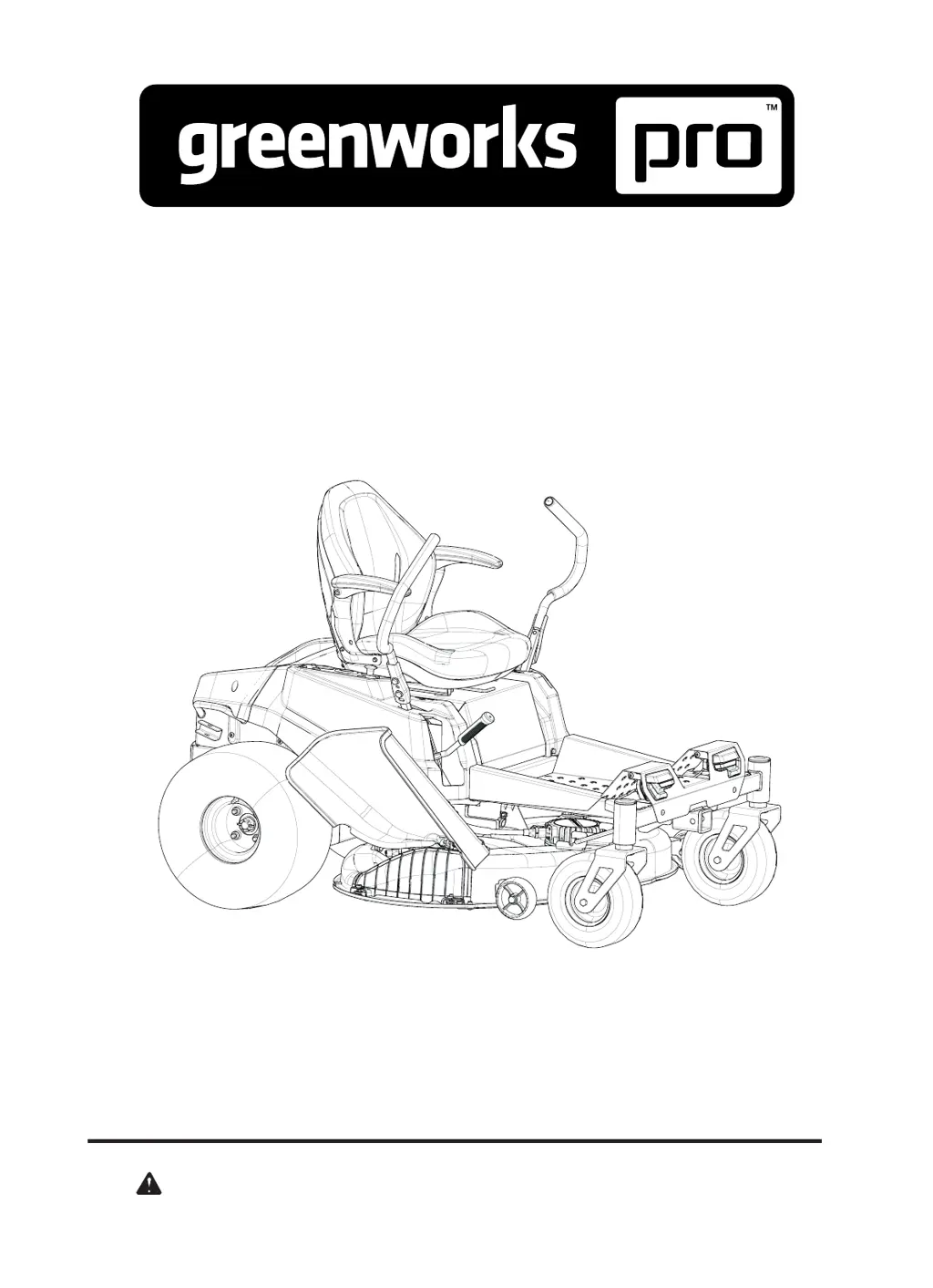
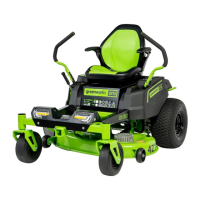
CrossoverZ Zero Turn
6-in-parallel
Model No.CRZ426 CRZ428
Read all safety rules and instructions carefully before operating this tool.
Parts Manual with torque value
TOLL-FREE HELPLINE: 1-855-345-3934
www.greenworksools.com

Other manuals for GreenWorks Pro CRZ426

Questions and Answers

  • N
    Nicholas BlackAug 19, 2025
    What to do if my GreenWorks Pro Lawn Mower fails to start after cleaning?
    • P
      petersonsierraAug 19, 2025
      If your GreenWorks Pro Lawn Mower fails to start after cleaning, ensure you followed the cleaning instructions to prevent water from entering electronic components like the LCD or battery compartment. If the mower was exposed to rain, let it dry for 12 hours before use.
  • X
    xwongAug 21, 2025
    How to fix uneven grass cutting with my GreenWorks Pro Lawn Mower?
    • L
      Lindsay GarciaAug 21, 2025
      If your GreenWorks Pro Lawn Mower is cutting grass unevenly, the blade may be dull or bent. Grind the blade as instructed in the manual or replace it. Also, the deck might be uneven; adjust it according to the manual to ensure consistent height on both sides.
  • C
    Catherine SantanaAug 25, 2025
    What to do if my GreenWorks Pro Lawn Mower does not move?
    • G
      Gregory MccallAug 25, 2025
      If your GreenWorks Pro Lawn Mower isn't moving, ensure a Greenworks battery pack is correctly inserted and has sufficient charge. Check that the steer control levers are not in the parking slots and someone is sitting on the seat. If issues persist, return the steer control lever and PTO switch to their original positions and restart the mower. If the drive function battery is in sleep state, turn the key off and restart after 5 seconds.
  • K
    kimberly84Aug 26, 2025
    What to do if the blade stops running during the mowing process on my GreenWorks Pro CRZ426 Lawn Mower?
    • C
      corymillsAug 26, 2025
      If the blades on your GreenWorks Pro Lawn Mower stop during mowing, the blade motor may be overheated: power off for 5 minutes and consider raising the deck height or reducing speed. The deck might be full of grass, so clean it. The blade motor could be overloaded: push down the PTO switch and restart, also adjust deck height or speed. The battery pack temperature could be too high, requiring immediate charging. If a foreign object hits the blade, turn the key off and restart after 5 seconds.
  • M
    Michelle DayAug 28, 2025
    Why does the blade fail to run when I pull up the PTO switch on my GreenWorks Pro CRZ426 Lawn Mower?
    • R
      Regina ThomasAug 28, 2025
      If your GreenWorks Pro Lawn Mower blade fails to run when you pull up the PTO switch, first ensure a Greenworks battery pack is correctly inserted and has power. Check that someone is sitting on the seat. If the PTO switch wasn't pushed when the machine was powered on, push it down and restart. If the blade motor is blocked, cut grass at low speed initially, then increase speed once mowing normally. Also, check for obstructions between the blade and motor.
  • M
    Monica JohnsonAug 30, 2025
    What to do if there is sudden breakdown during driving of my GreenWorks Pro CRZ426?
    • J
      Jacqueline CarrilloAug 30, 2025
      If your GreenWorks Pro Lawn Mower experiences a sudden breakdown while driving, make sure a Greenworks battery pack is inserted and has power. If the seat switch disconnects on bumpy roads, return the steer control lever to the original position and restart the machine. Then check if the machine operates normally.
  • B
    brucecookSep 1, 2025
    Why does my GreenWorks Pro CRZ426 Lawn Mower vibrate too much?
    • K
      kmeltonSep 1, 2025
      If your GreenWorks Pro Lawn Mower vibrates excessively, the blade may be loose or bent. Consult the manual for grinding instructions or replace the blade. An uneven or loose deck can also cause vibration; adjust or tighten the deck accordingly. If you are cutting too much grass, raise the cutting deck.
  • H
    hernandezjosephSep 3, 2025
    Why is there grass or debris on the ground after mowing with my GreenWorks Pro CRZ426?
    • P
      Paul RangelSep 3, 2025
      If there's grass or debris left after mowing with your GreenWorks Pro Lawn Mower, you might be cutting too much grass at once; raise the cutting deck, cut the area repeatedly if the grass is very high, and avoid mowing dense grass. Ensure the grass isn't too wet. Also, reduce your driving speed and increase the blade speed.
  • T
    tammyjonesSep 5, 2025
    Why does my GreenWorks Pro Lawn Mower cut the grass abnormally?
    • B
      Brittany StephensSep 5, 2025
      If your GreenWorks Pro Lawn Mower cuts grass abnormally, it might be due to wet grass; wait until it dries. If the grass is too thick, raise the deck height and avoid cutting dense areas.
  • K
    Kevin Castro Jr.Sep 7, 2025
    What to do if the cut height doesn't match the set height on my GreenWorks Pro CRZ426 Lawn Mower?
    • K
      Kathleen BrennanSep 7, 2025
      If your GreenWorks Pro Lawn Mower's actual cut height doesn't match your setting, the deck bolts might be loose; adjust them and balance the deck. Alternatively, the deck could be severely worn or damaged, requiring replacement.

Summary

Labels - Safety and Warnings

Safety Labels (60 V, 80 V, 82 V)

Displays safety warnings and operational guidelines for the mower.

General Safety and Operational Warnings

Covers warnings on electrical, proximity, and bypass lever use.

Health and Weight Limit Advisories

Alerts users about health hazards and weight limitations.

Labels - Brand and Model Information

Brand Logo and Model Labels

Displays the Greenworks Pro logo and model numbers CRZ426/CRZ428.

Power System Identification Labels

Identifies 60V and 80V/82V power systems and battery requirements.

Cutting Deck Size Label

Indicates the cutting deck size of the mower.

Labels - Functional Indicators

Functional Indicator Labels

Series of labels indicating functional elements or zones.

Regulatory Compliance Label

Contains FCC and IC compliance information.

Indicator Decals

Red decals likely used for visual indication.

Measurement Labels

Labels indicating various measurement sizes.

Frame Assembly

Frame Assembly Components

Illustrates the main structural frame and its components.

Battery Cover

Battery Cover Assembly

Shows the battery cover and its mounting hardware.

Electrical System - Battery and Charger

Battery and Charger System

Details components of the battery and charging system.

Electrical System - Controller Mount

Controller Mounting Hardware

Illustrates hardware for mounting control modules.

Electrical System - Wire Harness

Wiring Harness Layout

Depicts the overall wiring harness and its connectors.

Electrical System - Switches and Gauges

Control Panel Switches and Gauges

Shows components like lock switch, display, USB, and PTO switch.

Electrical System - GPS Module

GPS Module Mounting

Illustrates the GPS unit and its attachment hardware.

Electrical System - Lights

Front Light Assembly

Details the front lamps and their mounting components.

Deck System - Cutting Mechanism

Deck, Motor, and Blade Assembly

Shows the deck, blade holders, motors, and blades.

Deck System - Deck Components

Deck Component Parts

Lists parts like deck wheels, cutting deck welding, and washout port.

Deck System - Deck Lift

Deck Lift Mechanism

Illustrates the components of the deck height adjustment system.

Deck System - Discharge Chute

Discharge Chute Assembly

Shows the discharge chute and its mounting hardware.

Drive System - Wheels

Rear Wheel Assembly

Details the rear wheels and their fastening nuts.

Drive System - Front Caster Parts

Front Caster Wheel Assembly

Illustrates the components of the front caster wheel.

Drive System - Motor and Transmission

Drive Motor and Transmission

Shows the drive motor, gearbox, and related parts.

Operator System - Seat and Mount

Seat Mounting Assembly

Details the seat and its mounting hardware.

Operator System - Control Arms

Control Arms Assembly

Illustrates the left and right control arms and their fasteners.

Operator System - Right Control Box

Right Control Box Components

Shows parts for the right-side control box assembly.

Operator System - Left Control Box

Left Control Box Components

Shows parts for the left-side control box assembly.

GreenWorks Pro CRZ426 Specifications

General IconGeneral
BrandGreenWorks Pro
ModelCRZ426
CategoryLawn Mower
LanguageEnglish

Related product manuals