Cat 5 Intercom System User’s Guide
www.greyfox.com
2 1-877-GREYFOX
3
System Components Overview
Required Components
The following three components (in addition to a suitable power transformer or
power distribution module) are required in order to have a functional Cat 5
Intercom System.
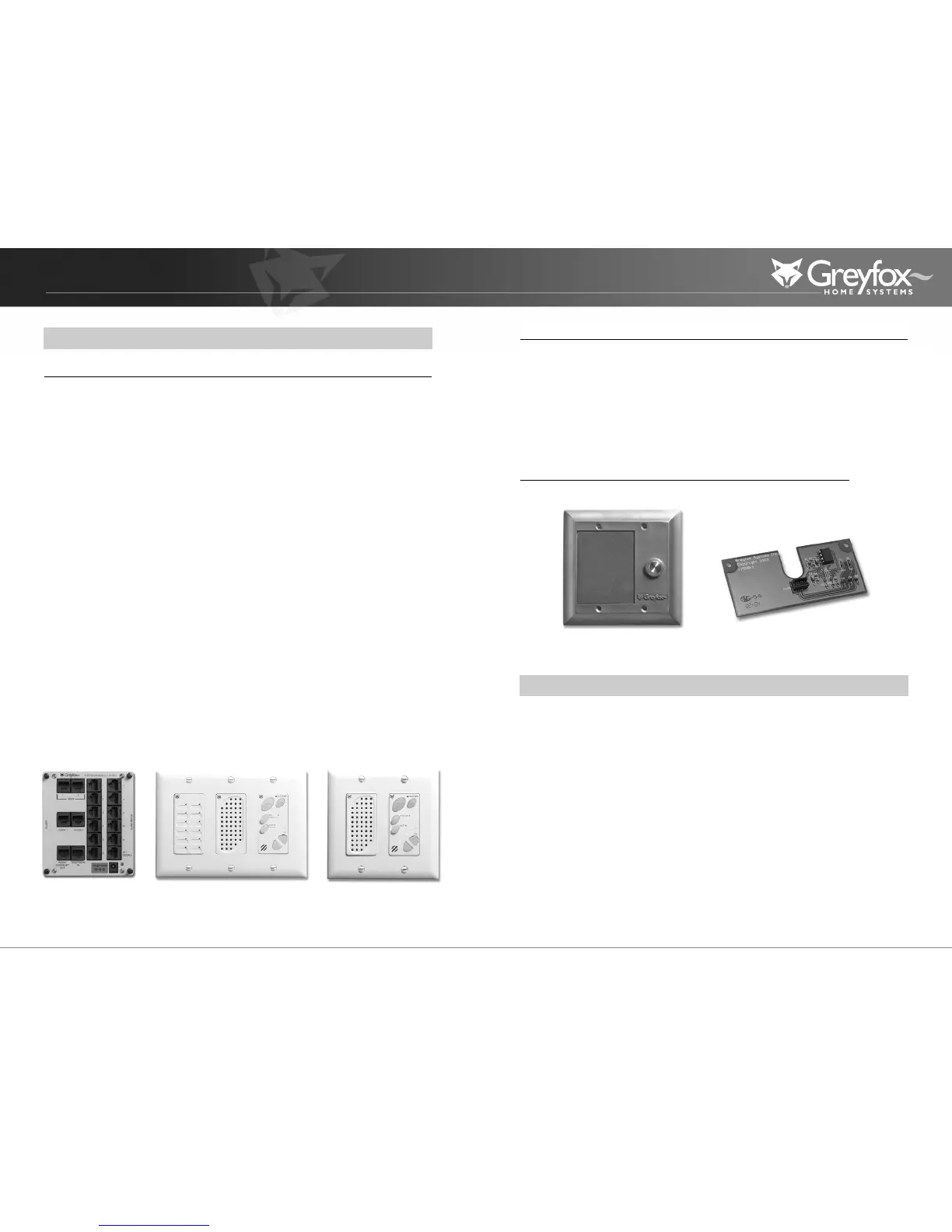
Intercom Module: This module is typically installed in a Greyfox Enclosure and
can be considered the “brains” of the system.All other Room Units, Door Units,
and the Main Console Unit are connected directly to this module via “home run”
Cat 5 cabling.The module also supplies power to the entire Cat 5 Intercom
System.This module is the only component of the system that requires an
appropriate power transformer or power distribution module.This module
should only be serviced by an authorized Greyfox Systems installer.
Main Console Unit: In addition to providing typical intercom features found
with Room Units, this unit includes a bank of status LEDs which show, at a
glance, which Room Units are talking, muted, or in monitor mode. It also includes
a dedicated door release button (functional only if a door release device is
installed), and talk hands free button. Only one Main Console Unit, per system,
can be installed.
Room Unit: This unit provides basic intercom communication functions such as
talk, talk to door (if Door Unit is installed), monitor, and mute. Up to 12 room
units can be installed per system.
Optional Components
The following components are optional to the Cat 5 Intercom System.When
added, these components will enable communications with visitors to the home.
Door Unit: This unit allows a visitor to the home to press the door chime
button on the unit to notify the occupants of their presence (requires Door
Chime to be installed).The occupants can then initiate two way communication
with the visitor and open the door (requires door release device, not included).
Door Chime: This component installs as an add-on to the Intercom Module. It
enables a chime to be heard on all units throughout the Cat 5 Intercom System.
Without this component, no chime will be heard through the system.
The following section explains the various functions and operational features of
each component of the Cat 5 Intercom System.
Main Console Unit
The Main Console Unit acts as the central point of communication in the Cat 5
Intercom System.The Main Console Unit utilizes LEDs to show all room activity
among other enhanced intercom features.
STATUS LEDS - Each LED indicates the status of each Room Unit in the system.
A GREEN light indicates that the Room Unit’s Talk or Door button are currently
depressed and someone is talking with the unit.A RED light indicates that the
Room Unit is in Mute mode and that all speaker and microphone functions of
the unit are disabled.An ORANGE light indicates that the unit is in MONITOR
mode and its microphone is currently active.
Main Console Unit
Intercom Module
Indoor Room Unit
Door Unit
Door Chime
Cat 5 Intercom System Operational Overview



 To Next Page