Cat 5 Intercom System User’s Guide
www.greyfox.com
6 1-877-GREYFOX
7
DOOR - Depressing this button will allow you to communicate with all Door
Units that are a part of your system. Hold in the DOOR button while speaking
and let it go when you are done.Your voice will be heard on any active Room
Units, the Main Console Unit, and all Door Units within the system.
ANSWER LED - This LED is located at the top of the keypad of the Room Unit.
When lit this LED indicates that the microphone in the unit is active and anything
you say will be communicated through the system.This LED will light when you
are depressing the TALK or DOOR button.This LED will be constantly lit when
the unit is in MONITOR mode.
MONITOR - Press this button once to put the Room Unit in MONITOR mode.
Press the button again to return the Room Unit back to normal mode.While in
MONITOR mode, the microphone is constantly active, the speaker is disabled
and any voice or noise within the room will be heard throughout the system.The
LED to the right of the MONITOR button will glow green. Multiple Room Units
can be in MONITOR mode at the same time.This function is useful for baby
monitoring or other types of situation which require any voice or noise in a
room to be heard throughout the system.
MUTE - Press this button once to put the Room Unit in MUTE mode. Press the
button again to return the Room Unit back to normal mode.While in MUTE
mode, both the speaker and microphone of the unit will be inactive and the LED
to the right of the MUTE button will glow red. MUTE mode is useful for
maintaining privacy in a particular room. Multiple rooms can be in MUTE mode at
the same time.
DOOR RELEASE - There is no specific button on the Room Unit for the DOOR
RELEASE function. However, by depressing both the TALK and the DOOR
buttons and the same time, the Room Unit will engage the door release device
(not included in the Cat 5 Intercom System) if a door release device is installed
in conjunction with the Cat 5 Intercom System. Holding in the TALK and the
DOOR button simultaneously will open the door using the door release device.
Once you let go of the buttons, the door release device will be disengaged which
will lock the door again.
VOL - There are two volume control keys with an associated volume level LED
bar.There are 64 different volume levels which are adjusted up and down using
these two buttons. Pressing the volume up button will increase the volume one
level higher.You may not see the LEDs change until you press the volume up or
down multiple times (approximately every 6th button press).You can also hold in
the volume up or down button until you have reached the desired volume level.
It is recommended that you keep the volume level in the middle position (3 LEDs
lit) for optimum sound quality.
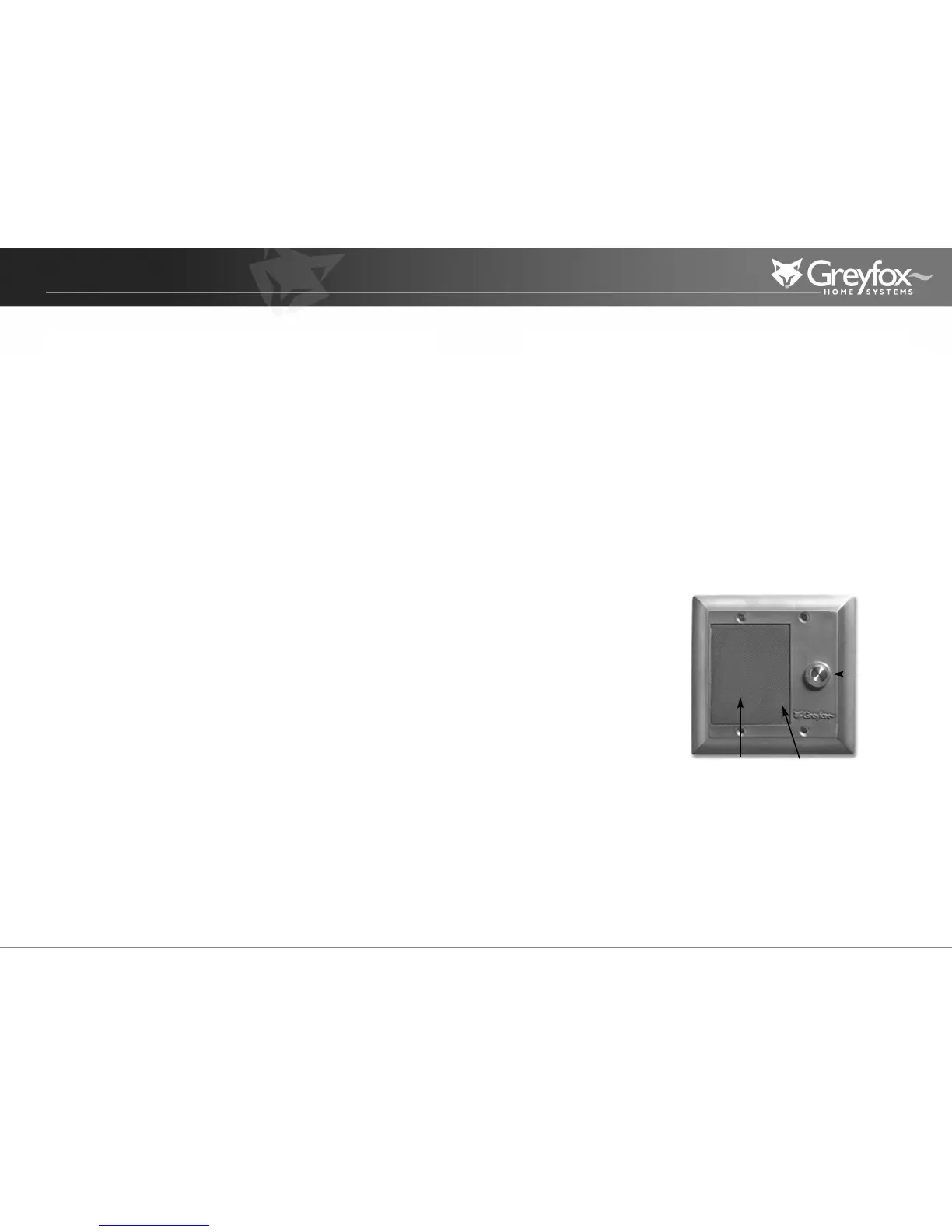
Door Unit
The Door Unit acts as a point of communication between the occupants of the
home and visitors to the home.There may be up to three total Door Units in
the Cat 5 Intercom System.The Door Unit provides a doorbell button which
enables the occupants to be notified of a visitor via the Door Chime feature.The
Door Unit features a weather resistant integrated microphone and speaker
which allows communication with visitors before allowing them into your home.
DOORBELL BUTTON - When
a visitor pushes this button, the
Door Chime will be heard
throughout the home at each
active intercom unit.The
occupants of the home can
then press the DOOR button
at any intercom unit to answer
the door.The visitor will hear
the occupant and will be able to
announce who they are.
Door Bell
Button
Speaker
Microphone


 To Next Page
 Loading...
