10
| 10 20
First start
The very first time launching Race Director, you will probably be greeted with an
empty screen and booting might also take a bit longer than you would expect.
Don’t worry, this is normal, some additional files might be downloaded/updated. To
keep things visually clear and clutter free, we only want to show the options you
actually need.
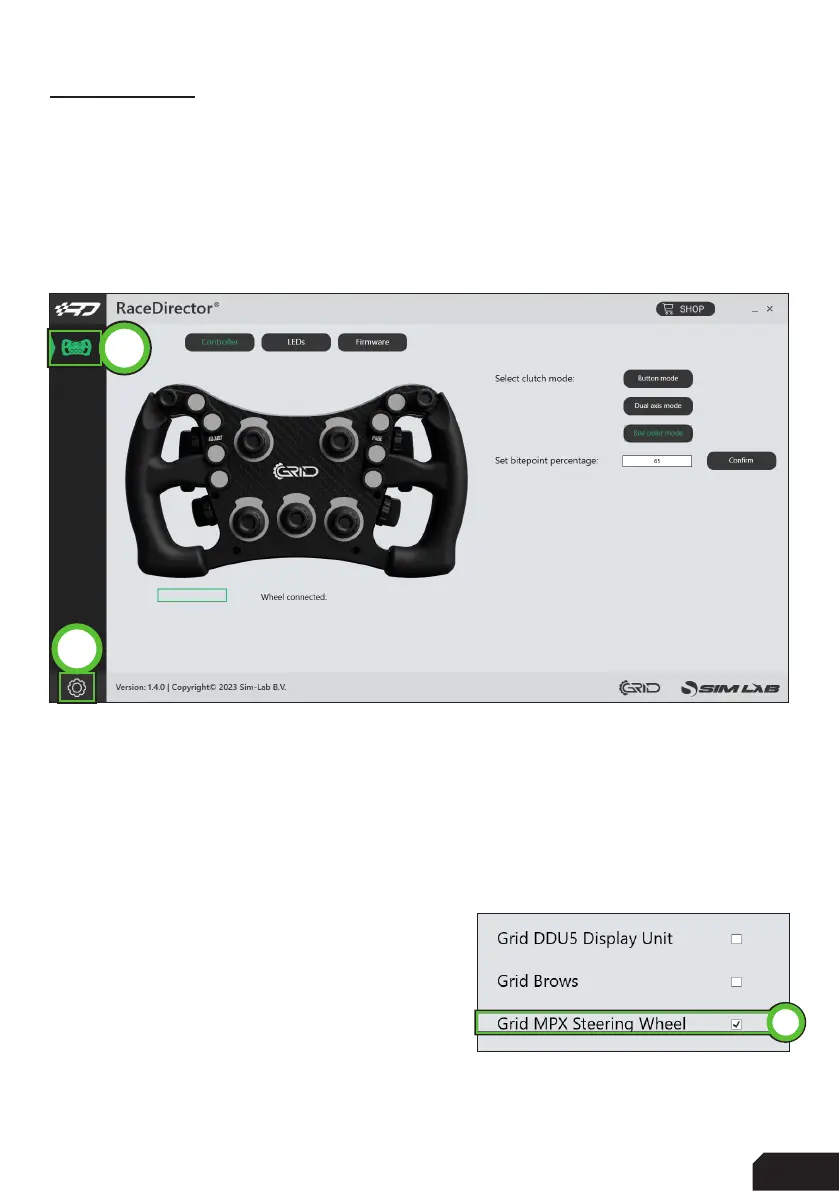
Press the ‘Gear’ (1) symbol to enter the settings page. To keep the interface
clutter free, the device(s) you own need to be activated.
In this case we tick the box for the
‘Grid MPX Steering Wheel’ (2).
The ‘device icon’ (3) is activated now and once
we press it, the device page will be shown.
2
3
1



 To Next Page