3
| | 3 20 20
Initial calibration
Before using the wheel, we recommend to walk through calibration of all paddles
found on the back of the wheel.
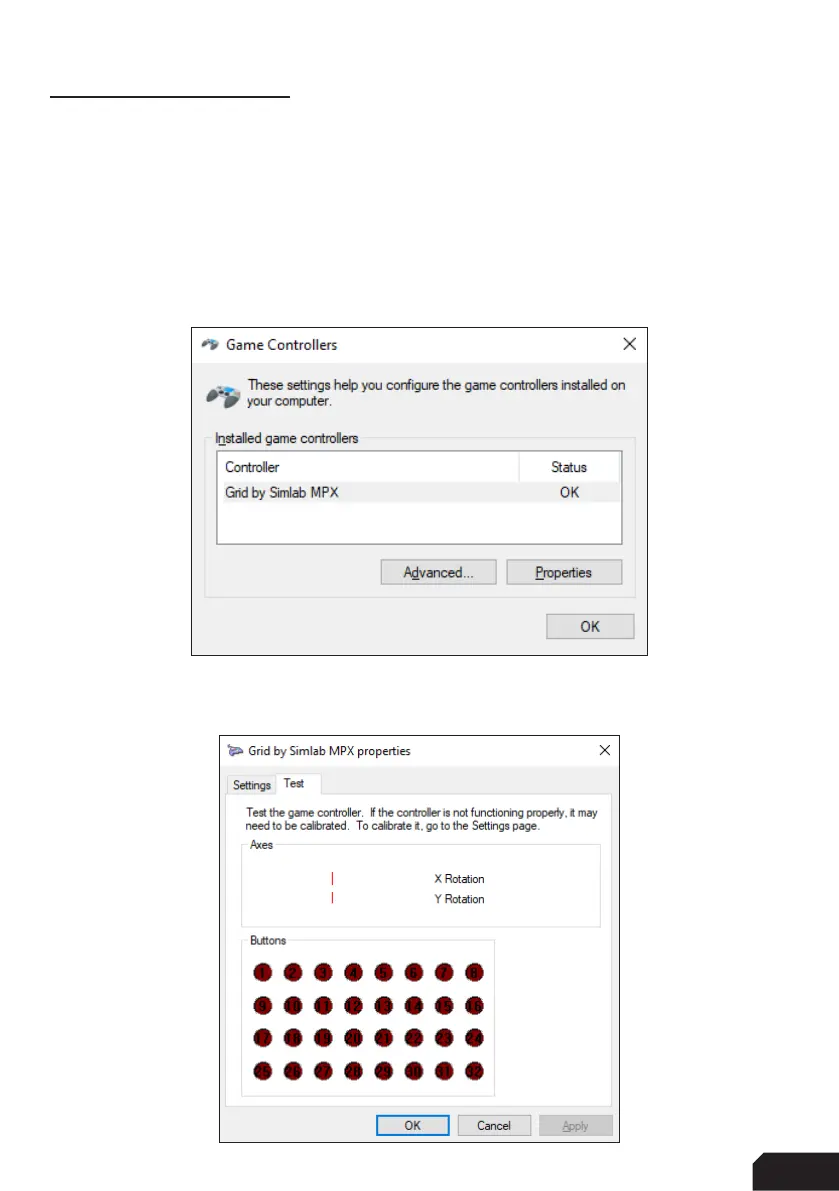
To make this an easier and more visual experience, let’s open the Windows Game
Controller program.
The quickest way to do this is to press the windows-key, type ‘Game Controller’ and
hit ‘enter’ on your keyboard. This will open the Windows Game Controller program.
Select ‘Grid by Simlab MPX’ from the list and press ‘Properties’ to access the
properties window. At this moment, we offer more inputs than possible to display.



 To Next Page