4
| 4 20
Calibration Mode
The calibration is a very straightforward process, but first we need to enter the
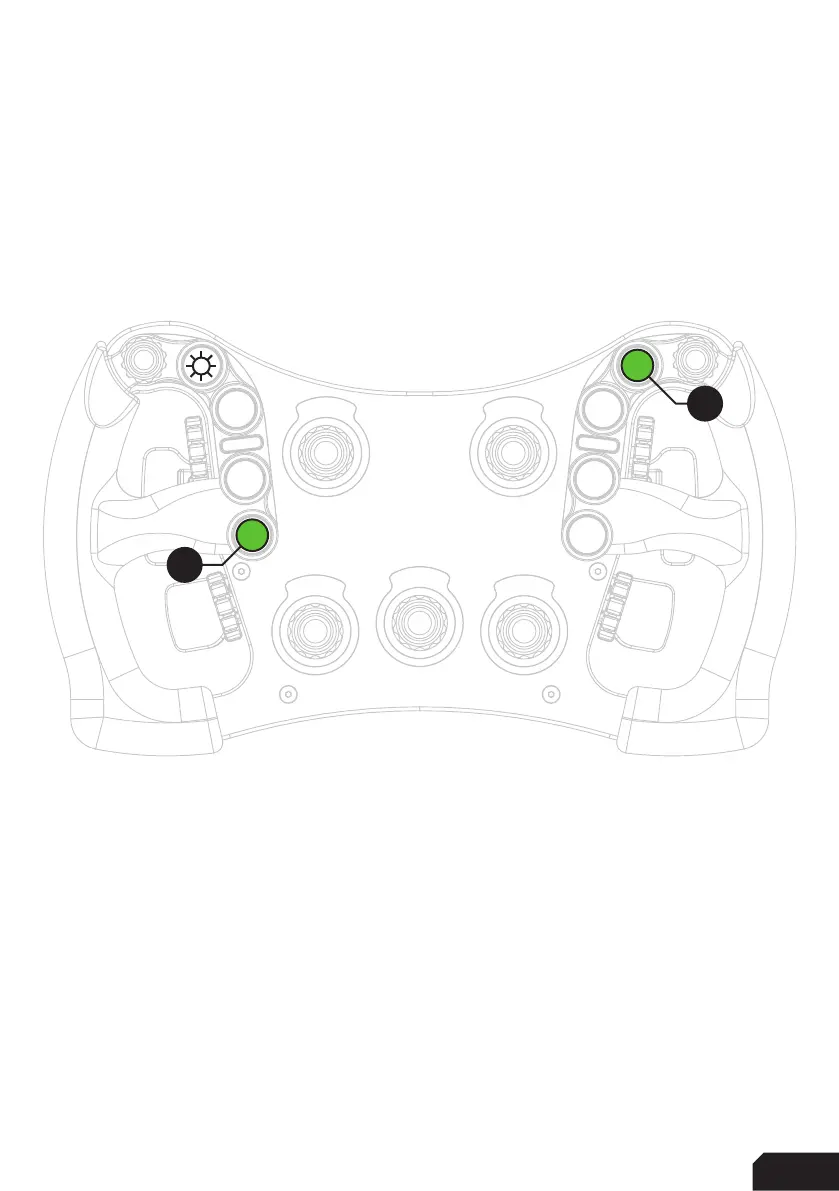
Calibration Mode on the wheel itself. To activate the wheels’ calibration mode, Press
and Hold the ADJUST (A) button and CALIBRATION MODE (CM) button at the same
time. Keep doing so for at least 5 seconds, until you see BUTTON 1 (top left) flashing.
Release both buttons when the wheel successfully entered Calibration Mode.
Calibration
Calibration is easy to do. Simply ‘press and hold’ one paddle for about a second,
release and you’re done. After this has been done with both clutches, the wheels’
firmware has registered the minimum and maximum values for travel. Press the
Adjust (A) button a single time to exit the Calibration Mode.
A
CM



 To Next Page