12
| 12 20
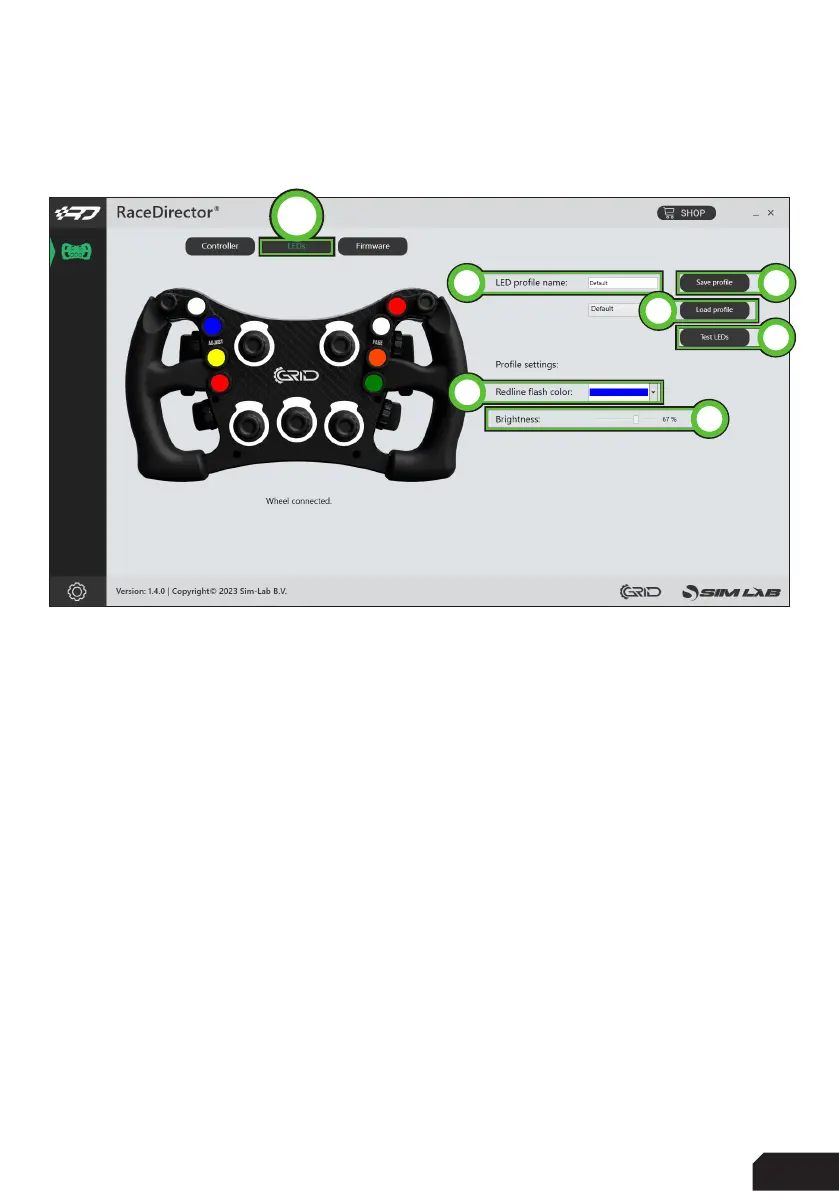
LEDs (B)
This will be explained in two parts, first we will go over the options found on the right
side of the screen.
- ‘LED profile name’ (1)
This serves two purposes in one. Firstly the name of the loaded profile is
noted to verify that the profile has been loaded. Secondly the name is used
when saving the profile.
- ‘Save profile’ (2)
When you want to save an excisting profile, press this button. You will be
warned that the profile is an excisting profile, thus overwriting it will change
it from the default settings. Alternatively, once the profile name (see above)
has been changed, that name will be used as a new profile.
- ‘Load profile’ (3)
This loads the selected profile in the drop down menu.
4
1
3
2
5
6
B



 To Next Page