14
| 14 20
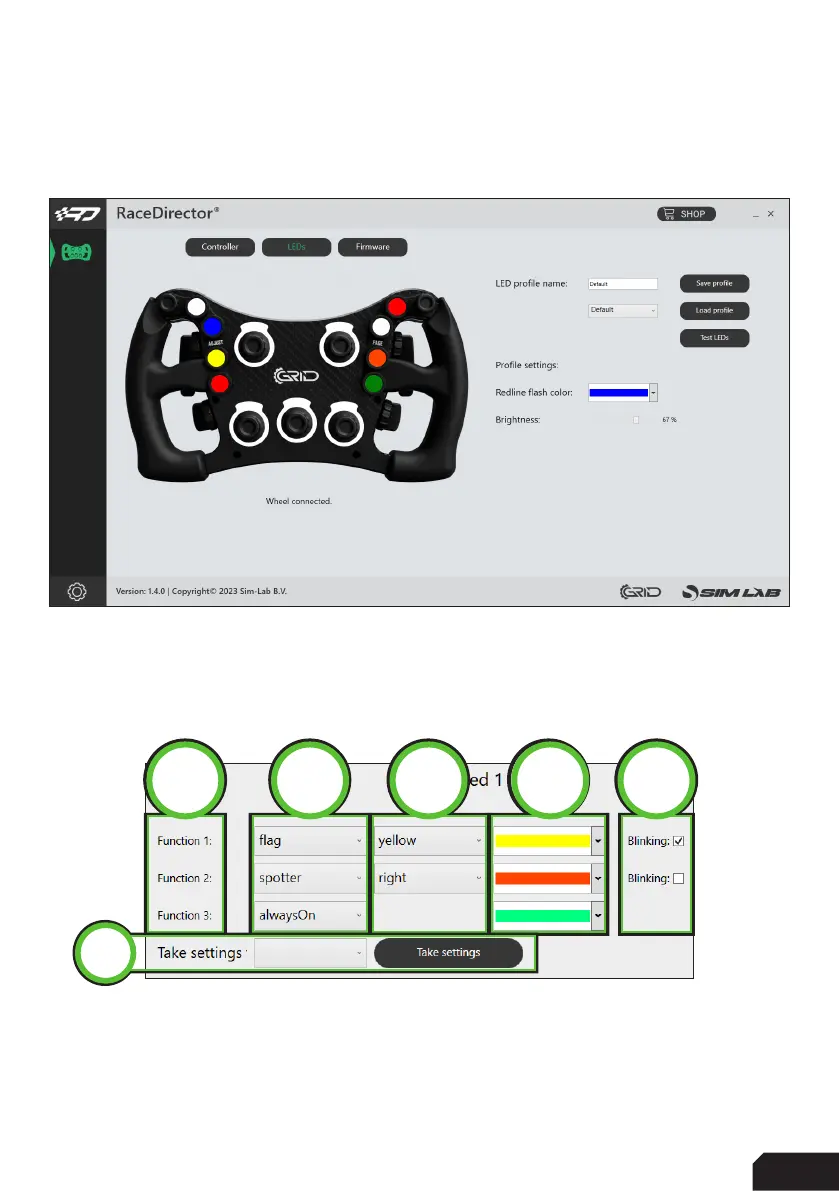
When we take a look at the visual representation of our hardware though,
comparing it to the prevous page (Controller) some colors have been added.
Clicking on any LED/color brings up the LED setup window. We’re looking at this
horizontally. From left to right the function number (1), the function (2), the function
input/option (3), color (4) and state (5) (default is static).
There is also the possibility to ‘Take settings’ (6) from an LED you configured earlier.
1 2 4
5
3
6



 To Next Page