Press
Press
+
GrillEye Pro
®
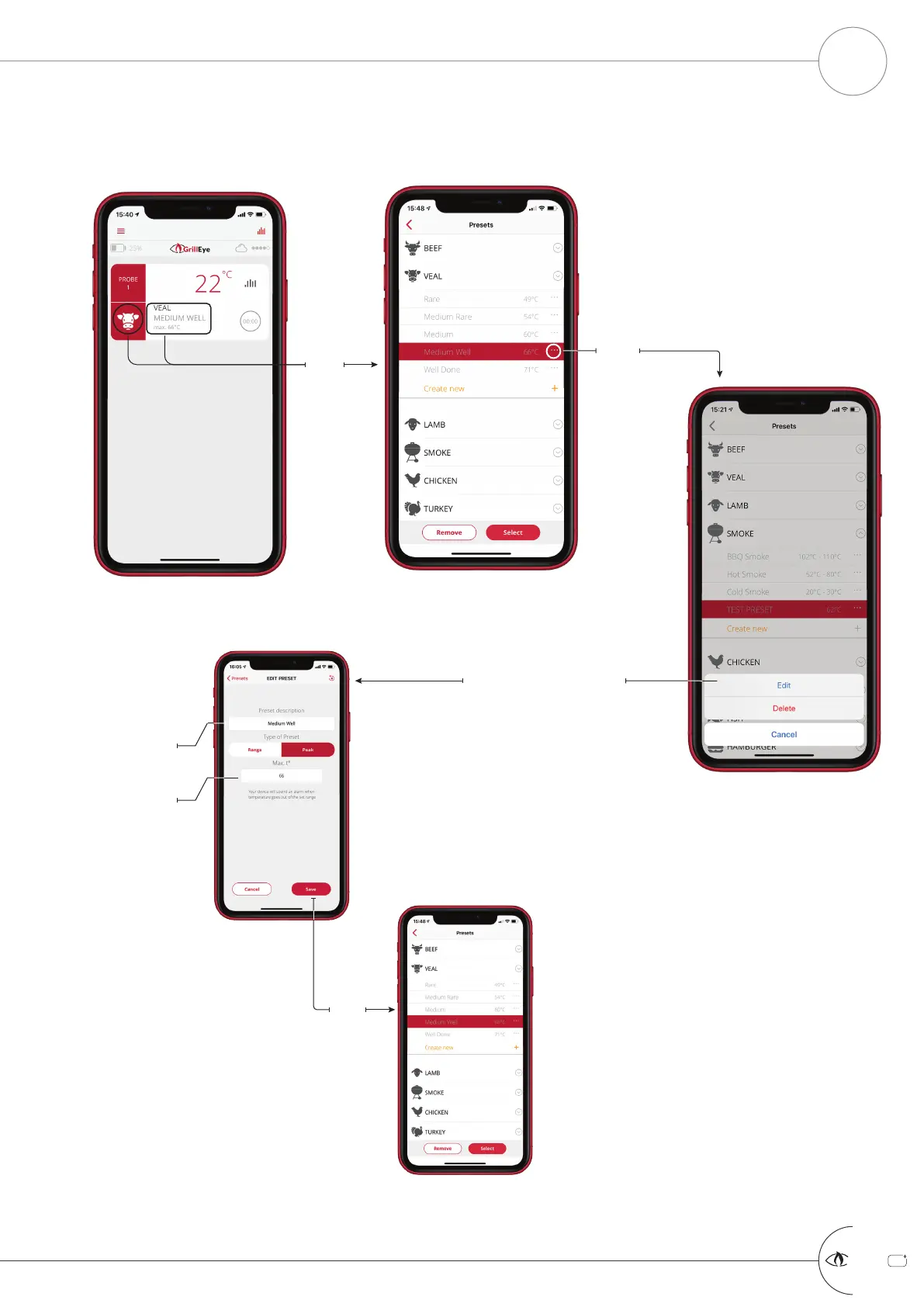
MANAGE PRESETS PART 3 OF 3: EDIT/DELETE PRESET
START GRILLING & COOKING
10
Edit the description
Edit the
temperature
Save
The Delete option is available
only for custom presets.
System presets can only be
edited. So, selecting the Edit
option in system presets will
take you directly to the next
screen.
The updated preset will
appear inside the selected
category, highlighted and
ready to be selected/applied
or removed



 To Next Page