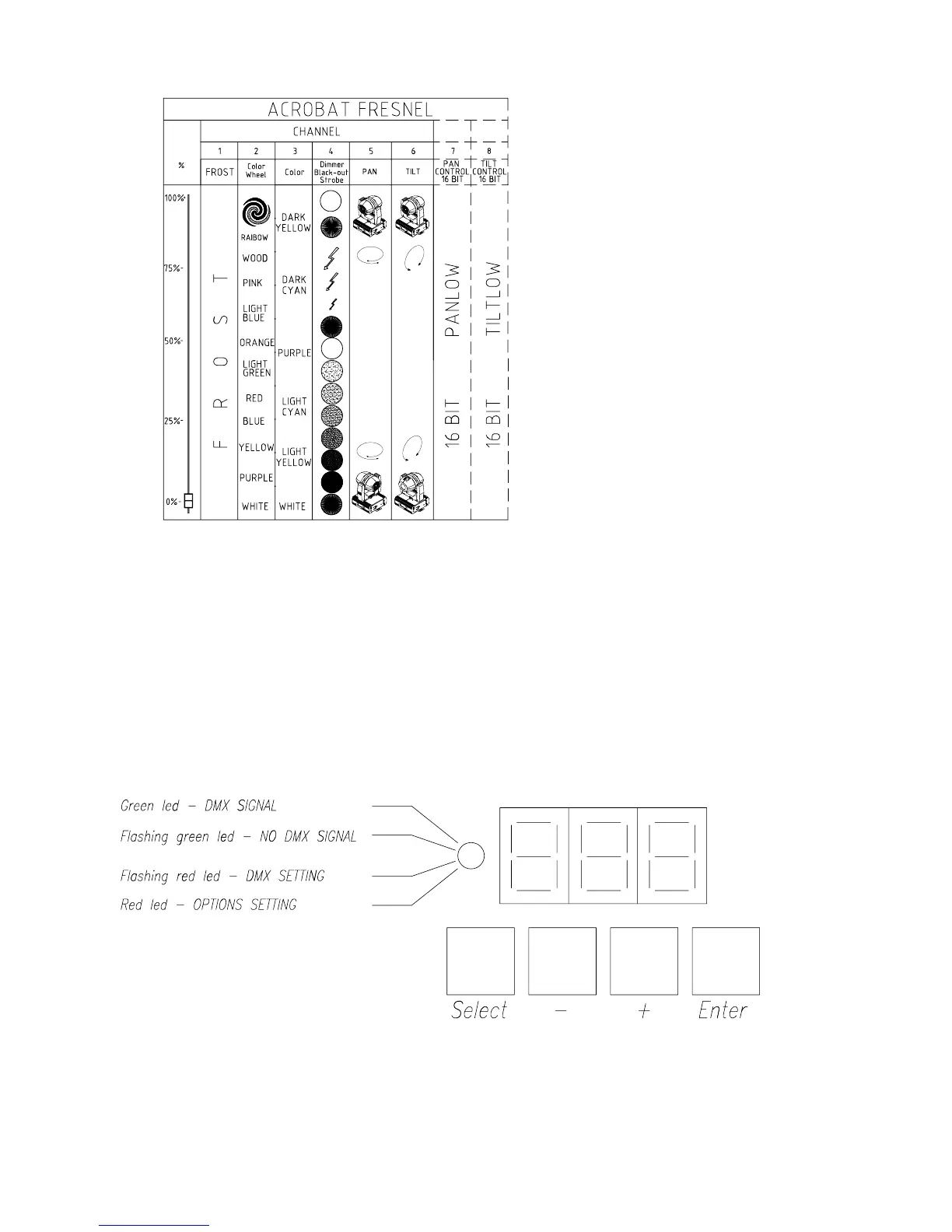
4.2 Channels indication
4.3 Display and control panel use
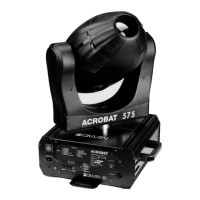
The led colour indicates the projector mode.
The green led indicates the operating mode.
The red light indicates the setting or the zapping mode.
When the projector is in the operating mode the display indicates the DMX addressing number,
which is 001 the first time you turn it on. In order to change the DMX addressing number push
(SELECT) then (-) or (+). Once chosen the desired number push (ENTER).
Push (SELECT) twice when you want to activate or zap an option. To memorise it push (ENTER).
If options are not entered within 15 seconds the projector returns to the operating mode.
12


 To Next Page