4.4 Options
Lamp life: Push ENTER for more then 5 seconds
To reset the lamp life meter push (-), (+) and ENTER simultaneously until you get the zero setting
of the display
5.0 AUTOMATIC MODE
When the ACROBAT FE unit is not connected to a DMX controller it can operate to music while
changing to different pre-programmed scenes sequences. An on-board microphone receives the
music beat and its sensitivity can be increased or contracted by a screwdriver.
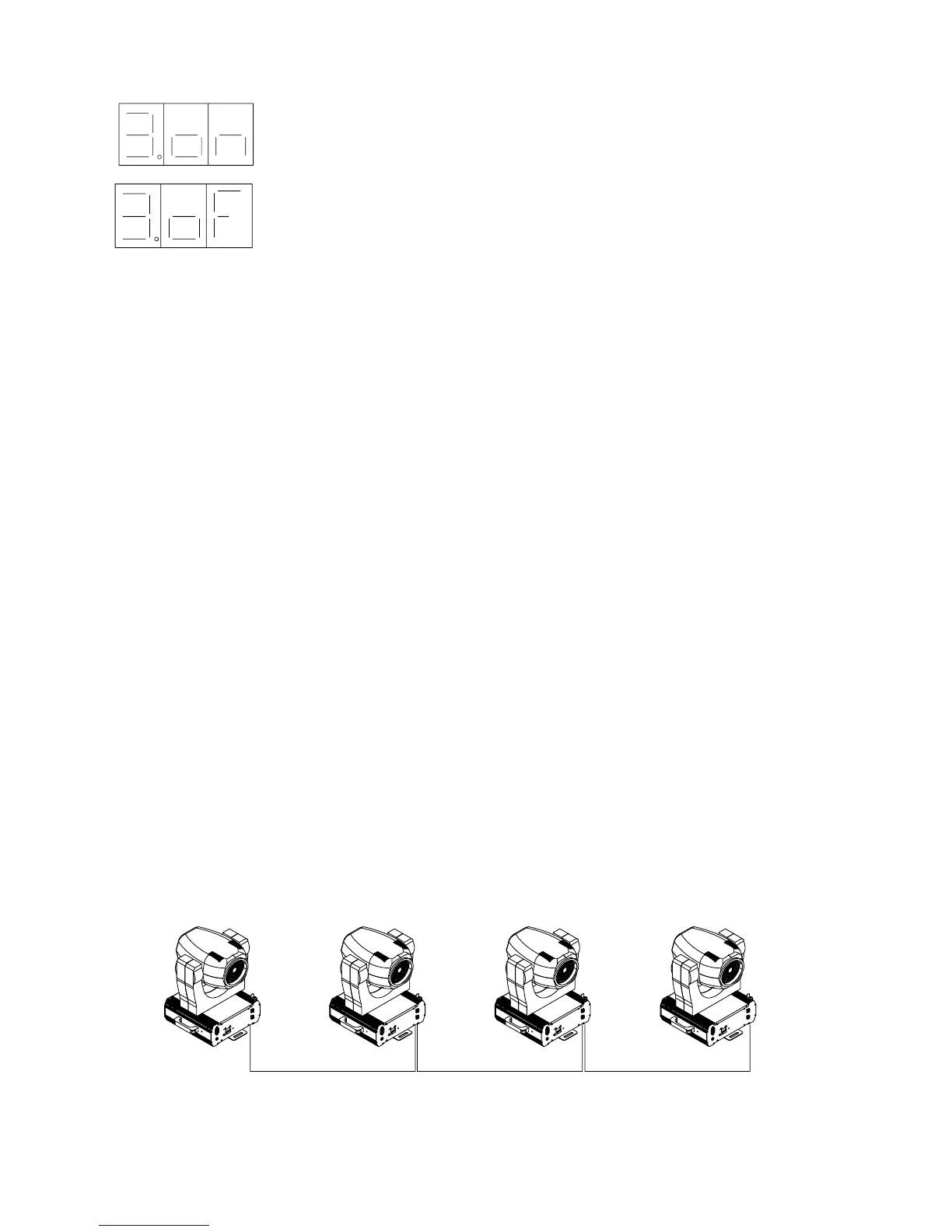
2. More ACROBAT FE units can be set to ‘SLAVE’option to follow the ‘MASTER’ unit in synch-
rony. The ‘MASTER’ unit shall have option 4 set to ON; its microphone will follow the music
beat and will guide the rest of the units of the chain to the same rythm change through the pre-pro-
grammed scenes. Option 4 of all ‘SLAVE’ units connected to the ‘MASTER’ one shall have
option 4 set to OFF and DMX address 1.
The option is activated.
The option is not activated.
1= PAN/TILT Swap
2= Reverse PAN
3= Reverse TILT
4= Automatic
5=1°-2° Concept
6=
7=
8= PAN/TILT 16 bit
9= TEST
Master
Slave SlaveSlave
13


 To Next Page