EasyManua.ls Logo

Groen CC10-G - User Manual

Groen CC10-G
25 pages
Print Icon
To Next Page IconTo Next Page
Loading...
IMPORTANT INFORMATION
IMPORTANT INFORMATION IMPORTANT INFORMATION
IMPORTANT INFORMATION
KEEP FOR OPERATOR
KEEP FOR OPERATOR KEEP FOR OPERATOR
KEEP FOR OPERATOR
IMPORTANT INFORMATION
IMPORTANT INFORMATION IMPORTANT INFORMATION
IMPORTANT INFORMATION
OPERATOR MANUAL OM-CC-G and C/2-G
Part Number 121086 DOMESTIC
MODEL: CC10-G, (2)CC10-G
C/2-20G, (2)C/2-20G
CONVECTION COMBO™
Combination Steamer-Oven
THIS MANUAL MUST BE RETAINED FOR FUTURE REFERENCE. READ, UNDERSTAND AND
FOLLOW THE INSTRUCTIONS AND WARNINGS CONTAINED IN THIS MANUAL.
FOR YOUR SAFETY
DO NOT STORE OR USE GASOLINE OR OTHER FLAMMABLE VAPORS
AND LIQUIDS IN THE VICINITY OF THIS OR ANY OTHER APPLIANCE .
POST IN A PROMINENT LOCATION
INSTRUCTIONS TO BE FOLLOWED IN THE EVENT USER SMELLS GAS.
THIS INFORMATION SHALL BE OBTAINED BY CONSULTING YOUR LOCAL
GAS SUPPLIER. AS A MINIMUM, TURN OFF THE GAS AND CALL YOUR
GAS COMPANY AND YOUR AUTHORIZED SERVICE AGENT. EVACUATE
ALL PERSONNEL FROM THE AREA.
WARNING: IMPROPER INSTALLATION, ADJUSTMENT, ALTERATION,
SERVICE OR MAINTENANCE CAN CAUSE PROPERTY DAMAGE, INJURY
OR DEATH. READ THE INSTALLATION, OPERATING AND MAINTENANCE
INSTRUCTIONS THOROUGHLY BEFORE INSTALLING OR SERVICING THIS
EQUIPMENT.
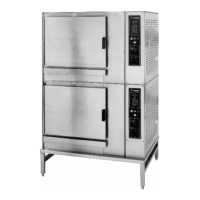
(2)CC10-GF
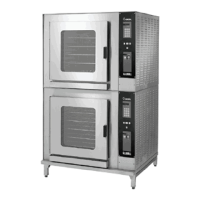
C/2-20GF with
optional pan racks
Information contained in this document is
known to be current and accurate at the time
of printing/creation. Unified Brands recom-
mends referencing our product line websites,
unifiedbrands.net, for the most updated
product information and specifications.


Questions and Answers

  • M
    Misty EvansAug 9, 2025
    What to do if the Groen CC10-G Oven exceeds maximum generator fill time?
    • C
      Carrie RitterAug 9, 2025
      If your Groen Oven displays a code indicating the maximum generator fill time has been exceeded, ensure the water supply is fully turned on and that the hoses are not kinked or pinched. If the code persists, the unit will only operate in Oven Mode.
  • S
    Stacey SullivanAug 14, 2025
    What to do if Groen CC10-G Oven exceeds maximum generator drain time?
    • J
      Jon LinAug 14, 2025
      If the Groen Oven displays a message indicating that the maximum generator drain time has been exceeded, inspect the drain line for any blockages. Also, ensure that the drain is free-vented.
  • E
    Eric LeeAug 18, 2025
    What to do if Groen Oven shows a low water level probe issue?
    • X
      xknightAug 18, 2025
      If your Groen Oven indicates a low water level probe issue, try cleaning the steam generator to remove any contamination from the probes. If only one code is displayed, the unit will operate in all modes, but water may overflow from the generator into the cooking chamber during operations in either the Steam or Combo Modes. If both codes are displayed, the unit will only operate in the Oven Mode.
  • S
    Scott WhiteAug 25, 2025
    What happens if the Groen CC10-G Oven has a faulty air probe?
    • V
      vanessalewisAug 25, 2025
      If the Groen Oven has a faulty air probe, the unit will operate in Steamer and Clean Cycle Modes only.
  • A
    Alexis JohnsonAug 28, 2025
    What happens if the Groen CC10-G Oven has a faulty generator probe?
    • T
      Traci WilsonAug 29, 2025
      If the Groen Oven has a faulty generator probe, the unit will operate in Oven Mode only.
  • K
    Kenneth StephensonSep 2, 2025
    What to do if the Groen CC10-G has issues with Time Between Fills?
    • B
      Beth TaylorSep 2, 2025
      If the Groen Oven has issues with the time between fills, check for a leaky fill valve. The unit will operate in Oven Mode only.

Groen CC10-G Specifications

General IconGeneral
ModelCC10-G
TypeConvection Oven
CapacityFull-size
Temperature Range200° - 500°F
Dimensions38.13" H x 38" W x 41.25" D
Weight550 lbs
Power TypeGas
Voltage120V
Power SourceGas

Related product manuals