1 32
2.1.2. CREATE A NEW USER ACCOUNT
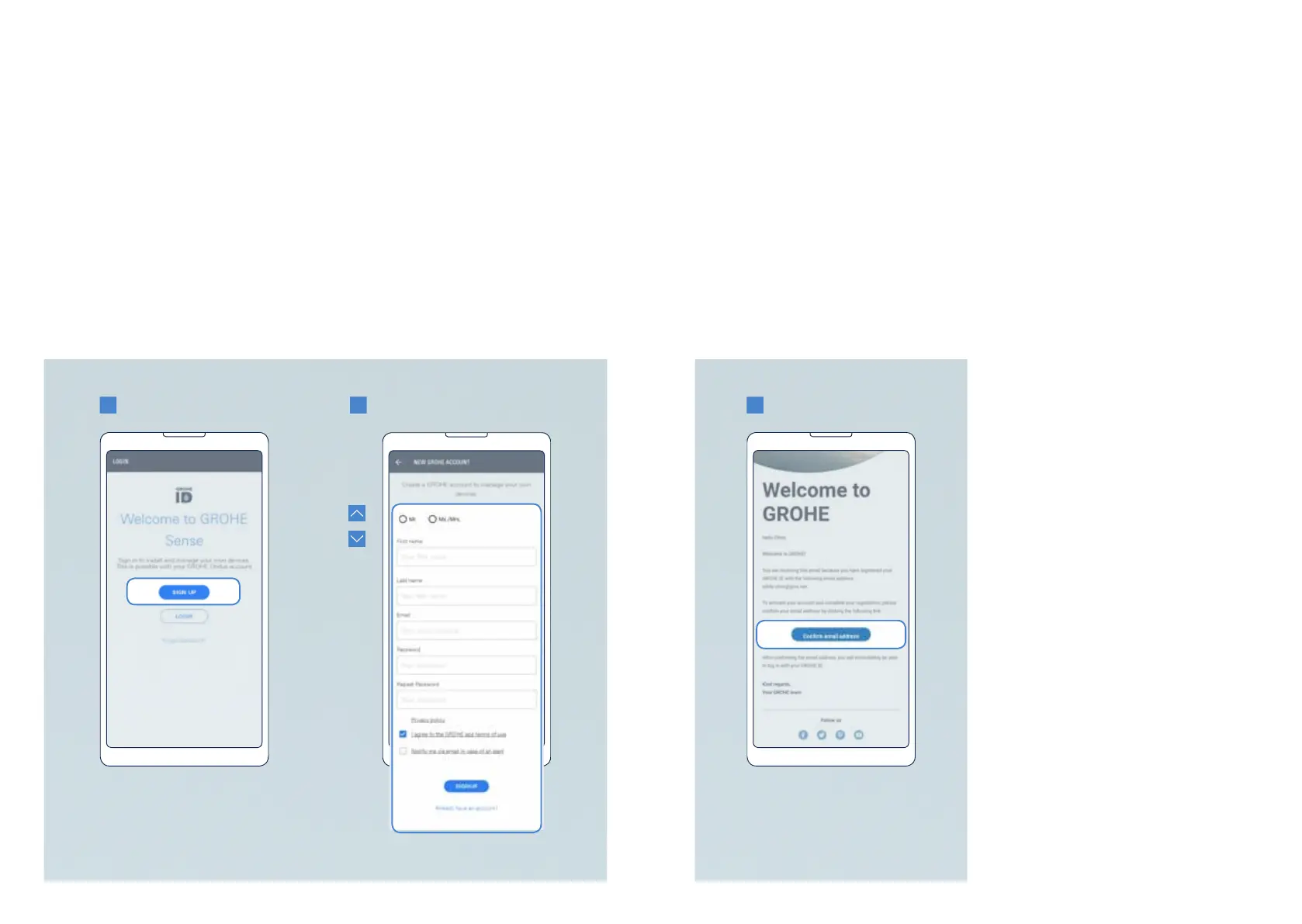
Tocreateanewuseraccount,opentheGROHESenseappandfollowthesesteps:
1.Ontheintroductoryscreen,tapthe“Signup”buttontostart.
2. Fill in the registration form and tap the “Sign up” button.
3.Gotoyoure-mailaccounttoopentheautomatice-mailsenttoyou.Activateyour
accountbyclickingonthelink“Conrme-mailaddress”.
FromnowonyouruseraccountisreadyandyoucanlogintotheGROHESenseapp.
Makesuretorememberyoure-mailaddressandpassword.
CAN I CONNECT THE DEVICES TO MULTIPLE ACCOUNTS?
CAN I USE MY ACCOUNT ON MULTIPLE SMARTPHONES?
GROHESenseandGROHESenseGuardcanbelinkedonlytooneaccountintheapp.
Ifyouwouldliketoaccesstheaccountonmultipledevices,thisispossible–youcanbe
logged into the GROHE Sense app with the same account on multiple smartphones in
parallel.Sameinformationwilldisplayonallphones–dataisstoredintheGROHESense
Cloud,notonyourmobiledevice.
NOTE:
• The password needs to be at least
10 characters in length and contain
one small and one capital letter, one
number, one special character.
• The activation link in the e-mail is
validfor24hours.Afterexpiration
ofthistimeperiod,youcantrigger
anewactivationlink.Forthis,you
needtotrylogginginwithyour
chosen account credentials in the
GROHE Sense app.
8 9
GROHE SENSE USER GUIDE
8 9
2. GETTING STARTED


 To Next Page