EasyManua.ls Logo

Grosvenor FP-GT4 - User Manual

Grosvenor FP-GT4
2 pages
Print Icon
To Next Page IconTo Next Page
Loading...
Version 1.1 January 2020
GT4 Front Panel
Installation Guide
FP-GT4
General
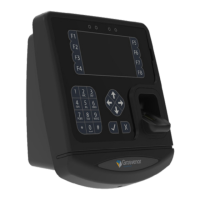
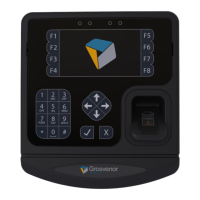
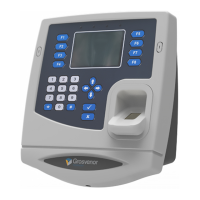
The GT4 Data Collection Terminal
is a modular design which can be
customised by adding additional modules
to the basic terminal front panel. For a
minimum system the following items are
necessary in addition to the GT4 Front
Panel
Back Housing
Power Supply
Additional modules can be added for
further functionality
Card Reader Module (Proximity or
Swipe)
Biometric Module
Battery Backup Module
External Reader Module
External I/O Relay Module
Power Loading - 220mA @12V Power IN
Real Time Clock Coin Cell
Maintains the RTC during power o󰀨
situations. Under normal operating
conditions the coin cell will have a
service life of up to 10 years.
Biometric Reader Connector
For Suprema Fingerprint Reader Module
Reader Module Connector
Reader Modules Include
HID Prox
Feig Prox
Generic Prox 5V
Generic Prox 12V
Mag Swipe
Barcode Swipe
Biometric Reader Position
For Suprema Fingerprint Reader Module
Slot for Swipe Reader
Unit is supplied with slot ller bar
Remove for Swipe readers
Fit for Proximity readers
Power over Ethernet (PoE)
Module Position
Optional module enables terminal to be
powered via the Ethernet cable using an
IEEE802.3af or IEEE802.3at Ethernet
switch or mid-span injector
USB Connector
USB 2 x 4
Supports Flash memory stick
USB Fingerprint Readers
Other devices subject to drivers
Power IN Connector (2.1mm)
12V DC External PSU (centre
positive)
11-13V @ 1A max (refer to Power
Loading for current calculation)
Ethernet Connector
10/100baseT
Full duplex
Supports PoE (when module tted)
Auxiliary Power Connector
For connection of Power Option
Modules including
Battery Backup Module
Mounting
points for
Reader
Module
Front cover
xing screw
RECOVERY Switch
Press the Recovery button for Factory
Reset.
RESET Switch
Press to initiate hardware reset,
Terminal will reboot
Question and Answer IconNeed help?

Do you have a question about the Grosvenor FP-GT4 and is the answer not in the manual?

Summary

General Components and Features

Core Terminal Components

Lists essential items like Back Housing, Power Supply, and optional modules for customization.

Connectivity and Interface Ports

Details connectors like USB, Ethernet, Auxiliary Power, and Power IN, plus reader slots.

Switches and Connectors

Describes functional elements like RECOVERY Switch, RESET Switch, and various reader connectors.

Power Supply Options

Standard Power Input

Explains powering the terminal via a 12V DC supply using specific socket types.

Power over Ethernet

Details powering the terminal via Ethernet cable using PoE modules.

Battery Backup Module

Describes fitting a module for running the terminal during power failures.

Terminal Configuration and Setup

Entering Terminal Setup Mode

Guide on how to access the setup menu via the F8 key after boot-up.

Navigating Setup Menus

Instructions on using arrow keys to scroll through setup sections and select options.

Application Setup Management

Covers installation, removal, and updating of user applications and their parameters.

Firmware Setup and Updates

Details managing terminal firmware, including updates, PIN, factory reset, and reboot.

System Services Configuration

Enabling or disabling services like Telnet, NTP, SSH, AssistIT, and VNC.

General Terminal Settings

Configuration for Date/Time, Region/Language, Network, Display, Sound, Reader, and Biometric.

USB File Explorer

How to access files on USB memory devices for viewing or running setup files.

Installing Applications

Methods for installing user applications via network setup or USB memory stick.

Grosvenor FP-GT4 Specifications

General IconGeneral
Measurement ParametersTemperature, Humidity
Humidity Range0% to 100% RH
Communication InterfaceUSB
CertificationsCE, RoHS
Memory Capacity32, 000 readings
Battery Life1 year (typical use)

Related product manuals