EasyManua.ls Logo

Ground Zero IRIDIUM SERIES - User Manual

Ground Zero IRIDIUM SERIES
8 pages
Print Icon
To Next Page IconTo Next Page
Loading...
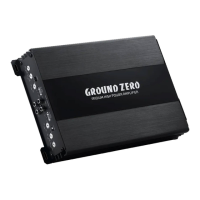
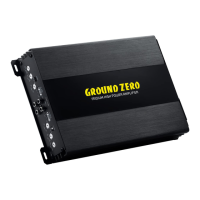
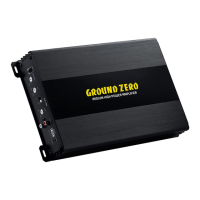
IRIDIUM-SERIES
AMPLIFIER
OWNER’S MANUAL
GZIA 1.1450DX-II
Features
High efficient class D amplifier
1 Ohm stable mono
High-level input with Auto-On
Up to 12 dB adjustable bass boost (@45 Hz)
Phase shift switch (0°/180°)
Adjustable input sensitivity
Bass remote control
Thermal / short circuit / overload protection

Other manuals for Ground Zero IRIDIUM SERIES

Questions and Answers

  • G
    George NunezSep 23, 2025
    What to do if there is no sound in one channel of my Ground Zero IRIDIUM?
    • P
      Peter AndersonSep 23, 2025
      If you're experiencing sound in only one channel of your Ground Zero Amplifier, begin by inspecting the speaker leads for any short circuits or open connections. Next, check the audio leads by reversing the left and right RCA inputs to see if the issue originates before the amplifier.
  • P
    pmillerAug 23, 2025
    What to do if my Ground Zero IRIDIUM has no sound?
    • V
      Veronica MendezAug 25, 2025
      If there is no audible sound from your Ground Zero Amplifier, start by checking if the POW LED is green. If not, examine the amplifier's protection fuse(s), the remote wire connection (in RCA input mode), the +12 Volt power supply wire connection, and the ground wire connection. If the PROTECT LED is red, inspect for speaker shorts or amplifier overheating.
  • M
    Matthew DeckerAug 25, 2025
    Why my Ground Zero Amplifier does not turn on?
    • J
      Jamie WillisAug 26, 2025
      If your Ground Zero Amplifier isn't turning on, verify the power supply and connections. Also, if using RCA input mode, ensure the remote wire is properly connected to the head unit.
  • J
    Jamie BrownAug 26, 2025
    Why is the status LED on my Ground Zero Amplifier red?
    • C
      Carol FisherAug 27, 2025
      If the status LED on your Ground Zero Amplifier is red, it could be due to the temperature protection circuit being active or shorted/damaged speaker wires. Try decreasing the head unit's volume or waiting for the amplifier to cool down. Also, inspect the speaker wires and speakers for shorts or damage, and insulate if necessary.
  • M
    Mathew MarshallAug 27, 2025
    How to fix no sound on one channel of Ground Zero IRIDIUM?
    • D
      david99Aug 27, 2025
      If you're experiencing no sound on one channel of your Ground Zero Amplifier, check the speaker wiring for short circuits or open connections. Additionally, verify the input signal on each RCA lead by reversing the left and right RCA inputs to test the audio input signal.
  • W
    Wendy Mcintosh MDSep 15, 2025
    Why does my Ground Zero Amplifier turn off at medium or high volume?
    • M
      Matthew CarrilloSep 15, 2025
      Your Ground Zero Amplifier might be turning off at medium or high volume because the load impedance of each speaker isn't correct. Verify that each speaker's load impedance matches the technical specifications of the amplifier.
  • I
    Ivan CooperSep 12, 2025
    Why does my Ground Zero Amplifier Status LED turn on red?
    • T
      Tanya RobersonSep 12, 2025
      The Status LED on your Ground Zero Amplifier turns red because the temperature protection circuit is active, or the speaker wires are shorted, or the speaker is damaged. To resolve this, decrease the head unit's volume or wait for the amplifier to cool down. Also, check the speaker and wires, and insulate if necessary.
  • N
    nicole16Sep 14, 2025
    What to do if Ground Zero Amplifier does not turn on?
    • A
      Arthur BestSep 14, 2025
      If your Ground Zero Amplifier isn't turning on, check the power wire and connections to ensure they are properly connected. Also, verify the remote wire connection to the head unit is powered, especially in RCA input mode.
  • R
    Ruth SmithSep 5, 2025
    How to fix a Ground Zero IRIDIUM that's not switching on?
    • J
      Jennifer ValentineSep 5, 2025
      If your amplifier isn't turning on, the issue might be a lack of power to the amplifier. Check the power wire and its connections. Also, ensure that the remote wire is receiving power when the receiver is on; inspect the connections to the radio.
  • F
    Frank LeblancSep 2, 2025
    Why is there no sound coming from my Ground Zero IRIDIUM Amplifier?
    • K
      Kendra PageSep 2, 2025
      If the POWER LED is not illuminated, check the fuses in the amplifier, ensure the remote lead is connected, verify the signal leads, recheck the control settings, and confirm the tuner/deck volume level. If the diagnostic LED is illuminated, inspect for a speaker short or amplifier overheating.

Summary

Features

Recommended wiring

Mounting instructions

Controls & Features

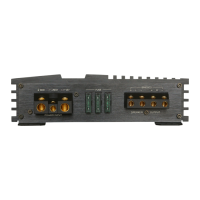
SPEAKER terminal

Connects speaker cables to the amplifier's output terminals.

POWER supply terminal

Connections for +12V, Ground, and Remote wires for power.

Status LEDs

LEDs indicating power status (POW) and protection mode (PROT).

INPUT (RCA input)

RCA jacks for connecting audio sources via line-level signals.

GAIN control

Adjusts the input sensitivity of the amplifier for optimal signal matching.

BASS BOOST control

Controls the bass boost level, adjustable up to +12 dB at 45 Hz.

LOW-PASS (LPF) control

Sets the crossover frequency for filtering high frequencies (30-250 Hz).

HIGH LEVEL input

Accepts speaker-level signals from head units without RCA outputs.

REMOTE socket

Terminal for connecting the bass remote control.

PHASE CONTROL switch

Selects subwoofer phase between 0° and 180° for optimal sound staging.

RCA input wiring

Highlevel input wiring

Specifications

Trouble shooting guide

Terms of warranty

Ground Zero IRIDIUM SERIES Specifications

General IconGeneral
Channels1
Subsonic Filter10 Hz - 50 Hz
Input Sensitivity0.2V - 6V
Bass Boost0dB - 12dB @ 45Hz
CrossoverVariable

Related product manuals